Insta360 X4 in 2026: stop choosing formats blindly
The X4 gives you enough modes to get lost fast. And honestly, that is where a lot of people waste time: they shoot everything in the highest setting, then wonder why their files are heavy, their edits are slow and the final video did not even need that format in the first place.
According to Insta360’s official X4 pages and manual, the key modes to think about are not just “8K versus 4K”. In practice, the useful choices are between 8K 360 for maximum reframing freedom, 5.7K60 for smoother action-heavy 360 footage, single-lens 4K60 for easier editing, and special modes like Active HDR, FreeFrame and Me Mode depending on what you want to publish.
The shortcut I would use
- 8K 360 if you want the most flexibility after the shoot.
- 5.7K60 360 if movement matters more than absolute resolution.
- Single-Lens 4K60 if you want the easiest workflow.
- Me Mode if you want fast creator-friendly clips without reframing.
The Insta360 X4 is a powerful action camera that offers a variety of video formats to suit different needs and content creation projects. Whether you’re a vlogger, a professional content creator, or an extreme sports enthusiast, understanding the different video formats and knowing how to best use them can truly enhance the quality of your projects. Each video format has been designed to meet specific needs, from ultra-high-resolution videos for professional projects to lighter formats to maximize recording time and smooth action scenes. In this article, we’ll guide you through the Insta360 X4 ‘s format options and explain when to use them to optimize your recordings and get the most out of this cutting-edge camera.

Insta360 X4: Video Formats Available on the Insta360 X4
The Insta360 X4 offers several video formats ranging from high-resolution 8K to lower resolutions, each with its own advantages and specific applications. Here are the main formats available:
- 8K at 30fps : Ultra high resolution for incredible detail.
- 5.7K+ at 60fps : High resolution with improved smoothness.
- 4K at 120fps : Ideal for cinematic slow motion.
- 3K at 100fps : Lighter format for slow-motion videos, perfect for fast-action situations.
Each format can be used optimally depending on the scenes to be captured and the type of content you wish to produce. This allows you to adapt the visual quality and fluidity of the videos to the specific needs of each project, whether for social media posts or more ambitious productions.
Insta360 X4: When to Use 8K Format
The 8K format at 30fps is the most advanced and allows you to capture images with breathtaking detail. It’s ideal for projects where image quality is paramount, such as travel videos, documentaries, or professional projects intended for display on 4K or 8K screens. Ultra-high resolution allows you to zoom and crop images without any loss of quality, which is very useful in post-production.
This format is particularly well-suited for capturing expansive landscapes where every detail matters, whether it’s mountains, dense forests, or historical monuments. Furthermore, the cropping option allows you to transform a shot into multiple different angles, adding variety to your productions without the need for reshoots. This makes it a powerful tool for creators who want to maximize the value of every scene they film.
However, 8K produces very large files and consumes a lot of resources. Therefore, it is recommended to use it only when you have sufficient storage space and editing equipment capable of handling such resolutions. 8K is perfect for capturing expansive landscapes and intricate architectural details, or for projects that require exceptional quality for viewing on high-definition screens. For documentaries and large-scale projects, using 8K resolution guarantees total viewer immersion.

Insta360 X4: When to Use the 5.7K+ Format
The 5.7K+ format at 60fps is an excellent compromise between quality and smoothness. It offers high resolution while allowing for smoother motion capture thanks to a refresh rate of 60 frames per second. This format is ideal for vlogs and action scenes where you want crisp visual quality without sacrificing fluidity of movement.
5.7K+ is perfect for creators seeking a balance between resolution and file size. If you’re filming vlogging while traveling or capturing dynamic activities like hiking, this format is ideal because it offers sufficient quality for professional editing while maintaining an efficient post-production workflow. The smoothness of the 5.7K+ format is also an advantage when shooting with camera movement, such as tracking shots or pans, providing a more immersive viewing experience.
This format is also very well-suited for online platforms like YouTube, as it allows for the production of high-quality videos while remaining compatible with the networks’ streaming capabilities. Content creators can thus offer high-quality videos that stand out on social media, without having to deal with files that are too large to download or edit.
Insta360 X4: When to Use 4K Format
The 4K format at 120fps is ideal for capturing cinematic slow-motion scenes. With a high frame rate of 120fps, you can slow down scenes to obtain precise details in fast-paced action situations, such as sports scenes, stunts, or water features. This format is very popular among creators who want to add a dramatic touch to their content.
Use 4K at 120fps for projects that require showing details difficult to perceive at normal speed. This allows you to make every movement visible, creating immersive and captivating videos, especially for extreme sports or emotional sequences where every detail counts. For example, filming an athlete performing a complex maneuver or a dancer executing rapid movements captures the beauty of each gesture and brings out its full grace.
4K at 120fps is also well-suited for creative scenes, such as music videos or narrative sequences where the slow-motion effect adds an extra dimension. This format gives you the flexibility to add drama and emotion to your videos, making them more memorable for the viewer.
Purchase on the official Insta360.com website
Insta360 X4: When to Use 3K Format
The 3K format at 100fps is smaller but maintains smooth footage thanks to its high frame rate. It’s an excellent choice for action situations where storage is limited, or when you need more recording time without compromising overall capture quality. With this format, you can still create smooth slow-motion footage, even though the resolution is reduced.
The 3K format is ideal for adventure vlogs or outdoor sports footage, where fast movement is common but file sizes need to be kept to a manageable size. This makes it a preferred format for users who want to capture long sequences without worrying about storage space. Furthermore, the smaller file sizes allow for faster editing, which is essential for producing content regularly and quickly.
This format is also suitable for users who focus on social media platforms where maximum resolution isn’t necessarily a priority. It allows for filming dynamic sequences while maintaining a reasonable file size, making it easy to upload and share online without sacrificing the ability to capture action-packed moments with decent fluidity.
Insta360 X4: Tips for Choosing the Right Format
To choose the right video format with the Insta360 X4 , it’s important to determine your project’s needs in terms of quality, smoothness, and file size. Here are some tips to guide you:
- Choose 8K if your project is detail-oriented and you plan to publish on platforms that support high resolution. 8K is ideal for large screens and projections.
- Use 5.7K+ for a balance between quality and smoothness, ideal for vlogs, travel, and dynamic projects. This format allows you to capture fluid movement while maintaining good visual quality.
- Choose 4K at 120fps when you need dramatic slow motion, for example in sports videos, artistic scenes, or music videos. This format adds a cinematic touch that enhances the emotional impact of your videos.
- Choose 3K at 100fps if you need extended recording times while maintaining good motion quality. It’s the ideal format for outdoor adventures and long filming sessions.
The Insta360 X4 offers a wide variety of formats suited to different types of projects and situations, allowing you to create content that meets your expectations, whether for personal or professional use. With the right formats, you can tell visual stories that captivate and inspire your audience.
Why Choose the Insta360 X4 for Your Video Projects
The Insta360 X4 is an incredibly versatile tool that offers multiple video formats to suit all content creators, regardless of their needs or preferences. Whether you’re a professional looking to produce high-quality videos for ambitious projects or an extreme sports enthusiast wanting to share your adventures, the Insta360 X4 is designed to meet all your creative challenges.
By using the right video formats, you can capture every moment with the resolution and fluidity that best match your vision, always ensuring exceptional quality. Remember to consider the nature of your project and the specific characteristics of the available formats to achieve optimal results.
This camera offers unparalleled flexibility to transform every idea into a captivating visual achievement. Experiment with different formats and find the one that best suits your unique story.
The best format for real-life use cases
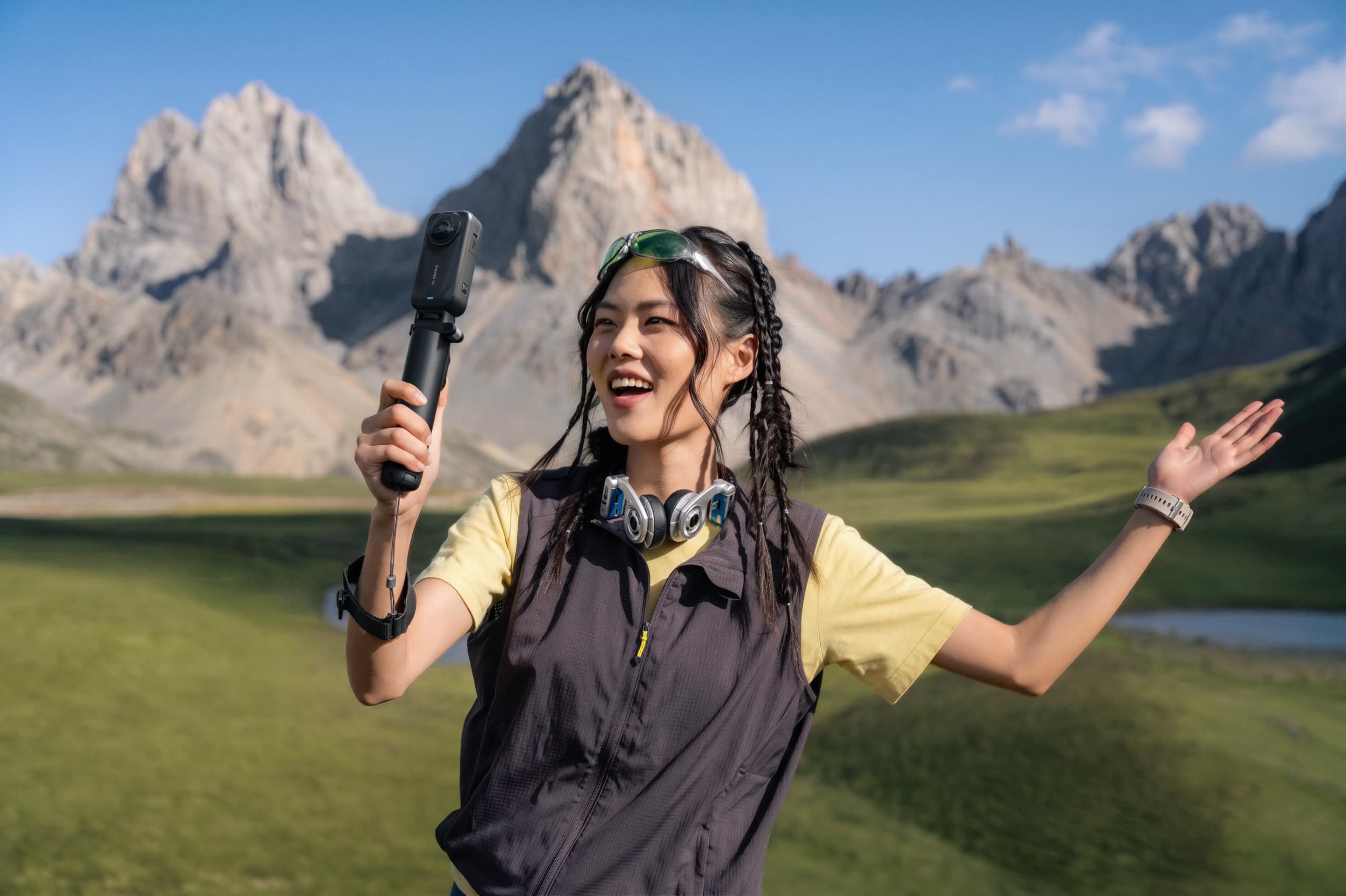
If you are filming travel, city walks or scenic shots and you know you will reframe later, 8K 360 is the safe choice. It gives you the most room to crop and experiment after the fact. The trade-off is obvious: bigger files and a heavier edit.
If you are shooting movement, sports, riding or anything that benefits from smoother motion, 5.7K60 often feels smarter. You lose some bragging-rights resolution, but you gain fluidity, which is usually more important once the clip is actually being watched.
If your goal is speed, single-lens 4K60 is the practical choice. It is easier to manage, easier to edit, and often enough for YouTube, reels and everyday creator work. A lot of people would honestly be better off using it more often instead of forcing 360 into every situation.
My rule of thumb
- Need flexibility later? Shoot 8K 360.
- Need fluid action? Shoot 5.7K60.
- Need fast turnaround? Shoot 4K60 single-lens.
- Need contrast control in tough light? Try Active HDR without overusing it.
FAQ
Should I always shoot in 8K on the Insta360 X4 in 2026?
No. 8K is great when you want maximum reframing freedom, but it is not automatically the best option for every project.
What is the best format for action?
For many action scenes, 5.7K60 is a better balance than forcing 8K, because smoothness often matters more than maximum resolution.
What is the easiest mode for quick editing?
Single-lens 4K60 is often the easiest to manage if you do not need the full 360 workflow.
Is Me Mode actually useful?
Yes, especially if you want fast creator-friendly clips where you stay centered and do not want to reframe everything later.


-1-150x150.avif)


Leave a Reply