What if you could use your drone without pulling out your remote controller or your FPV goggles? That’s exactly what the new Antigravity A1 Follow Me pack offers.
With its remote control watch and gesture control ring, the Antigravity A1 becomes much easier to use for filming yourself during an activity.
I had the chance to test the Follow Me pack, its different flight modes, the tracking settings, and the Drag-to-Fly function. And honestly, it’s an upgrade I really appreciate.
What I especially like is the run and gun style. You take the drone out, select your tracking mode, and you can start filming without needing to set up your whole piloting gear.
For a bike ride, a hike, or just a few shots during a walk, I find this really practical.
But not everything is perfect, particularly when it comes to the propeller guards.
Here’s my full hands-on review of the Antigravity A1 Follow Me pack.
What is the Antigravity A1 Follow Me pack?
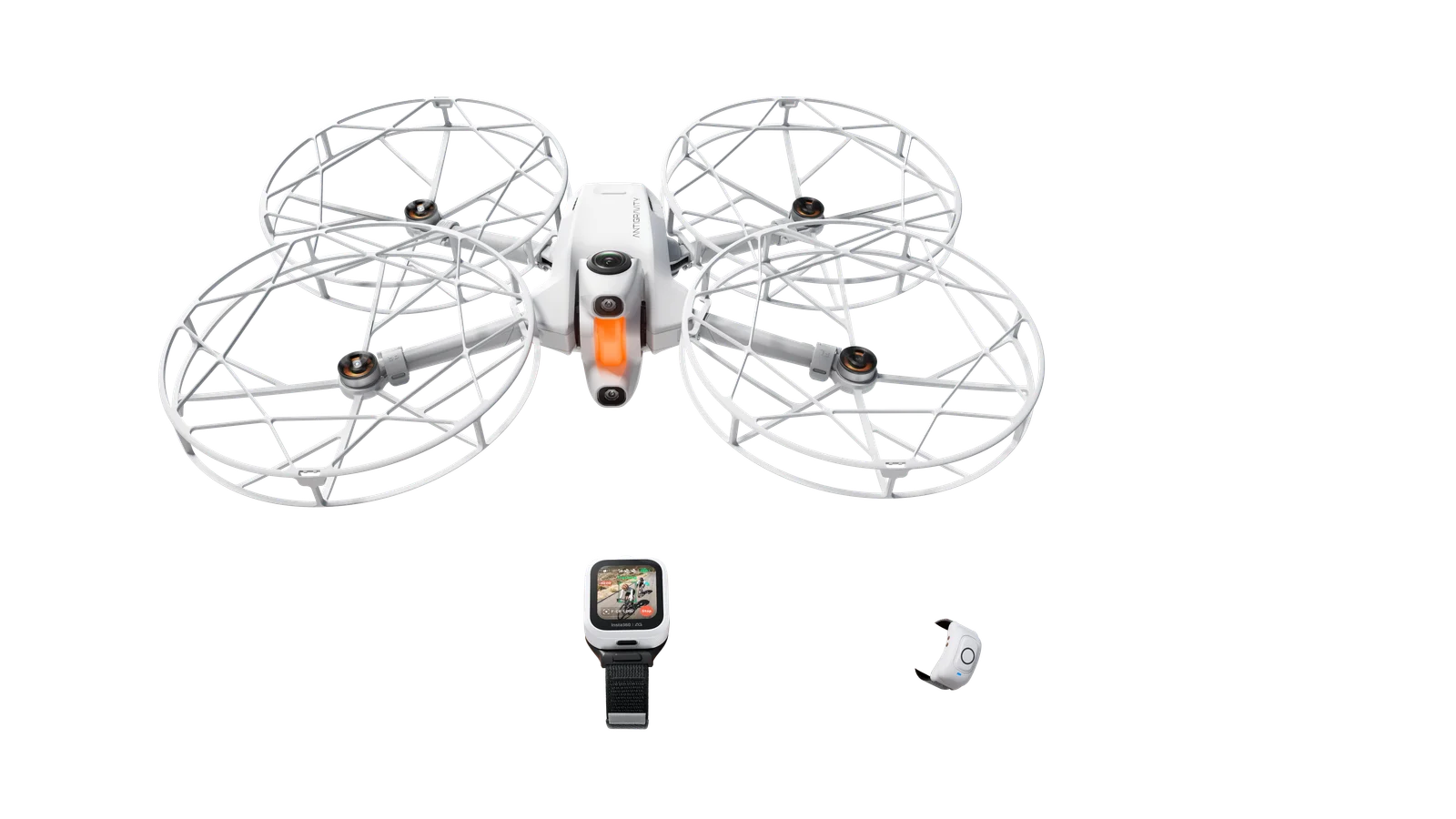
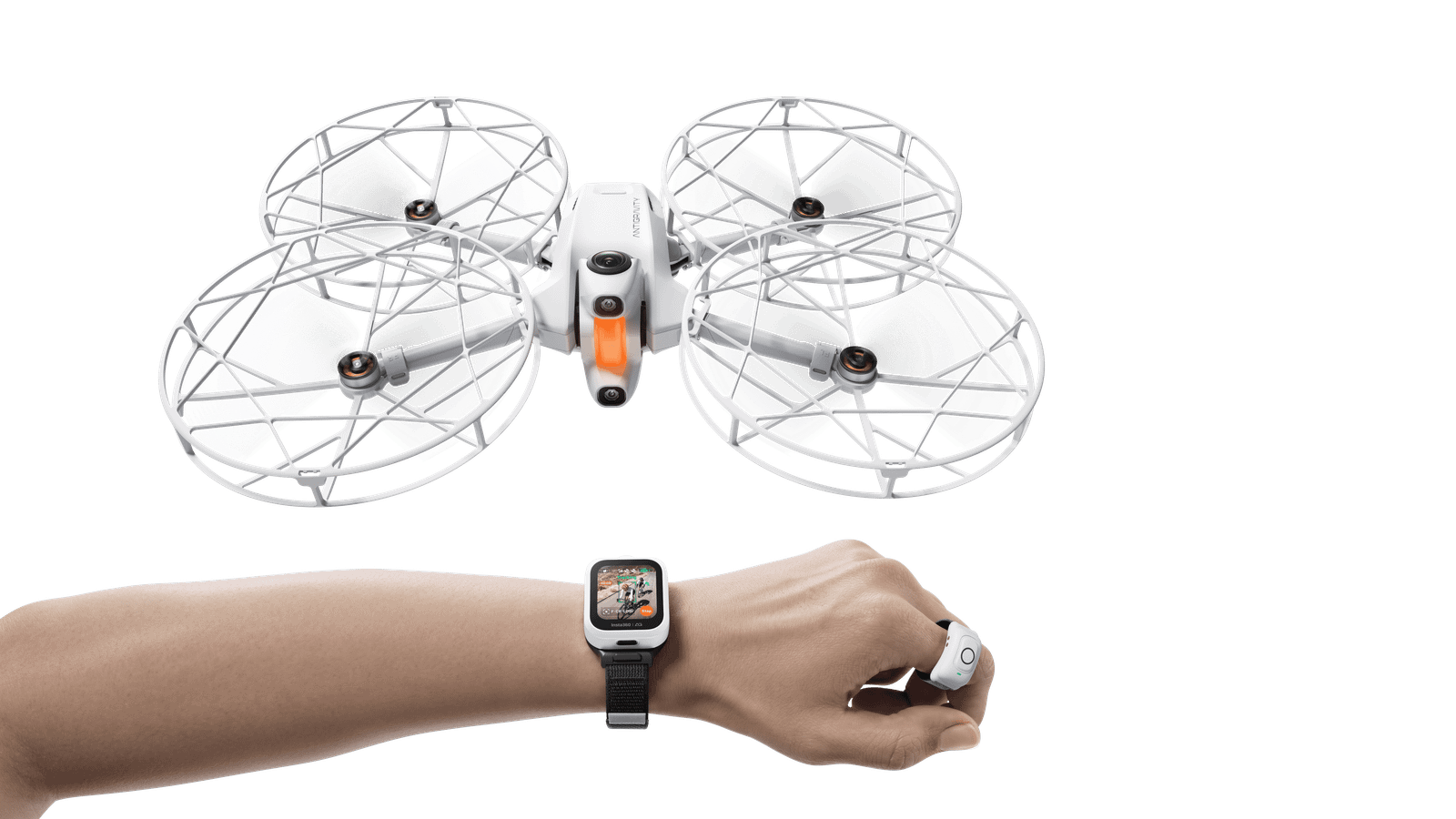
The Follow Me pack lets you use the Antigravity A1 with a watch and a remote control ring, without needing the Vision goggles and the Grip controller for the supported functions.
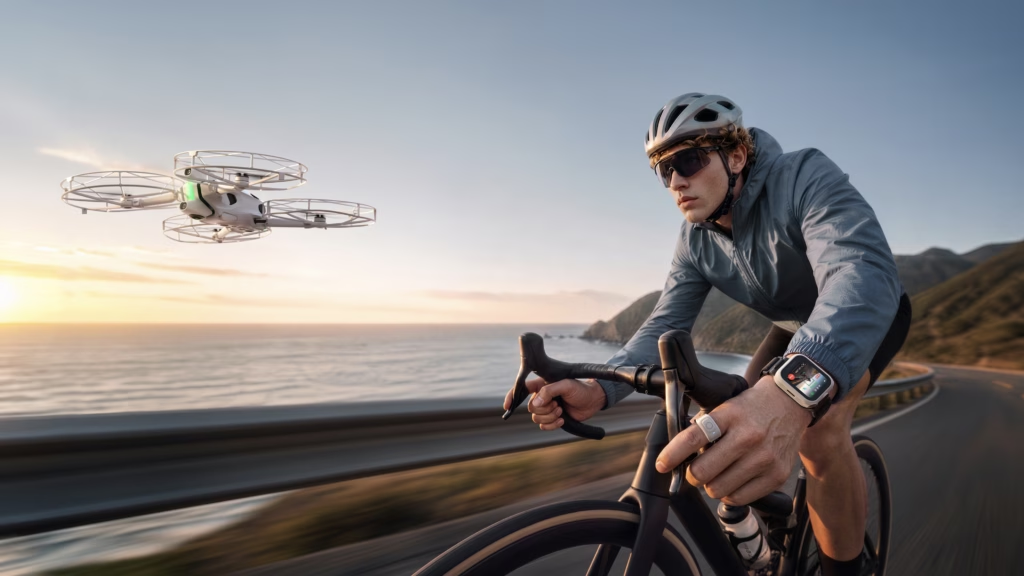
The idea is to turn this 360° drone into a real companion for everyday activities.
The pack includes three main accessories:
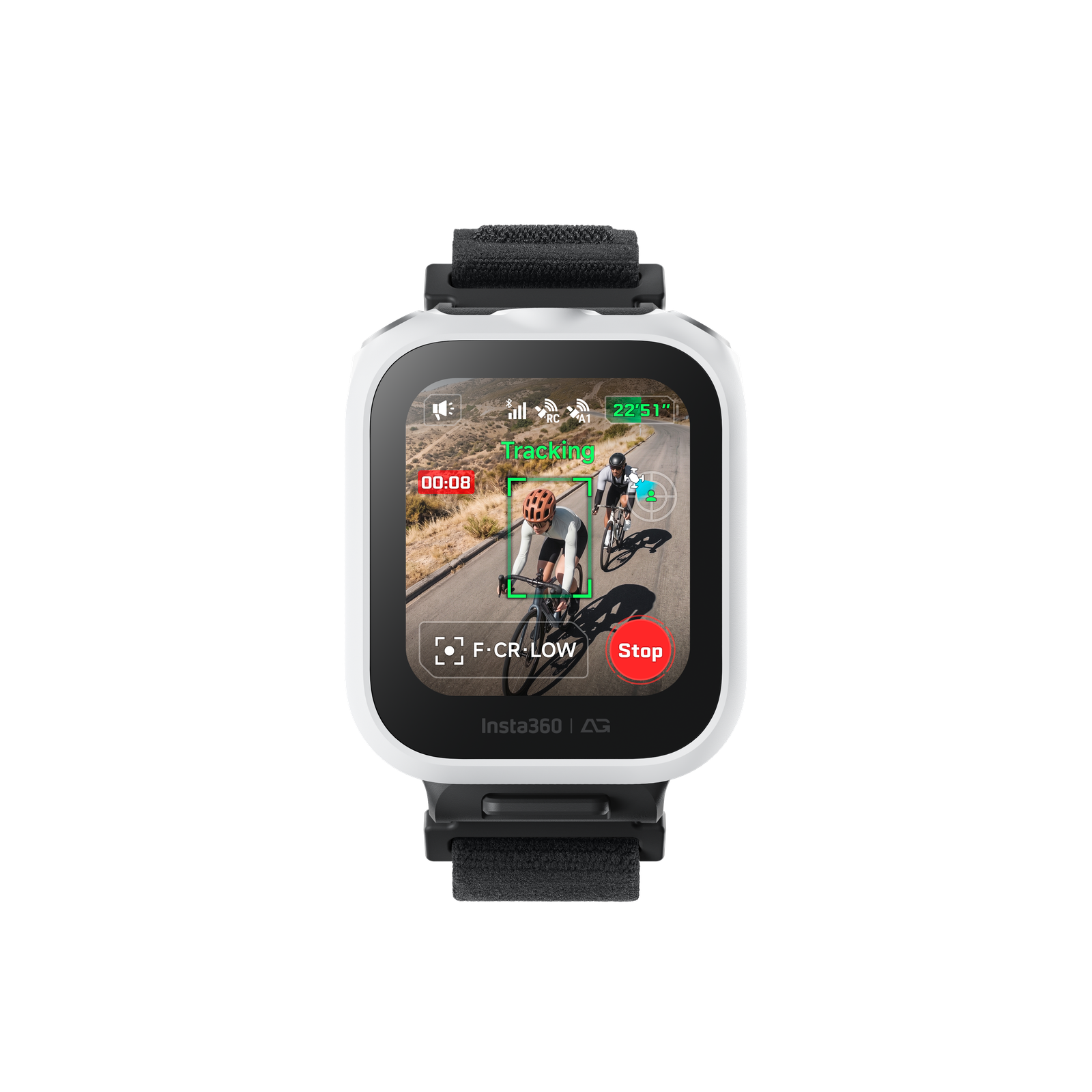
- The remote control watch, which lets you manage takeoff, landing, flight modes, and various settings.
- The remote control ring, which lets you use Drag-to-Fly gesture controls and certain takeoff functions.
- The full-coverage propeller guards, which provide extra protection for certain types of use.
There’s also a Follow Me accessory kit designed for users who already own an Antigravity A1.
This is interesting because you don’t need to buy a whole new drone to enjoy these new controls.
Antigravity A1: film with total freedom
Discover the remote control watch, Deep Track tracking , and Drag-to-Fly gesture controls.
Affiliate link: a commission may be earned at no extra cost to you.
The remote control watch: what really changes the experience
I’ll start with what convinced me the most during my testing: the remote control watch.
Personally, I think this is the accessory that adds the most value to the pack.
I really enjoy flying the Antigravity A1 with the Vision goggles and the Grip controller. The immersive experience remains one of the drone’s biggest draws.
But when you just want to film a few minutes during an activity, pulling out all that gear isn’t always practical.
With the watch, it’s much simpler.
You can launch the drone, select a flight mode, and set up your tracking directly from your wrist.
And that’s exactly what I was looking for.
A much more run and gun drone
Let’s take an example: I go out cycling and discover a nice spot.
With a classic piloting setup, you have to pull out the remote controller, prepare the goggles, and take the time to set everything up.
To film a thirty-second clip, you don’t always feel like doing that.
With the Follow Me pack, I find the whole experience much more spontaneous.
You can take the drone out for a few shots, let it fly in a suitable environment, then get back to your activity.
This is especially useful for cycling, but also for skiing, walks, or travel.
And honestly, that’s the practical side I appreciated the most.
A watch that also lets you customize your shots
The watch isn’t just for taking off the drone.
It also lets you choose flight modes and adjust several tracking parameters.
You can notably change the drone’s position, its distance, and its height.
And these settings make a huge difference to the final result.
Instead of having a drone that always stays behind you, you can vary the angles to get much more interesting footage.
Deep Track: the Antigravity A1’s automatic tracking
One of the central features of the Follow Me pack is Deep Track, the Antigravity A1’s smart tracking system.
The principle is quite simple: the drone automatically follows the subject as they move.
To do this, it combines visual tracking with the GNSS positioning data from the watch.
The goal is to maintain more stable tracking, particularly when moving quickly or when the subject is briefly hidden.
The stated maximum tracking speed is 10 m/s, or 36 km/h, under the intended measurement conditions with the full propeller guards fitted.
I tested the various tracking options, and what I find particularly interesting is being able to choose how the drone films you.
Tracking from behind
This is probably the most classic framing.
The drone positions itself behind you and follows your movements.
For cycling, I find this type of shot works really well.
You see the subject moving forward while also enjoying the scenery ahead of them.
It’s a good way to showcase a route or create a chase-style sequence.
Tracking from the front
You can also position the drone in front of you.
This time, the point is to film the subject head-on as they move.
The result is completely different from rear tracking.
You can see more of the person being filmed, their movements, and the scenery behind them.
It’s particularly useful for varying the shots in a video.
Tracking from the side
Another option I like: side tracking.
The drone films the subject from the side, which shows the movement with the scenery scrolling by in the background.
I find this a particularly nice angle for sports activities.
And above all, it avoids shooting an entire video with exactly the same framing.
Adjusting tracking distance and height
What I also like about Deep Track is that you can customize the drone’s position.
And these settings matter a lot if you want to get more polished shots.
Adjusting the tracking distance
You can choose to place the drone closer to or farther from the subject.
If I want a relatively close shot, I reduce the distance.
Conversely, when I want to show more of the landscape, I can move the drone farther away.
This is particularly useful during a hike or a bike ride.
For example, on a road with a beautiful view, I often prefer a wider framing to show the surroundings.
For a sequence where I want to highlight the action more, a closer framing can be more interesting.
Changing the drone’s height
You can also adjust the tracking height.
A drone positioned relatively low gives a feeling of being close to the action.
A higher position gives a wider view and better captures the landscape.
The Antigravity A1 also offers an Ultra-Low Altitude mode, introduced with firmware V5.1.0, allowing tracking at a stated height of 1 meter.
This type of framing should obviously be reserved for suitable conditions, paying close attention to obstacles and terrain.
My thoughts on these settings
For me, this is one of the most interesting features of the Follow Me pack.
Being able to choose front, rear, or side tracking, then adjust the distance and height, gives you real freedom.
This lets you vary the shots without constantly having to switch back to manual piloting.
And when creating content for YouTube or Instagram, that’s a nice advantage.
Orbit Follow: movements around the subject
In addition to standard tracking, I also tried the other flight options, including Orbit Follow.
The idea is to move around the subject rather than simply staying behind them.
This type of trajectory creates much more dynamic shots.
I find this particularly interesting when you’re in a beautiful setting.
Instead of just a chase shot, the drone’s movement shows the subject from different angles and reveals more of the surroundings.
And the advantage is that this type of movement can also be combined with Drag-to-Fly to adjust the drone’s distance.
Drag-to-Fly: moving the drone with hand gestures
Another feature I got to try: Drag-to-Fly.
This is probably one of the most original ideas in this pack.
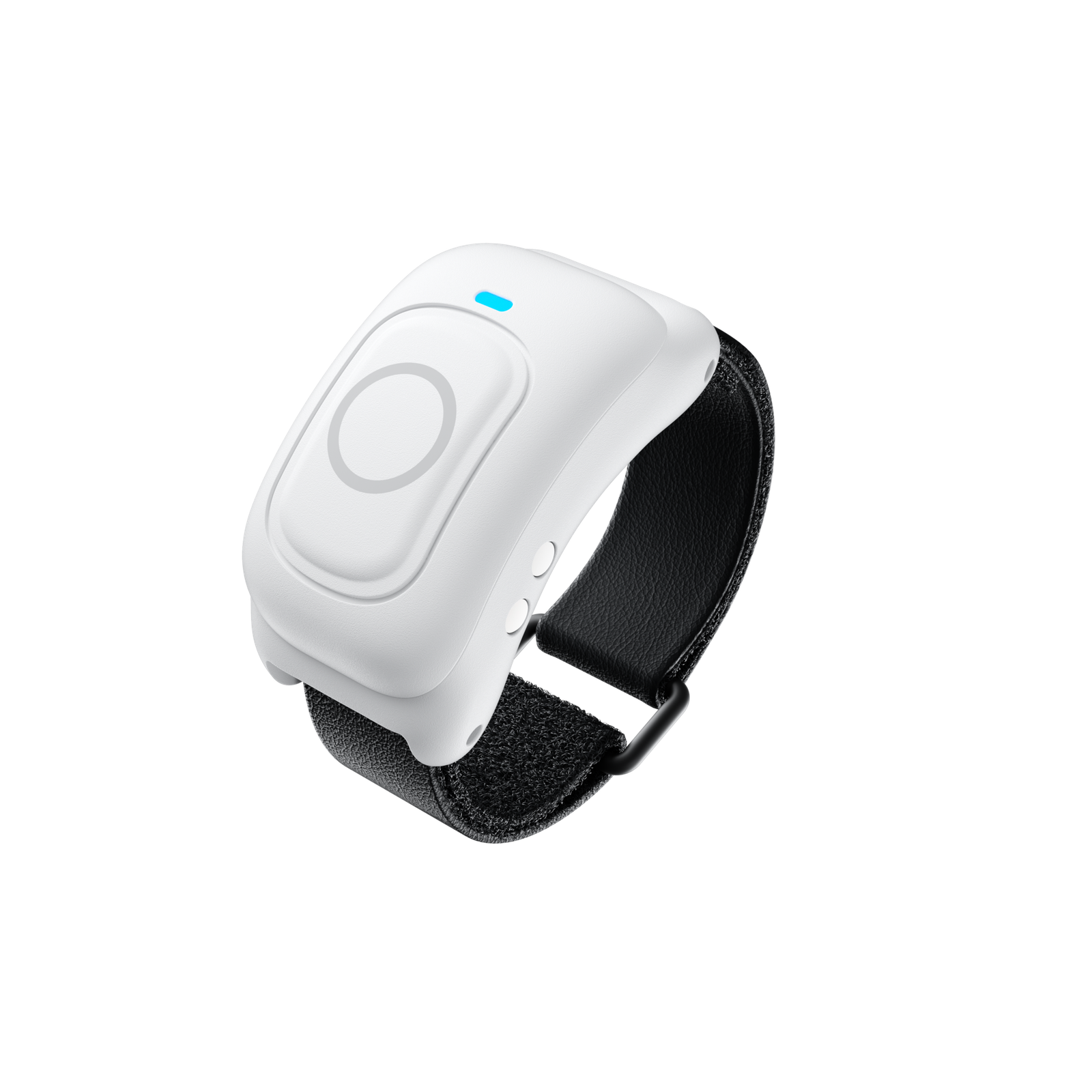
Instead of using a traditional remote controller to change the drone’s position, you can perform certain movements directly with your hand thanks to the remote control ring.
And I think this fits perfectly with the philosophy of the Follow Me pack.
How does Drag-to-Fly work?
To use this feature, you need to wear the watch and the remote control ring on the same arm.
Once the subject is selected, you hold down the ring’s button until you hear the voice message and feel the watch vibrate.
You can then use different gestures to control the drone.
Moving the drone left or right
By moving your hand sideways, you can shift the drone’s position to the left or right.
This is useful for changing perspective during a shot.
Making the drone go up or down
Vertical gestures also let you adjust the drone’s height.
This lets you change the framing without needing to pull out the remote controller.
Bringing the drone closer or farther away
To adjust the distance, the method is different.
You need to rotate your arm inward to bring the drone closer, or outward to move it farther away.
This is a feature I find particularly interesting.
Imagine you’re filming yourself in front of a beautiful landscape.
You want to widen the shot to show more of the scenery?
The idea is to be able to move the drone farther away with a simple gesture.
Note that, aside from Orbit Follow, each activation only lets you change one dimension of movement at a time. To switch to another type of movement, you need to release and then hold the button again.
Drag-to-Fly isn’t available while using the Sky Genie models.
My thoughts on Drag-to-Fly
After trying the feature, what I find most interesting is being able to adjust the drone’s position without going back to a traditional remote controller.
It’s a different approach from classic piloting.
It pairs nicely with the watch, since both accessories are designed to make the experience more direct.
I find it particularly interesting to be able to adjust the framing during a sequence rather than settling for a preset tracking position.
Sky Genie: automatically creating cinematic movements
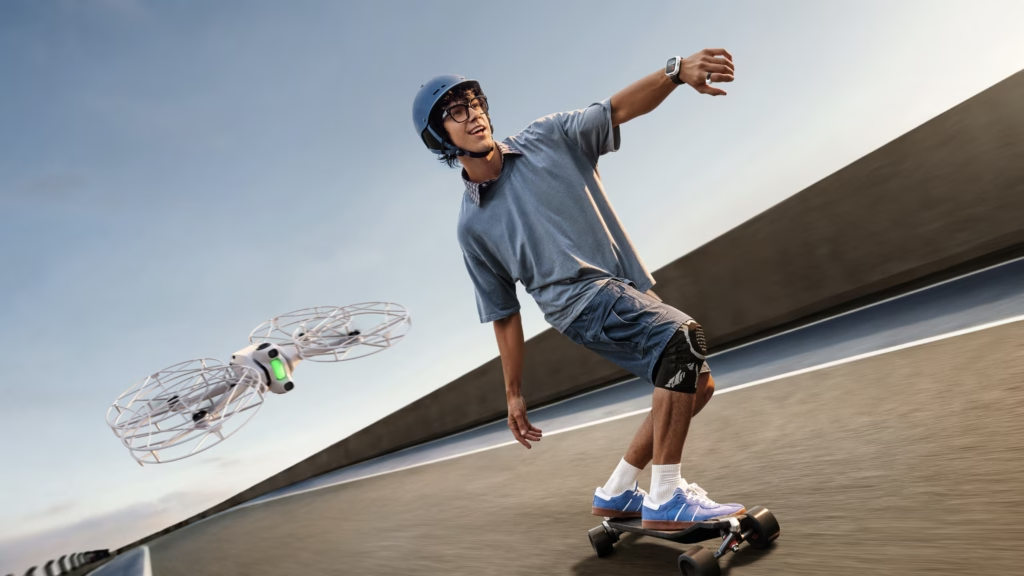
The Follow Me pack also lets you use the Sky Genie functions from the watch.
These are automatic shooting patterns that perform various drone movements.
Among the options, you’ll find:
| Fashion | Movement |
|---|---|
| Orbit | The drone performs a circular movement around the subject. |
| Fly Away | The drone gradually moves away to reveal the landscape. |
| Spiral Ascent | The drone combines an upward movement with a spiral motion. |
I also tried out these flight options.
I find these movements particularly interesting for travel videos, landscapes, or sequences where you want to vary the framing.
They let you create trajectories without having to manually manage the whole movement.
And with the Antigravity A1, there’s another advantage: 360-degree capture.
A drone that films in 360°: an advantage for the Follow Me modes
This is an important point to mention.
Unlike a drone that only films in one direction, the Antigravity A1 captures its surroundings in 360 degrees.
This lets you choose different framings after the flight.
For example, from the same sequence, you can create a shot facing forward, then another facing backward, or even make a camera move during editing.
This is particularly useful with the tracking modes.
You don’t have to decide on every final framing during the flight.
You can focus on the activity, then rework the video afterward in your editing software.
The A1 can record 360° video up to 8K at 30 frames per second.
For content creators, this combination of automatic tracking and 360° video opens up a lot of possibilities.
Wave to Track: starting tracking with a gesture
Another interesting feature: Wave to Track.
It lets you quickly designate the subject to track with a hand gesture.
After enabling Wave to Lock, you simply raise your hand and wave it above your head to lock onto the subject.
The stated detection range is 1 to 5 meters horizontally and 0.5 to 3 meters vertically.
It’s another way to simplify starting the tracking.
And this fits well with the pack’s overall idea: cutting down on manipulations so you can focus on your activity.
Obstacle avoidance during tracking
When using a drone in Follow Me mode, obstacle avoidance is obviously an important point.
Because when you’re cycling or walking, you’re not necessarily watching the drone’s movements the whole time.
The Antigravity A1 has an omnidirectional obstacle avoidance system, paired here with the full-coverage propeller guards.
This system is designed to help the drone detect certain obstacles as it moves.
This is useful for automatic tracking, especially when the route has occasional obstacles.
But you still need to stay cautious.
Small branches, dense foliage, or hard-to-detect obstacles can cause problems.
Even with obstacle avoidance, I recommend sticking to open environments and staying attentive to flight conditions.
You should never assume that an automatic system makes collisions impossible.
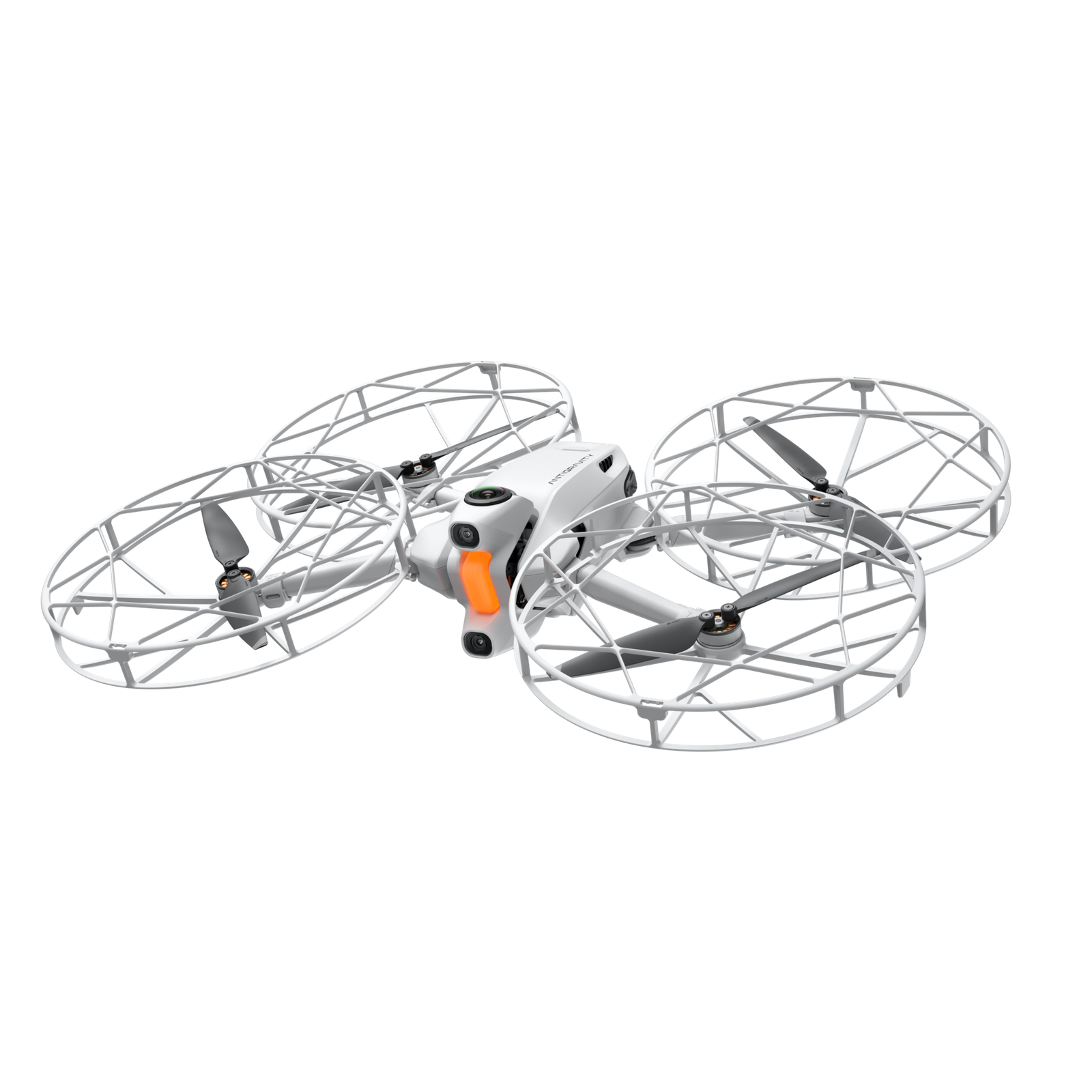
The propeller guards: the part I liked less
The Follow Me pack also includes full propeller guards.
And this is probably the accessory I’m most mixed on.
Installation isn’t exactly convenient
To start with, I find they’re not particularly easy to install.
It takes a bit of time and several steps.
And honestly, that feels like a bit of a shame for a pack that’s specifically built around simplicity and quick use.
The watch makes the experience much more spontaneous, but installing the guards adds an extra step.
When do I use them?
Personally, I mainly installed them when I wasn’t sure I’d have a nice flat surface to land the drone on.
In some situations, hand-catching can be considered, provided you strictly follow the procedures set out by the manufacturer.
And naturally, with the propeller guards on, it’s more reassuring.
On the other hand, when I have a flat, open surface, like asphalt, I find it much simpler not to have to install them, if the chosen flight mode allows it.
Caution: the guards may be necessary depending on the setup used and do not make hand-catching risk-free.
Personally, I just wish they were easier to put on and take off.
Battery life and specifications of the Follow Me pack
Here are the main specifications stated for this configuration.
| Characteristic | Value |
|---|---|
| Weight of the A1 with high-capacity battery and full propeller guards | 351 g |
| Maximum flight time in this configuration | 23 minutes |
| Stated maximum tracking speed | 10 m/s |
| 360° video resolution | Up to 8K at 30 fps |
| Watch screen | 1.72-inch LCD |
| Watch weight | 44.7 g |
| Stated battery life of the watch during tracking | More than 5 hours |
| Watch water resistance | IP67 |
| Ring weight | 8.2 g |
| Stated battery life of the ring | More than 5 hours |
| Ring water resistance | IP67 |
These are the specifications stated under specific measurement conditions. Actual battery life depends in particular on weather conditions, usage, and settings.
My thoughts on the Antigravity A1 Follow Me pack
After trying the watch, Drag-to-Fly, and the various flight options, my overall impression is very positive.
And I keep coming back to the same point: the watch really changes the experience.
That’s what I preferred most.
With it, the Antigravity A1 becomes much easier to use for filming an activity without constantly pulling out the goggles and the remote controller.
For spontaneous use, I find it really great.
I also really enjoyed the options offered by Deep Track.
Being able to choose the drone’s position, change the distance, and adjust the height lets you get very different shots.
And since the drone films in 360°, you can still rework your framing during editing.
What I liked
- How simple the watch is to use.
- The run and gun style, particularly handy for outdoor activities.
- The different flight and tracking modes.
- The distance, height, and position settings.
- The concept behind the Drag-to-Fly gesture controls.
- The ability to reframe the 360° footage after the flight.
What I liked less
- Installing the propeller guards, which I find a bit of a hassle.
For me, the main appeal of this pack isn’t just about adding new controls to the Antigravity A1.
It’s mainly about making the drone easier to use in situations where you might not otherwise have taken the time to get out all your gear.
Where to buy the Antigravity A1 Follow Me pack?
The Follow Me pack is available as a complete version with the drone, but also as an accessory kit for users who already own an Antigravity A1.
If you’d like to check out the Antigravity A1, I’ve included my affiliate link to the official store.
🎁 My Antigravity promo code: AGRRLOV
With my code, you can take advantage of the free accessory offer with the purchase of the drone, subject to the current promotion’s terms.
👉 Check out the Antigravity A1 and use my promo code
Conclusion: is the Follow Me pack really worth it?
For me, the Follow Me pack is a particularly interesting accessory for the Antigravity A1.
I especially loved using the watch.
It lets you enjoy the drone in a much simpler and more spontaneous way, particularly during sports activities or outdoor outings.
The various Deep Track settings give you real freedom to vary your shooting angles.
Drag-to-Fly adds another way to adjust the drone’s positioning using hand gestures.
And Sky Genie lets you create interesting automatic movements for travel videos or more cinematic shots.
My main complaint concerns the propeller guards, whose installation could be more convenient.
But overall, I think this pack brings something genuinely useful.
It doesn’t just change how you control the Antigravity A1: above all, it makes you want to take your drone out more often, even for a few spur-of-the-moment shots.
And for me, that’s exactly what makes it worthwhile.