Just bought an Insta360 X6? Here are the essential settings to get started quickly, along with a complete guide to keep on your phone or computer. You’ll find useful modes, recommended settings, and points to check before your first outings.
Insta360 X6 User Guide — Free
Settings, video modes, photo, PureVideo, InstaFrame 2.0, editing, and export.
🎁 Download the free Insta360 X6 guide
Why I created this Insta360 X6 guide
The X6 is a very versatile camera, but this richness can make the first few days less intuitive than with a classic action camera. You need to choose between 360° video, InstaFrame 2.0, and single-lens mode, then understand when to activate PureVideo, HDR, Dolby Vision, or I-Log.
The goal of this guide is simple: avoid searching for each setting separately and help you start with a consistent configuration. It complements our complete Insta360 X6 review, without replacing it.
What you will learn in the guide
The best 360° video settings
For most trips and daytime outings, 8K at 30 fps remains the most versatile setting. Activate HDR when the scene has strong light variations and prioritize a high bitrate when image quality matters more than file size.
Filming in 8K with the Insta360 X6
The X6 can record in 360° up to 8K at 50 fps. This mode allows for significant reframing after shooting, but requires a reliable microSD card and sufficient space. Consult our Insta360 X6 microSD card guide before filming for extended periods in high resolution.
Using InstaFrame 2.0
InstaFrame 2.0 quickly produces a flat 4K 30 fps video, with tracking designed for a person, animal, or moving subject. It’s the most practical mode when you want to publish quickly without lengthy 360° reframing.
Using the X6 as an action camera
In single-lens mode, you can shoot up to 5K at 60 fps, enjoy a 170° ultra-wide angle at 5K at 30 fps, or choose 4K at 120 fps to slow down a sequence. This is particularly relevant for cycling, motorcycling, and shots where you already know your framing.
Filming at night with PureVideo
PureVideo is the go-to when light levels drop. It helps achieve a cleaner image in night scenes, provided you remain mindful of fast movements and high-contrast light sources.
Dolby Vision and I-Log
The X6 offers 10-bit recording and native Dolby Vision. In the recommended settings of the technical guide, Dolby Vision and I-Log are supported up to 8K at 30 fps. These profiles are especially interesting for those who want to retain more latitude in editing.
360° Photo in 120 MP
The 120 MP 360° photo mode is useful when you want to reframe a still image with plenty of leeway. It is best for static or slow-moving scenes: landscapes, travel, architecture, or group memories.
Transfer, editing, and export
The guide also explains how to organize your files, use the Insta360 app or Insta360 Studio, and choose an H.265 export consistent with your usage. These details make the difference between beautiful raw footage and a truly shareable video.
My recommended Insta360 X6 settings
| Situation | Recommended setting |
|---|---|
| Daytime / 360° travel | 8K 30 fps, HDR, high bitrate |
| Backlight in 360° | 8K 30 fps, HDR |
| Night in 360° | 8K 30 fps, PureVideo |
| Quick Vlog | InstaFrame 2.0, 4K 30 fps |
| Action camera | Single-lens 5K 30 or 60 fps |
| Slow motion | Single-lens 4K 120 fps |
| 360° photo | 120 MP |
These settings are a reliable baseline, not a rigid rule: adapt them to the light, movement, and editing time you have available.
Want all settings explained simply?
I’ve compiled the main modes, settings, and usage tips for the Insta360 X6 into a free ebook.
Download the Insta360 X6 guide for freeWhy the Insta360 X6 requires a bit of getting used to
The X6 combines three uses in one body:
- a 360° camera for framing after shooting;
- a camera with tracking via InstaFrame 2.0;
- a single-lens action camera.
This versatility is excellent, but it means making a choice before pressing record. The right mode isn’t always the most impressive on paper: it’s the one that matches your outing and the time you want to dedicate to editing.
5 mistakes to avoid with the Insta360 X6
- Filming with dirty lenses: a smudge on a lens is visible throughout the 360° shot.
- Always using the same mode: choose InstaFrame or single-lens when 360° adds nothing.
- Filming at night without PureVideo: you risk a less clean image than necessary.
- Forgetting high bitrate when quality is paramount: this is important for detailed scenes and reframing.
- Forgetting assembly calibration after a lens change: check it before an important outing.
Download my free Insta360 X6 guide
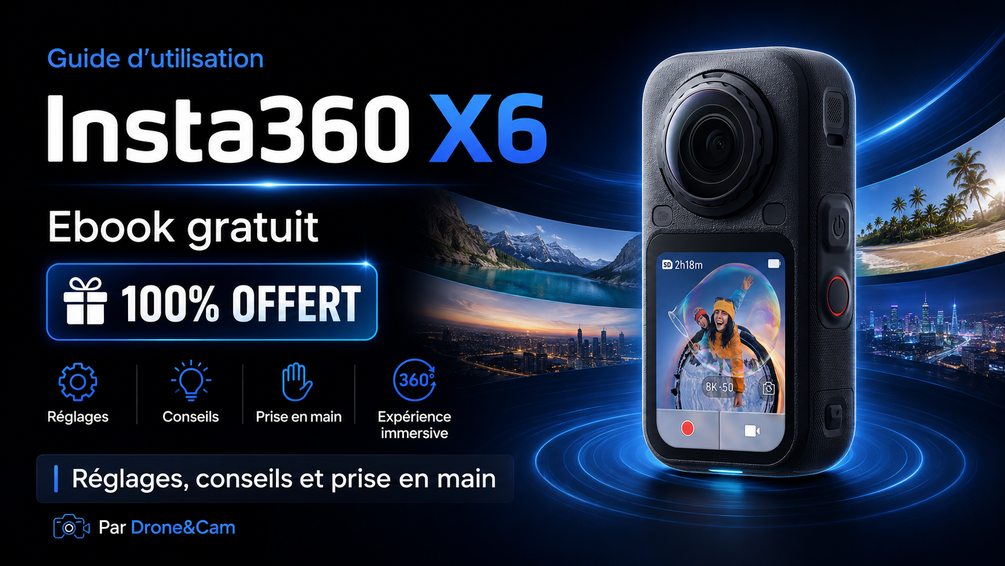
Insta360 X6 User Guide — Free
Settings, tips, video modes, photo, PureVideo, InstaFrame 2.0, Dolby Vision, I-Log, editing, and export.
Price: €0
Who is this guide for?
- New Insta360 X6 owners;
- Travelers who want to film simply;
- Motorcyclists and cyclists;
- YouTube, Instagram, and TikTok creators;
- People discovering 360° video;
- Insta360 X5 owners upgrading to the X6.
Some important features of the Insta360 X6
- Dual 1/1.1″ Sony sensor;
- 360° video up to 8K50;
- 360° photo in 120 MP;
- InstaFrame 2.0 in 4K30;
- 2.32″ OLED screen;
- 2,600 mAh battery;
- Advertised battery life up to 140 minutes in 8K30;
- 47 GB usable internal memory;
- Advertised waterproof up to 20 m without a case.
For complete technical data, also consult the official Insta360 X6 product page. If you’re hesitating between the two generations, our Insta360 X6 vs X5 comparison will help you choose.
Insta360 X6 FAQ
What is the best setting for the Insta360 X6?
For versatile daytime use, start with 8K at 30 fps, with HDR and a high bitrate. Then adjust according to light and shot type.
What resolution should I use with the Insta360 X6?
8K at 30 fps is a good choice for versatile 360° video. Switch to 8K50 when you need more fluidity and your memory card and storage allow it.
Can the X6 film at night?
Yes. Activate PureVideo in dark scenes to prioritize a cleaner image. However, avoid sudden movements if the light is very low.
What’s the difference between 360°, InstaFrame, and single-lens?
360° allows you to choose framing after shooting. InstaFrame quickly produces a flat video with tracking. Single-lens is the classic action camera mode, useful when you know your framing.
Can the X6 film directly in classic video mode?
Yes. The single-lens mode allows you to film like with an action camera, up to 5K60 depending on the chosen setting.
How to download the Insta360 X6 guide for free?
The guide is available for free on Gumroad. Use one of the buttons on this page to access the download.
In summary
The X6 is extremely versatile, but this wealth of modes can take some time to get started. So I’ve compiled the essential settings and tips into a free guide to help you get started quickly.
Download the Insta360 X6 guide for free
The features and modes mentioned are based on information available at the time of writing. Check for any firmware updates in the Insta360 app.
Also read to choose your Insta360 X6 well
To go further depending on your usage, also consult these guides and comparisons: