
Not all webcams are designed for the same uses. Some prioritize simplicity, others rely on advanced technology, and a few manage to strike the right balance between professional quality and ease of use . This is precisely where the Insta360 Link 2C Pro falls into this category.
If you’re looking for a webcam that delivers truly crisp images , usable sound without an external microphone , and a smooth everyday experience without necessarily needing a motorized gimbal, then this model definitely deserves your attention. Let’s see why.
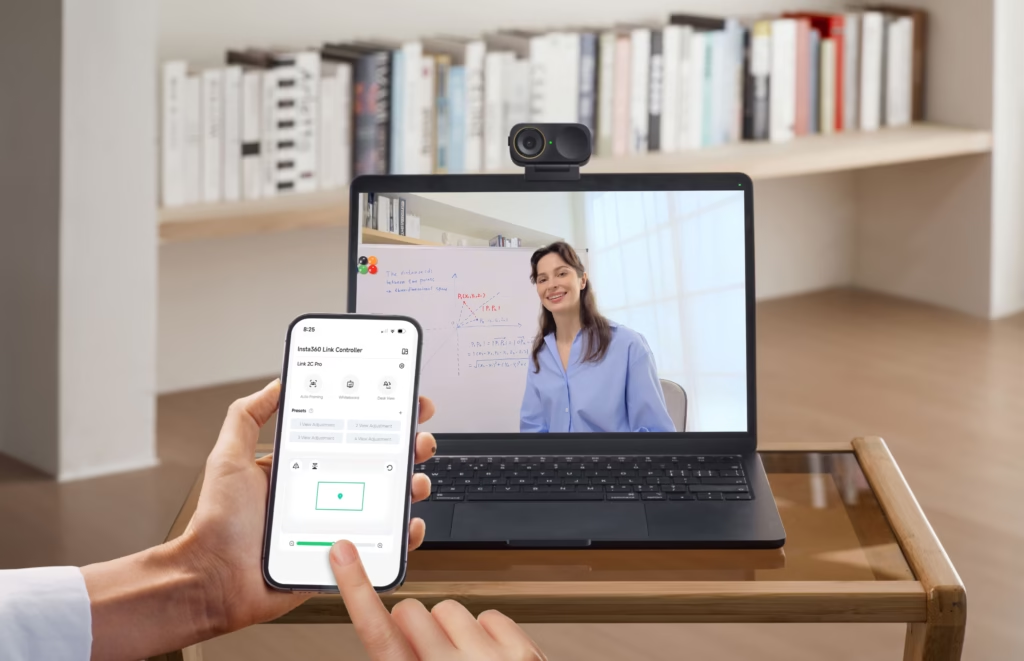
Why the Insta360 Link 2C Pro stands out from traditional webcams
In recent years, remote work, online training, and content creation have exploded. As a result, expectations for a webcam have radically changed. We no longer just want to “be visible,” we want to be seen and heard clearly .
The Insta360 Link 2C Pro was designed precisely for this. It doesn’t try to impress with gimmicky features, but to offer consistent, professional image and sound quality , even in less-than-perfect conditions.
This is a webcam aimed at demanding users who don’t want a complicated setup.
General overview of the Insta360 Link 2C Pro
Visually, the Link 2C Pro remains true to the Insta360 DNA: a compact, discreet, and modern design. It easily attaches to a monitor or tripod, connects via USB-C, and works immediately on both Windows and macOS.
Unlike the Link 2 Pro, the Link 2C Pro does not have a motorized gimbal . This choice is intentional. Here, Insta360 focuses on intelligent, 100% software-based framing , which is simpler, more compact, and sufficient for most static or semi-static uses.
This is a webcam designed for the office, video conferencing, seated training, and creating content in front of the camera.
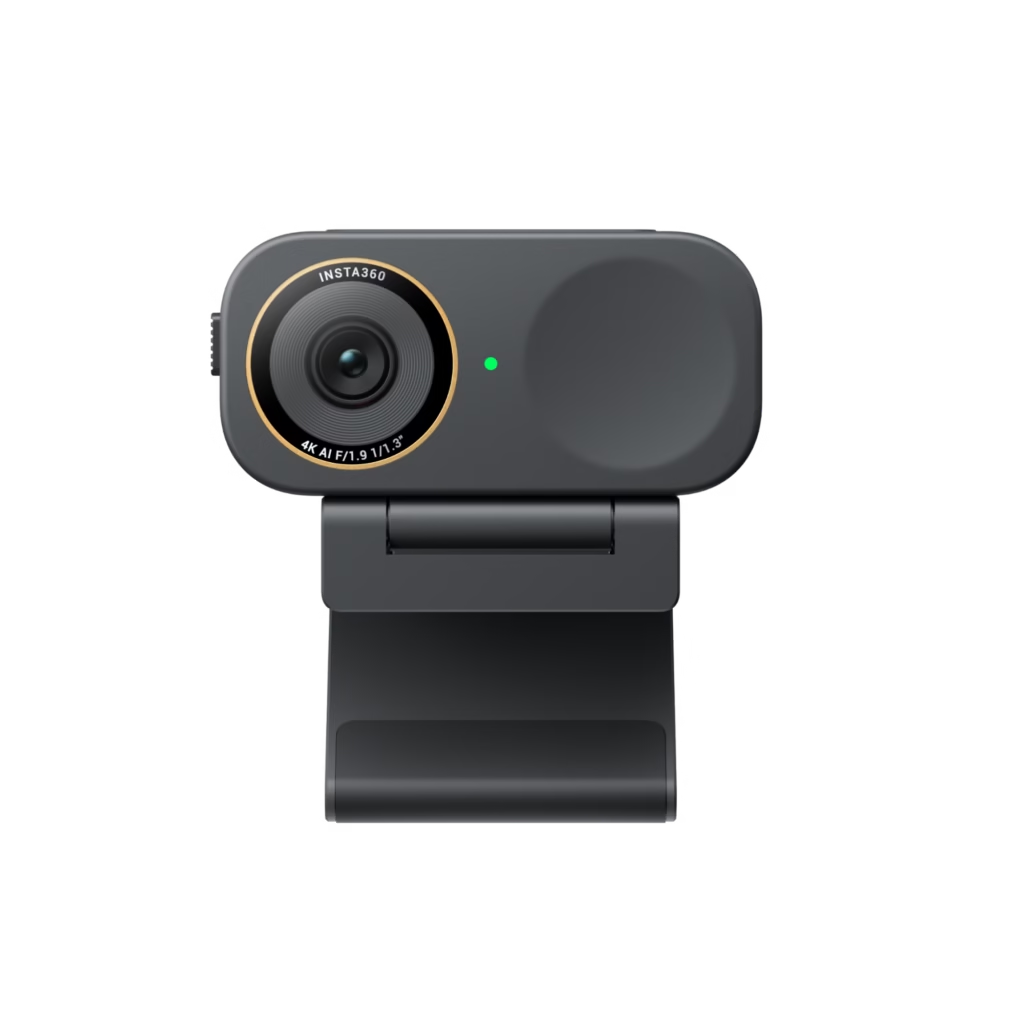
A next-generation sensor that truly changes the image
One of the biggest advantages of the Insta360 Link 2C Pro is its 1/1.3″ sensor , much larger than that of classic webcams.
Why is this important?
Because a larger sensor captures more light. And more light means:
- less digital noise,
- a cleaner image
- better details,
- improved contrast management.
In addition, there is dual native ISO , which allows the webcam to automatically adapt to bright or darker environments, without degrading the image.
Result: even with average lighting, the image remains sharp and pleasing.
Image quality in real-world conditions
This is often where webcams show their limitations. And yet, the Link 2C Pro performs very well.
In a typical office, with a window to the side or simple ambient lighting, the image is stable, well-exposed, and natural . Skin tones are realistic, HDR avoids blown-out areas, and details remain visible.
It is clearly superior to a standard webcam, and very close to a “camera” rendering, without having to touch complex settings.
Intelligent framing without a gimbal: simple and effective
The lack of a gimbal may make some hesitate, but in practice, the Link 2C Pro’s intelligent framing works very well .
The webcam analyzes the image in real time and smoothly adjusts the frame to stay centered on the face, or even a small group. The cropping is subtle, without any abrupt zooming effect, resulting in a natural display on screen.
For use:
- via video call
- working remotely,
- in a seated training position,
- in creating on-camera content,
This is more than enough, and even more pleasant than a motorized system for some users.

Autofocus and field of view
The autofocus is fast and accurate. It locks onto the subject without hunting, which is essential for maintaining a stable and professional image.
The slightly wider-than-average field of view allows for comfortable framing without the “head too close” effect. You can easily adjust the framing via the software to suit your environment or style.
Native 4K portrait mode: perfect for vertical content
If you create content for social media, the Insta360 Link 2C Pro has a real advantage: native 4K portrait mode .
Unlike many webcams that simply crop a horizontal image, here the sensor is cleverly used to produce a sharp, detailed and clean vertical image.
It’s ideal for:
- Instagram Reels
- YouTube Shorts
- TikTok,
- vertical lives.
Integrated directional audio: a real highlight
Audio is often the poor relation of webcams. Not here.
The Link 2C Pro incorporates a directional audio system (beamforming) with several modes adapted to different situations:
- focus on the voice,
- reduction of ambient noise,
- made to look more natural or tighter.
Even in an office setting, with some background noise, the voice remains clear and intelligible. For many users, this eliminates the need for an external microphone , greatly simplifying setup.
Smart software and features
The Insta360 software is well-designed, even for non-technical users. Everything is accessible, clear, and quick to learn.
We find:
- automatic framing,
- the desk view,
- the whiteboard,
- audio settings,
- Customizing the frame.
This is a real plus for those who want quality without spending time in menus.
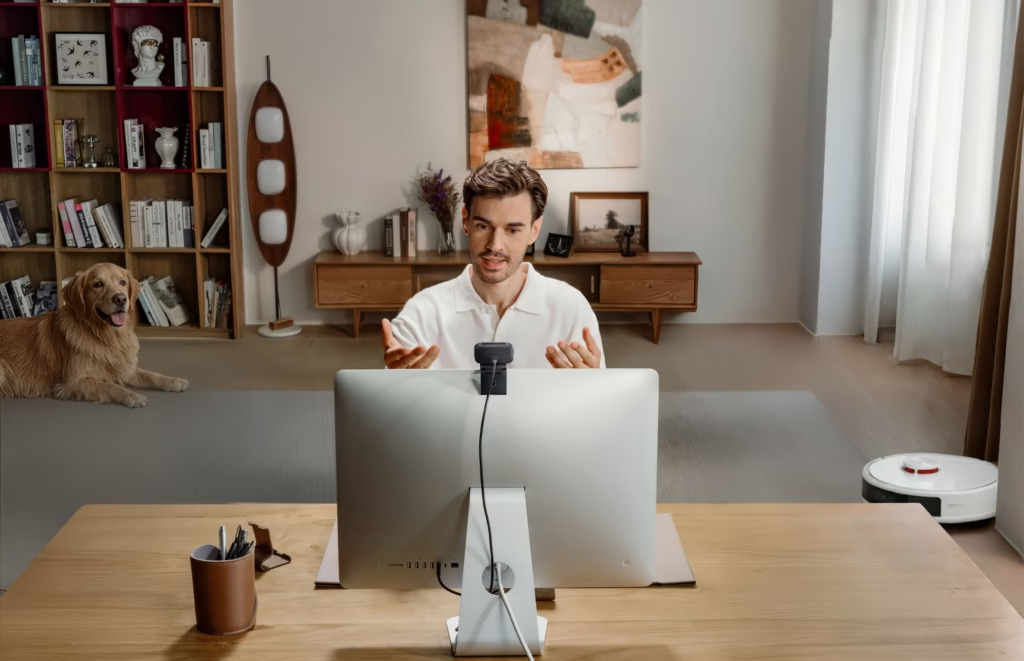
Summary table of key characteristics
- 1/1.3″ CMOS sensor
- Video up to 4K
- Advanced HDR
- AI-powered intelligent framing
- Native 4K portrait mode
- Directional audio with multiple modes
- USB-C connection
- Compatible with Windows and macOS
| Characteristic | Insta360 Link 2C Pro |
|---|---|
| Year of release | 2026 |
| Sensor | 1/1.3″ CMOS |
| Native Dual ISO | Yes (100 / 3200) |
| Max Video Resolution | 4K UHD (3840 × 2160) |
| Frame rates | 4K up to 30 fps / 1080p up to 60 fps |
| video codec | H.264 / MJPEG |
| HDR | Yes (advanced HDR) |
| Opening | f/1.9 |
| 35mm equivalent focal length | 24 mm |
| Field of vision (DFOV) | 83.9° |
| Field of view (HFOV) | 71.4° |
| Autofocus | Yes (12 cm → ∞) |
| Zoom | Digital up to 4× |
| motorized gimbal | No |
| Intelligent framing | Yes (AI – digital cropping) |
| Vertical portrait mode | Yes (native 4K, uncropped) |
| Microphones | Directional microphones (beamforming) |
| Audio modes | Standard / Original / Large / Focus |
| Login | USB-C |
| Compatibility | Windows / macOS |
For what uses is the Insta360 Link 2C Pro ideal?
The Insta360 Link 2C Pro is particularly well-suited:
- premium teleworking,
- to professional video conferences,
- to online trainers and coaches,
- to on-camera content creators,
- for those who want excellent quality without a complex setup.
Limitations to know before buying
Let’s be clear: if you move around a lot in front of the camera (standing presentations, frequent movements), a model with a gimbal will be more suitable.
The Link 2C Pro is designed for static or semi-static use. In this context, it excels.
Should you choose the Insta360 Link 2C Pro today?
If you want a high-end webcam that’s easy to use and offers excellent image and sound quality , then the answer is yes. The Insta360 Link 2C Pro ticks a lot of boxes without resorting to excessive technology.
Is the Insta360 Link 2C Pro the webcam you need?
Ultimately, the question is simple:
👉 Do you prefer an ultra-sophisticated webcam with a motor, or a professional webcam that is reliable, discreet, and efficient for everyday use?
If you identify with the second option, you already know what to choose.



-1-150x150.avif)



Leave a Reply