

Have you ever had a burst transfer speed issue or interruption while recording 4K with your Sony A7C? Choosing the right SD card is not an option, it’s a necessity to get the most out of your mirrorless camera. In this article, we break down compatibility, UHS-I/UHS-II speeds, V90 classes, and the ideal capabilities to ensure your Sony Alpha enjoys uncompromising performance – whether you’re shooting RAW, video, or need reliable storage in extreme conditions.
Summary
- Memory card compatibility with the Sony a7c
- SD card standards and speeds for the Sony a7c
- Choosing the ideal memory card capacity
- Performance Optimization and Reliability

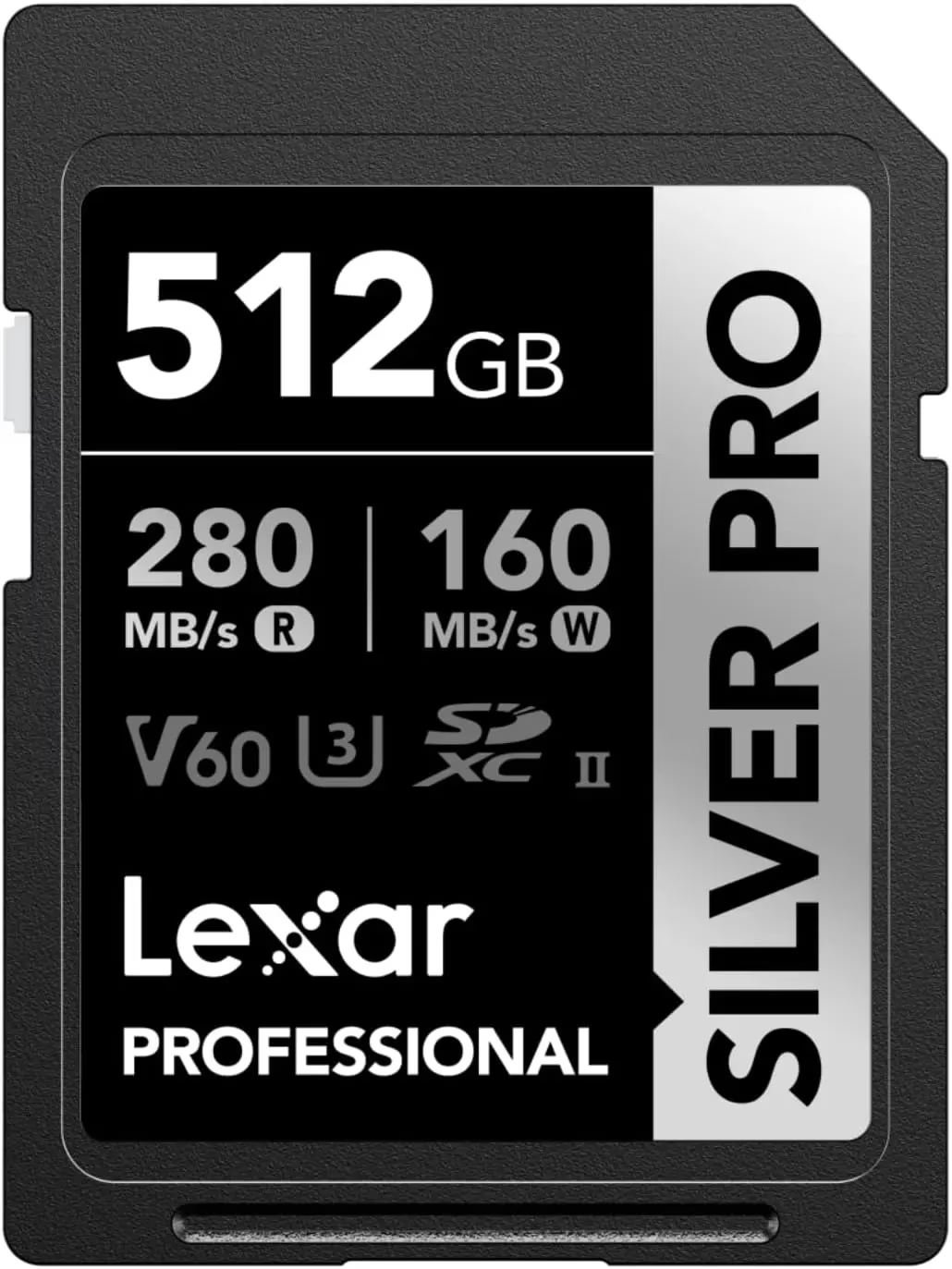

Sony a7c SD Card
Memory card compatibility with the Sony a7c
The Sony a7c accepts UHS-I AND UHS-II SD cards, SDHC (32 GB max) and SDXC (up to 2 TB) formats. Choosing the right memory optimizes photo and video performance, especially in burst or 4K.
- SDHC formats (up to 32 GB, 32-bit system) for basic use
- SDXC (64GB to 2TB, 64-bit system) formats for 4K video without fragmentation
- UHS-I standard (max speed 104 MB/s) suitable for the majority of photo needs
- UHS-II standard (max speed 312 MB/s) for extreme burst performance and fast transfers
Let’s be honest, a poorly chosen card can quickly become a headache. The Sony a7c’s buffer stores about twenty RAW before saturation. In 4K, a minimum write speed of 100 Mbps is a must. Without it, the device pauses the recording, risking missing key moments. As a result, choosing a UHS-II card with V90 class avoids unpleasant surprises, especially if you are shooting a series of high-resolution shots or videos.
SD card standards and speeds for the Sony a7c
The Sony a7c accepts both UHS-I and UHS-II standards. UHS-I reaches 104MB/s, ideal for moderate burst photos. UHS-II doubles this speed, reaching 312 MB/s, crucial for high-resolution videos or long RAW sequences.
| Characteristic | UHS-I | UHS-II |
| Compatibility with the Sony a7c | Yes | Yes |
| Maximum speed (read/write) | Up to 104 MB/s | Up to 312 MB/s (V60) or 300+ MB/s (V90) |
| Recommended minimum video class | V30 (200 Mbps) | V60 (300 Mbps) or V90 (600 Mbps) |
| Optimal 4K video usage | XAVC HS 4K (200 Mbps) | XAVC S-I 4K 30p (300 Mbps) or XAVC S-I 4K 50/60p (600 Mbps) |
| Burst performance (a7c II) | Approximately 30 RAW shots before buffer saturation | Up to 70+ RAW shots with V90 before emptying required |
| Buffer Dump Time | ~5-8 seconds after 30 RAW | ~2-3 seconds after 70+ RAW with V90 |
| Cost per GB (estimated) | €0.15 – €0.25 | €0.20 – €0.40 (V60 to V90) |
| Recommended reliability | Prefer models resistant to shocks/extreme conditions | Requirement for single location in a7c II |
| Legend: Data based on official Sony a7c/a7c II specifications and common usage scenarios. Actual performance may vary depending on specific models and usage conditions. |
Let’s be honest, the V30, V60, and V90 classes aren’t just numbers. They guarantee sustained write speeds for video: 30, 60 or 90 MB/s minimum. For the Sony a7c, a V30 is enough in standard 4K (12.5 MB/s). But if you push the sensor all the way, a V90 becomes essential. So, check your video bitrates before buying: an undersized card slows everything down, especially in 4K at 600 Mbps.
Choosing the ideal memory card capacity
Available Capacity and Needs Analysis
Sony a7c compatible SD cards range from 32GB to 512GB, with SDHC (32GB max) and SDXC (64GB to 2TB) formats. The recommended minimum capacity depends on your usage, but 64GB is often a good starting point for beginners.
Let’s be honest, a 128GB card can record about 2.8 hours of 4K video at 100Mbps. For RAW photos (about 500 by 64 GB), 64 GB is enough for a day of shooting. So, if you prefer videos or long sessions, opt for 256 GB or 512 GB. For travel or reporting, a large capacity avoids frequent changes, but multiply the cards to secure your data.
Value for money and practical considerations
The price per gigabyte drops with high capacities, but a single 512 GB card costs more than a dozen 64 GB. So, for a tight budget, 128GB offers a good balance between performance and cost, especially if you regularly back up to a computer.
- Evaluate your capacity according to the use (photo/bike) and duration of the sessions
- Prioritize multiple medium capacity cards for redundancy and data management
- Compare price per gigabyte to optimize investment over the long term
- Bring additional maps to avoid interruptions on the go
A single card with a high capacity is convenient, but risky: if it fails, you lose everything. With multiple 128GB cards, you can divide risk and simplify backups. As a result, for professionals, it is often the preferred solution. For amateurs, a 256 GB card is more than enough, as long as you copy your files regularly. In short, adapt your strategy according to your needs and budget. Sony a7c SD Card

Performance Optimization and Reliability
Memory card performance in different situations
Let’s be honest, card speed is critical for three specific cases: intensive bursting, fast transfers to the computer, and high-speed 4K video. As a result, a UHS-II V90 is a must for long sequences, while a V30 is enough for classic 4K.
| Use | UHS-I Card | UHS-II Card |
| Burst photo (10 fps) | ~30 RAW before buffer saturation | ~70+ RAW with Quick Dump |
| Standard 4K video (100 Mbps) | Seamless compatible | Optimal performance |
| High-resolution 4K video (600 Mbps) | Not compatible | Requires V90 |
| Transfer to computer | ~5-8 seconds per GB | ~2-3 seconds per GB with adapted drive |
The Sony a7c’s buffer stores the shots before writing them to the card. A slow card slows everything down after 30 RAW. With a UHS-II V90, you can chain bursts without interruption. As a result, for sports or live events, this speed is a major asset. In short, if you miss key moments because of a sluggish card, this is where the difference between a V30 and a V90 comes into play.
Reliability and durability of memory cards
Reliability depends on three factors: the quality of manufacture (recognized brand), the conditions of use (rain, dust, shocks), and the number of write/read cycles. A durable card like the Sony 512 GB Tough M Series UHS-II SDXC Memory Card survives sudden drops or rain, which is useful outdoors.
To prolong the life of your cards, always format them via the Sony a7c, never on a computer. Avoid removing them during access (indicator on) and protect them from shocks, water and extreme temperatures. So, store them in a hard case while traveling and back up your files regularly to avoid corruption.
To get the most out of your Sony a7c, prioritize a UHS-II SD card with V90 class, especially if you are shooting bursts or filming in 4K. The right capacity and a reliable brand, such as SanDisk Extreme Pro or Sony Tough, avoid unpleasant surprises. Your next shot deserves a memory that follows—because the perfect moment doesn’t wait.


Leave a Reply