
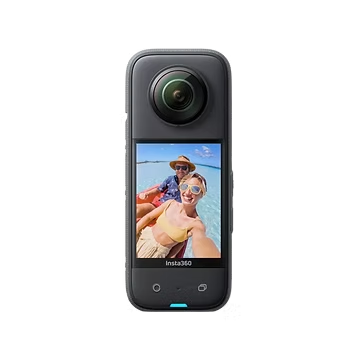
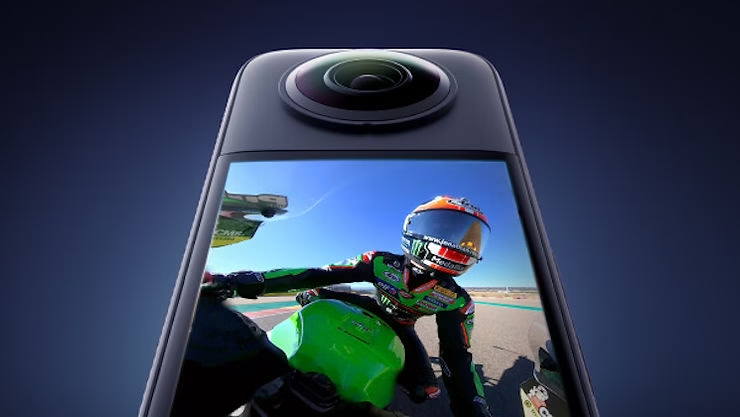
TheInsta360 X3 is a revolutionary 360-degree camera, designed to capture moments from every angle with consummate ease. Equipped with advanced features such as 5.7K video capture, FlowState stabilization, and innovative shooting modes like Bullet Time and hyperlapse timelapse, this camera stands out as an indispensable tool for content creators, adventurers and photography enthusiasts alike. Its ease of use, combined with its companion mobile app, makes immersive content creation accessible to all.
Activating your Insta360 X3 is a crucial step in realizing the full potential of this exceptional camera. This process not only ensures that your camera is running with the latest firmware updates, offering the best performance and latest features, but also secures your device by registering it under your name. This facilitates access to customer support and ensures that you get the best user experience right from the start.
Before you start activating the Insta360 X3
Before diving into the world of 360-degree video and photo capture with your Insta360 X3, a few preparations are necessary to ensure a smooth activation process. Here’s what you need to do:
- Battery charge: Check that your Insta360 X3 is at least 10% charged. A sufficient charge is essential to avoid any interruption during the activation and update process.
- Internet connection: Make sure your phone is connected to the Internet. A stable connection is required to download the Insta360 application, activate the camera and update the firmware.
By following these preliminary steps, you’ll ensure that your camera’s activation goes smoothly, enabling you to start creating stunning content with your Insta360 X3 as soon as possible.
Download Insta360 Application
To start using your Insta360 X3 to its full potential, the first step is to download the Insta360 app, your gateway to a simplified editing and sharing experience. Here’s how to get started:
- On your smartphone, go to the App Store if you’re using an iPhone, or Google Play Store for Android users.
- Search for “Insta360” in the search bar of your application store.
- Select the official Insta360 application in the search results and click on “Install” or “Get” to start the download.
Once you’ve installed the app, you’ll have access to a host of innovative features, from editing your 360 videos and photos to managing your camera settings, and much more. For more information on how to use the app and tips on how to get the most out of your content, take a look at our complete Insta360 app guide.
Activating the Insta360 X3 camera
Step 1: Turn on the Insta360 X3
- To switch on your camera, simply press the power button on the side of the unit. An indicator light and a welcome screen will appear, indicating that the camera is ready to be connected.
Step 2: Open the Insta360 application
- Launch the Insta360 application on your smartphone. At the bottom of the application interface, tap on the camera icon to begin the connection process.
- In the window that opens, select your camera model, in this case the Insta360 X3. Then follow the on-screen instructions to establish a connection between your phone and the camera.
Tips for the First Connection
When you first connect, it’s important to locate your camera’s name. By default, the camera name is “X3 “, where “” corresponds to the last six digits of your camera’s serial number, which you can find on the packaging box. This unique identification ensures a secure, personal connection with your device.
By following these steps, you’ll successfully activate your Insta360 X3 and be ready to explore all the creative possibilities offered by this innovative 360-degree camera.
Insta360 X3 Firmware Update
Importance of Firmware Update
Updating the firmware of your Insta360 X3 plays a crucial role in optimizing your user experience. These updates not only bring security enhancements, ensuring that your camera is protected against vulnerabilities, they also improve performance by introducing new features and optimizing existing ones. Stay up-to-date to ensure that your Insta360 X3 performs to the best of its ability.
Instructions for updating the firmware via the Insta360 application
- Connect your Insta360 X3 to the Insta360 app on your smartphone, as described in the previous sections.
- Once connected, the application will automatically check if there is a firmware update available for your camera.
- If an update is available, a notification will appear. Follow the on-screen instructions to download and install the update. Make sure your camera remains switched on and connected throughout the process.
- After installing the update, the camera may automatically reboot to apply the changes.
Insta360 X3 activation
Last Steps to Activate Camera via App
Once the firmware update is complete, the application will guide you through the final steps to activate your Insta360 X3. Activation is simple and takes just a few taps on your screen, ensuring that your camera is ready to be used to its full potential.
What to do after activation to start filming
- Explore the different shooting modes available on your Insta360 X3, such as 360 mode, and more.
- Familiarize yourself with your camera’s settings. Play with exposure, resolution and scene modes to find your style.
- Check out the tutorials available in the Insta360 app or on the website for shooting tips and tricks.
Support & Assistance
If you’re having trouble activating your camera or need help navigating its features, the Insta360 support team is here to help.
- For help, visit the Insta360 support page, where you’ll find FAQs, user guides and contact information for technical support.
- You can also submit a support request via the Insta360 application, by accessing the “Help & Support” section.
By following these instructions, you’ll be well equipped to make the most of your Insta360 X3, ready to capture incredible moments from every angle.
Conclusion Insta360 X3 activation
Congratulations, you’ve completed all the necessary steps to activate your Insta360 X3! From initial preparation, through downloading the Insta360 application, to activating the camera and updating the firmware, you’re now ready to plunge into the fascinating world of 360-degree video and photo capture. This revolutionary device opens the door to infinite creative possibilities, enabling you to capture life from every angle with unrivalled ease and flexibility.
We urge you to explore all the features and shooting modes your Insta360 X3 has to offer. Experiment with different settings, discover new perspectives and share your adventures in a whole new light. The only limit is your imagination.
Useful links and further reading
To help you get the most out of your Insta360 X3, we’ve compiled a list of resources and articles that will guide you through the technical and creative aspects of 360-degree photography and videography:
- Insta360 X3: Review and Full Test A detailed analysis of theInsta360 X3‘s performance and features, ideal for new users and those considering purchasing.
For more tips, tricks and inspiration on using your Insta360 X3, as well as recommendations on the best accessories to enhance your shooting experience, feel free to browse our blog. Whether you’re passionate about content creation, outdoor adventure or immersive photography, theInsta360 X3 is your ideal companion for capturing every moment with creativity and ease.
Explore, create and share with Insta360 X3 – your vision of the world, without limits.




Leave a Reply