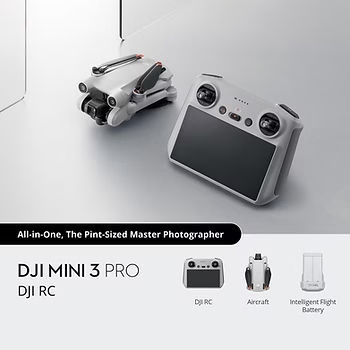
If you want the short answer, the best SD card for DJI Mini 3 Pro is a trusted UHS-I V30 microSD card, with 256 GB being the sweet spot for most pilots. A good card gives you smoother 4K recording, reliable flights and enough storage without overpaying for specs you do not need.
In this article, we will guide you through the essential criteria for choosing the right SD card for your DJI Mini 3 Pro. We’ll also present our recommendations for the best SD cards available on the market, highlighting their key features, advantages and disadvantages.
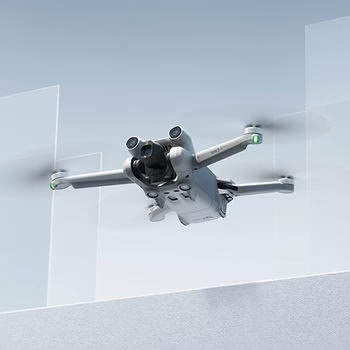
Why a good SD card is essential for the DJI Mini 3 Pro
Video quality
A good SD card has a significant impact on 4K recording and the fluidity of videos captured with your DJI Mini 3 Pro. A high-quality SD card can handle the vast amounts of data generated by high-resolution videos, guaranteeing seamless, jerk-free recordings.
Read and write speed
The read/write speed of an SD card is crucial to the speed of data transfer and the stability of your camera’s performance. DJI Mini 3 Pro. A card with a high write speed ensures that videos and photos are recorded quickly and without data loss, while a fast read speed makes it easier to transfer files to other devices.
Reliability and Durability
Drones like the DJI Mini 3 Prorequire SD cards that are not only high-performance, but also reliable and durable. The best SD cards are designed to withstand extreme conditions such as vibration, shock, high temperatures and humidity, ensuring long life and optimum protection of your data.

SD Card Selection Criteria
Capacity
When choosing an SD card for your DJI Mini 3 ProSD card, capacity is an essential criterion. Depending on your needs, you can opt for capacities of 32 GB, 64 GB, 128 GB or even more. For extended 4K recordings and numerous high-resolution photos, a 128GB card or more is often recommended.
Class Speed
SD card class speed is crucial to the performance of your DJI Mini 3 Pro. SD cards come in different class speeds, such as UHS-I, UHS-II, V30, V60, and V90. A UHS-I or UHS-II card with a speed class of V30 or higher (such as V60 or V90) is ideal for smooth video recording and rapid data transfer.
Famous brands
It is important to choose SD cards from reputable brands to ensure the reliability and performance of your DJI Mini 3 Pro. Brands like SanDisk, Lexar, and Samsung are known for producing high-quality SD cards that meet the high demands of modern drones. Opting for a reliable brand ensures greater durability and data protection.
Best SD Cards for DJI Mini 3 Pro
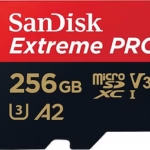
- SanDisk Extreme Pro:
- Purchase link: SanDisk
- Key features: fast write speed, 8K support, high reliability.
- Benefits: Ideal for 4K and 8K video, resistant to extreme conditions.
- Disadvantages: Higher price.
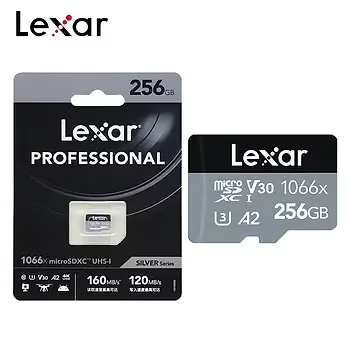
- Lexar Professional:
- Purchase link: Lexar
- Key features: Excellent performance under high workloads.
- Advantages: Highly reliable, good capacity for extended use.
- Disadvantages: May be limited for users requiring more capacity.
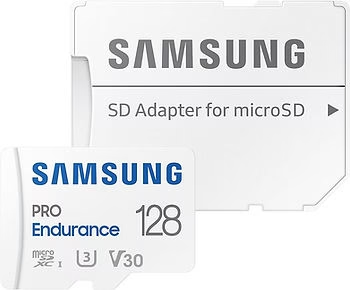
- Samsung SD card:
- Purchase link: Samsung
- Main features: Good resistance to the elements, high reliability.
- Advantages: Ideal for adventurers, good overall performance.
- Disadvantages: Slightly lower speed than high-end models.
See SD cards on PROMO at Amazon
Tips for using SD cards with the DJI Mini 3 Pro
Regular formatting
It is essential to format your SD card regularly to maintain optimum performance of your DJI Mini 3 Pro. Formatting deletes unnecessary files and reorganizes storage space, which can prevent read and write errors and ensure smooth performance when recording high-resolution video.
Storage and handling
To avoid physical damage and data corruption, follow these storage and handling tips for your SD card and your DJI Mini 3 Pro :
- Keep SD cards in a protective case when not in use.
- Avoid exposure to extreme temperatures, humidity and dust.
- Insert and remove SD cards carefully to avoid damaging the connectors.
Firmware Updates
Check regularly for firmware updates for your DJI Mini 3 Pro. Firmware updates can include compatibility and performance improvements for SD cards, ensuring that your drone always works optimally with the latest cards available on the market.
Conclusion
Summary of Recommendations
To ensure the best performance from your DJI Mini 3 Prowe recommend the following SD cards:
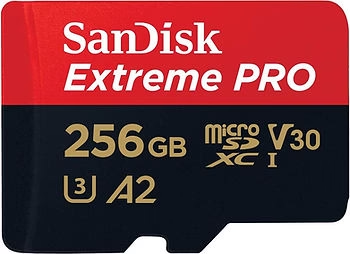
- SanDisk Extreme Pro 256GB V30, U3, Class 10 Excellent for 4K and 8K recording with high reliability and resistance to extreme conditions.
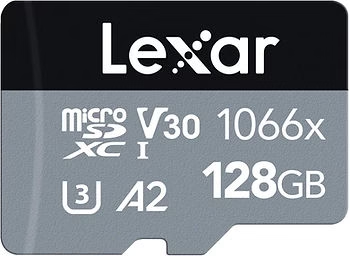
- Lexar Professional 1066x 128GB V30, U3 Perfect for exceptional performance under heavy workloads, offering high reliability.
- Samsung EVO Plus 128GB U3, Class 10 Ideal for adventurers thanks to its resistance to the elements and overall reliability.
Final Advice
It is crucial to choose an SD card that meets your specific needs and the requirements of your DJI Mini 3 Pro. Take into account the card’s capacity, class speed and reliability to ensure an optimal, worry-free flying experience.
Invitation to Comment
We encourage you to share your experiences and ask questions in the comments below. Your feedback can be invaluable to other users of the DJI Mini 3 Pro users looking to choose the best SD card.