
The key takeaway: the HOVERAir X1 Pro is much more than a drone; it’s a 192g autonomous cameraman that fits in your pocket . It allows you to capture cinematic shots without piloting, thanks to its high-performance subject tracking at speeds up to 42 km/h. It’s the ultimate solution for solo creators, although photography remains a secondary function.
Do you often struggle to frame your own sporting achievements or travel vlogs without the help of a dedicated cameraman? In this HOVERAir X1 Pro review , we’ll see if this pocket drone lives up to its promises of complete framing autonomy and astonishing ease of use. You’ll discover how its advanced tracking features and robust design can significantly boost your production, while also identifying potential drawbacks to consider before adding it to your bag.
- Easy to handle and portable: the drone you forget you’re even using
- Intelligent flight modes at the service of creativity
- Video quality: Pro vs PROMAX, which one to choose?
- A look at photo quality and limitations to be aware of
- Integration into a content creator workflow
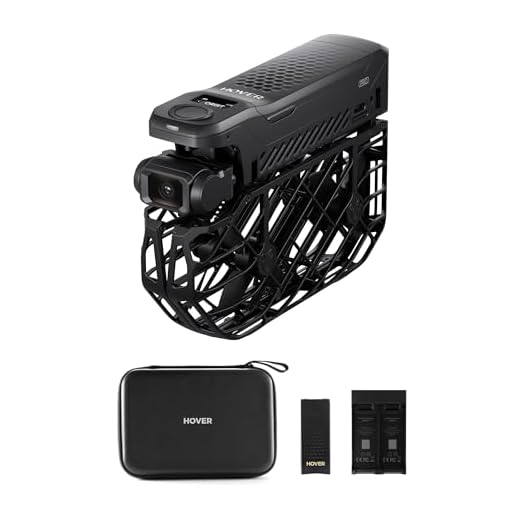
- The accessories that make all the difference for a designer
- Verdict: What type of creator is the HOVERAir X1 Pro made for?
Easy to handle and portable: the drone you forget you’re even using
A lightweight that changes everything on the field
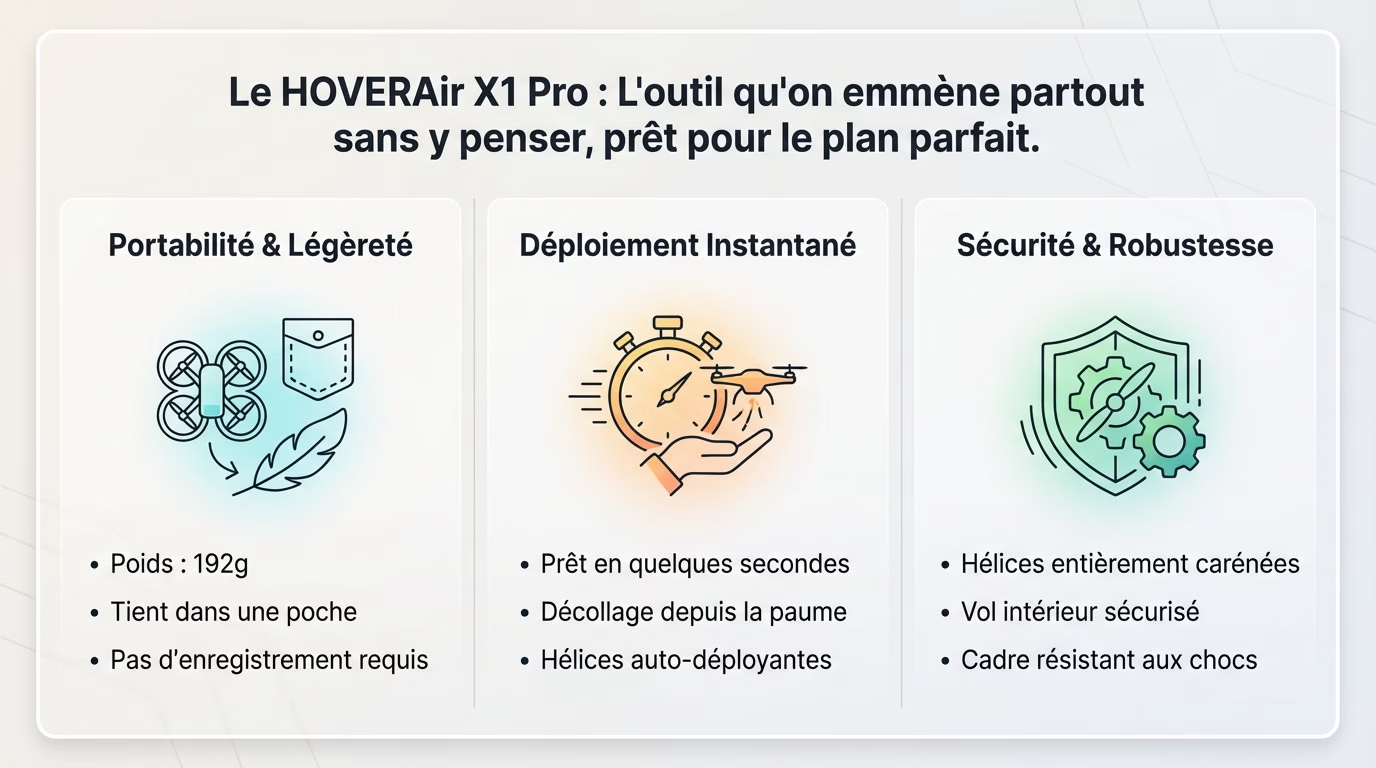
Weighing in at just 192 grams, this HOVERAir X1 Pro model dominates all tests and reviews for content creators thanks to its lightness . It requires no complex training or lengthy registration in the United States, a major advantage.
Once folded, it literally slips into a jacket pocket or a small backpack compartment. It’s the tool you always keep on you , ready to use without a second thought.
Honestly, its lightness eliminates any friction during use. Unlike heavier drones that are often left in storage out of laziness, this one actually gets used. That’s the whole difference between owning a drone and actually using it for your vlogs.
Deployment in seconds: from pocket to sky
Forget about cumbersome setups; here, simply unfold the propeller guards and you’re ready to go. This simplicity and speed of execution ensures you never miss a fleeting opportunity, unlike other systems that require excessive preparation.
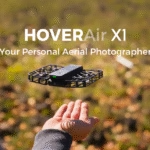
Taking off from the palm of your hand is a game changer for nomadic creators. No need to look for a flat or clean surface: you extend your arm, it takes off, and you film immediately.
The HOVERAir X1 Pro is the kind of tool you take everywhere without a second thought, until you need the perfect shot. It deploys in seconds.
A secure and robust design
Its design with fully enclosed propellers offers amazing safety for flying anywhere . You can use it indoors or fly close to your friends without fear of an accident, which is extremely reassuring during dynamic filming.
In terms of durability, the plastic frame is designed to withstand minor everyday bumps without flinching. Furthermore, the gimbal cleverly retracts when the camera is stationary to protect the lens from scratches.
This reassuring design encourages you to dare to try bolder angles , without the fear of breaking everything on first contact.



Intelligent flight modes at the service of creativity
Cinematic shots without being an expert pilot
You don’t need years of experience to produce cinematic images. The real strength of this drone is its onboard intelligence, which allows for complex shots without any technical effort .
Everything is controlled with your fingertips via the app or directly using the buttons on the device. It’s completely simple: you choose, you click, and the drone does the work .
Here are the modes that will transform your step-by-step videos :
- Hover for a perfect stationary plane .
- Follow for dynamic tracking of the topic .
- Zoom out for a dramatic recoil effect .
- Orbit for a smooth rotation around you .
- Bird’s Eye for an impressive vertical view.
- Dolly Track for automatic forward or backward tracking .
Subject tracking: his real superpower
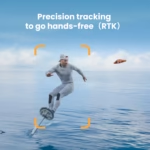
This is where the HOVERAir X1 Pro review for content creators truly shines, thanks to its tracking performance . It can follow you at speeds up to 42 km/h, which is ideal for vlogs on the go or workout sessions.
Honestly, its ability to stay with you is amazing . It handles sudden changes of direction and is surprisingly tenacious, even if you briefly pass behind an obstacle.
Also consider activating “Side Track” mode. It allows you to film yourself from the side, creating very dynamic shots , perfect for cycling or running.
Fly almost anywhere: OmniTerrain mode and wind resistance
Are you hesitant to fly over water? OmniTerrain mode is there for that. It allows the drone to navigate safely over snow, water or near cliffs .
In terms of weather, it has a wind resistance rating of 5. In practical terms, it can withstand sustained breezes of around 38 km/h, which is very reassuring for its size.
Keep in mind that it’s still an ultralight drone. Don’t expect the stability of a heavy device in a storm, but for everyday use, it’s more than adequate .
Manual piloting, a pleasant surprise
One might fear that smartphone control would be imprecise, but it’s quite the opposite. The manual control experience via the app is impressive and responsive , far exceeding the usual standards for this type of device without a physical remote control.
Be aware, however, that manual flight speeds remain quite slow. This mode is perfect for fine-tuning framing or making smooth movements, but not for sport flying . For more responsiveness, you’ll need accessories.
Video quality: Pro vs PROMAX, which one to choose?
A drone that flies well is one thing. But for us creators, the real question is: is the image quality up to scratch ? Now’s the time to talk about sensors and pixels.
The HOVERAir X1 Pro: a solid 4K foundation
Let’s take a closer look at what the Pro model has to offer. With its 1/2 inch sensor, it shoots in 4K at 60fps, which is a very decent spec sheet ensuring sharp and smooth images for most uses such as YouTube or social networks.
Want to slow down the action? Full HD mode goes up to 120fps, offering high-quality slow motion to enhance your cinematic shots.
For a creator who mainly publishes on the web, this HOVERAir X1 Pro test and review for content creators shows that the Pro model is already very capable .
The PROMAX: taking it to the next level
The PROMAX is clearly aimed at those who always want more. Its larger 1/1.3 inch sensor makes a real difference in low light and significantly improves image dynamics.
Here’s a quick comparison to visualize the technical difference :
- Sensor : 1/2″ for the Pro versus 1/1.3″ on the PROMAX.
- Maximum resolution : 4K/60fps versus an impressive 8K/30fps.
- 4K slow motion : Not available on the Pro, but possible at 120fps on the PROMAX.
- Pro color profile : Standard vs. 4K 10-bit HLG.
Let’s emphasize the 4K 10-bit HLG. This is a major advantage for those who do color grading and want to integrate drone footage into an edit with other professional cameras.
8K, 10-bit HLG: Is it really useful for you?
Don’t be blinded by the marketing of 8K. In reality, it’s mainly useful for massive cropping in post-production without loss of quality on a 4K timeline, which remains a luxury and not an absolute necessity .
This is somewhat reminiscent of the 8K race seen elsewhere: it’s powerful, but ask yourself if your computer will be able to handle the editing .
However, 10-bit HLG changes everything. This is where the real benefit lies for a professional workflow , offering more flexibility for color correction and matching images with a main camera.
A look at photo quality and limitations to be aware of
Video is clearly his strong point, but a creator also needs photos. So, let’s be direct: there are things you should know before you take the plunge .
The photo quality is decent, but nothing special.
Let’s be honest from the start: the photo quality is simply “good,” without being exceptional . The images are still usable for your social media, but don’t expect to make prints out of them.
The reason is simple: the photos are captured only in JPEG format. A visible, sometimes rather aggressive, image processing is quickly noticeable, especially when the light starts to fade.
The X1 Pro is a drone designed primarily for video; photography is only a secondary function . Therefore, it won’t replace a good action camera for your photos.
The lack of RAW format: a real drawback for creators.
Even on the PROMAX model, there’s no DNG or RAW format support , which is frustrating for content creators, according to this HOVERAir X1 Pro review. It’s a difficult oversight to forgive for a device targeting a creative audience.
This means you have very little room for maneuver in post-processing. You won’t be able to recover blown-out highlights or bring out details in shadows as you would with a RAW file; the final result is fixed from the moment the photo is taken .
Internal storage: convenient but limited
The drone has 32GB of internal storage for the Pro and 64GB for the PROMAX. This is quite convenient, as it prevents the panic of having forgotten your memory card .
However, the storage space fills up quickly, especially if you’re filming in 4K or 8K. Fortunately, both models accept a microSD card up to 1TB , an essential accessory for a full day of filming.
Integration into a content creator workflow
A perfect tool for spontaneous B-rolling
If you’re looking for a HOVERAir X1 Pro review and test for content creators, remember this: it’s the king of B-roll . Its rapid deployment allows you to capture illustrative shots on the fly, without ever interrupting your filming flow.
Imagine a shot that smoothly orbits a product or a tracking shot that pulls back to reveal a grand location. These cinematic movements become accessible in two clicks, instantly enriching your visual storytelling without any technical effort .
It’s not just a drone, it’s a flying camera that integrates seamlessly into your ecosystem. The real time-saving benefit is being able to directly blend its footage with that of your main camera.
Managing post-production: HLG vs. the absence of Log
Let’s talk about PROMAX. The HLG (Hybrid Log-Gamma) profile is an HDR standard that offers a very appreciable extended dynamic range. It’s a good technical compromise , much simpler to manage on a daily basis than a true Log profile, which requires complex color grading.
However, the lack of a true Log profile (like DJI’s D-Log) may disappoint the most discerning colorists. Those seeking maximum flexibility to perfectly match their cinema cameras might feel somewhat limited here .
My opinion? For 90% of creators, even professionals, HLG is more than sufficient and much faster to process in a modern workflow.
The question of audio: how does it work?
Let’s clarify an important point: the drone doesn’t have a built-in microphone. The sound is recorded directly by the smartphone controlling the drone via the app. This is a technical trick that avoids the unbearable noise of the propellers on your audio track.
This is a clever solution for vlogging. You can use an external microphone plugged into your phone to get good quality sound , even when the drone is far away. This is an advantage over many drones that only record the sound of their propellers.
The accessories that make all the difference for a designer
The Beacon: for tenfold tracking and range
The Beacon is not a gadget, it’s a small GPS device. Its role is twofold: to drastically improve tracking accuracy and extend the range for ambitious plans.
Simply slip it into your pocket. The drone no longer tracks the image but the GPS signal from the Beacon . This is much more reliable if you’re flying behind trees or if the lighting changes.
It extends the transmission range up to 1 km. This transforms your selfie drone into a true long-distance tracking tool capable of great feats.
Battery life: the PowerCase and additional batteries
The basic battery life is around 16 minutes per battery. That’s okay for beginners, but let’s be honest: it’s too short for a serious filming session .
Introducing the PowerCase. It’s a clever carrying case that recharges the drone multiple times. It’s the essential accessory for staying independent in the field without having to search for a power outlet.
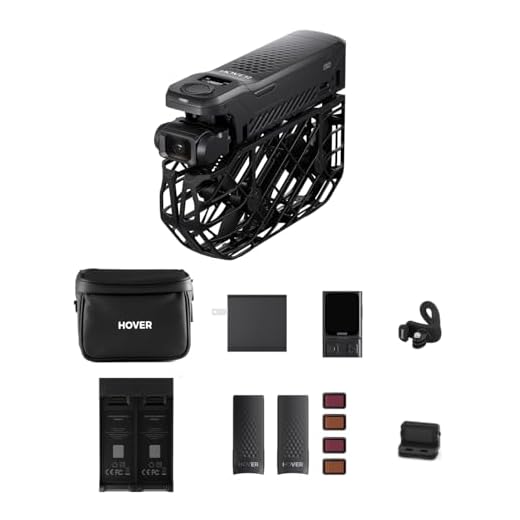
I highly recommend the “Combo” or “Power” packs which include extra batteries and a hub. They’re essential for never running out of power .
Joysticks and ND filters: for total control
Want more precision? The joystick controller is here. It transforms the X1 Pro into a more traditional drone, offering much more precise and faster manual control than the app.
Let’s talk about ND filters. They are essential for videographers who want to respect the 180-degree rule and achieve cinematic motion blur , even in broad daylight.
In this HOVERAir X1 Pro test and review for content creators, we see that these tools allow you to complete your setup with reliable accessories , making the drone a production camera .
Verdict: What type of creator is the HOVERAir X1 Pro made for?
So, in the end, should we buy it or not? After weighing everything up, here’s my definitive opinion on who should seriously consider this drone .
The ideal choice for nomadic creators and vloggers
If you’re a solo vlogger or a traveler who’s always on the go, this drone is a godsend. Forget heavy bags: its ability to fit in a pocket and take off from your palm in 3 seconds is a game-changer for capturing the moment.
It’s the perfect tool for filming yourself without outside help and, above all, without any technical headaches .
For those seeking the best image quality, the PROMAX is a must-have. With its 1/1.3 inch sensor and HLG profile, it allows creators to achieve usable visual quality in post-production .
A less relevant option for photographers and pure pilots.
Let’s be clear: if your absolute priority is detailed aerial photography, look elsewhere. On the standard model, the lack of RAW format will quickly limit your ability to perform advanced post-processing.
Similarly, for piloting enthusiasts seeking speed and thrills, the X1 Pro is not a racing drone. Even with joysticks, flight remains heavily assisted .
Its purpose is not to provide the pleasure of piloting, but to capture a shot efficiently and completely autonomously . Think of it as a smart flying camera, not a toy.
So, shall we buy? A summary for those in a hurry.
If you want to automate your filming effortlessly, it’s a resounding “yes.” This HOVERAir X1 Pro test and review for content creators confirms that it excels in its chosen field .
Here’s what you need to remember to help you decide :
- Buy it if: you’re a solo creator, you need reliable tracking up to 42 km/h, and portability is your number 1 criterion .
- Avoid it if : you are primarily a photographer, your budget is very tight, or you need a drone capable of withstanding strong winds at high altitudes.
For those who are still hesitating, consulting a direct comparison with its main rival can help to make the final decision and avoid a bad choice .
In short, the HOVERAir X1 Pro stands out as the ideal companion for solo creators . If you’re looking for reliable tracking and extreme portability for your vlogs, it’s an excellent choice. Despite limited photo capabilities, its ease of use transforms your filming . Don’t hesitate if video is your priority .


Leave a Reply