
Retouch4me has just launched its brand new photo editing plugin: Retouch4me Apex . Designed to simplify the lives of photographers and content creators, this AI-powered tool lets you transform your portraits in seconds. A single click is all it takes to achieve professional-quality results, without having to juggle complex settings. Here’s our full review.
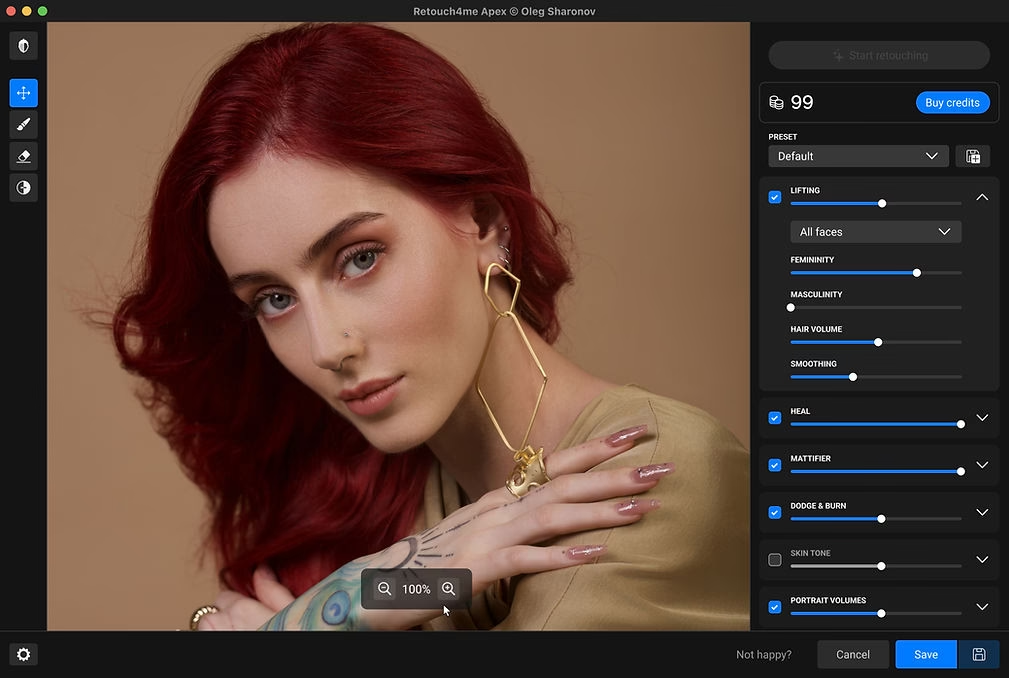
What is Retouch4me Apex?
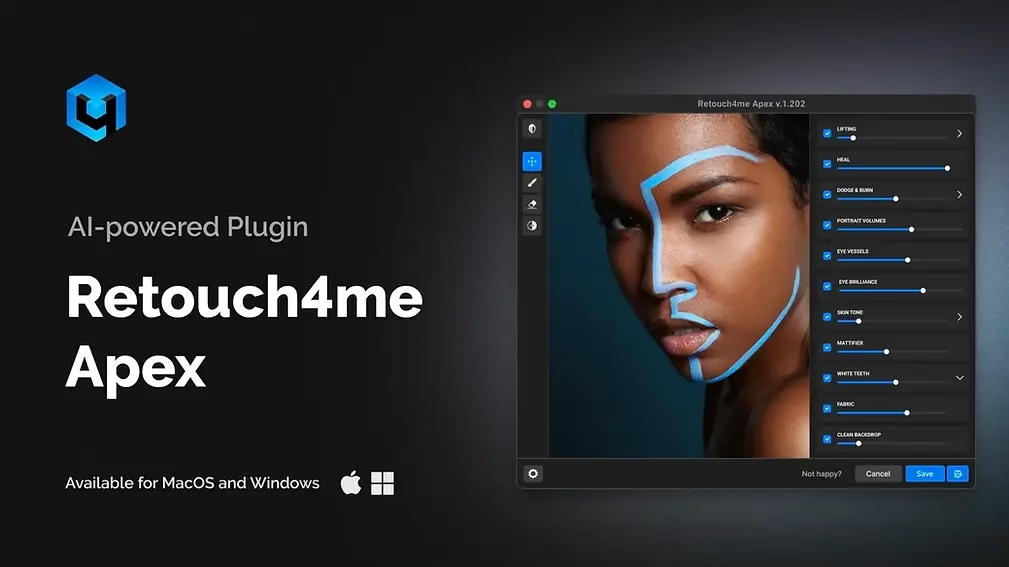
Retouch4me Apex is an AI-powered automated photo editing plugin . It works both as a Photoshop plugin and as a standalone application, available for Windows and macOS.
It leverages 12 powerful neural networks to deliver natural, professional, and fast retouching. All processing is handled in the cloud, ensuring optimal results even on less powerful computers.
The main features of Retouch4me Apex
✅ One click, a stunning result
Retouch4me Apex is designed to be incredibly easy to use . No complicated menus: everything is done with a single click. Sliders allow you to adjust the rendering if needed, but artificial intelligence already does 90% of the work.
☁️ Cloud-based processing
The image is sent to a remote server for processing. No files are stored or used afterward. The server can be selected based on your location for optimal connectivity.
📁 Works as a plugin or as a standalone application
- In Photoshop: you activate it via the Filter menu > Retouch4me Apex.
- In stand-alone mode: simply drag your images into the window to start editing.
How does it actually work?
1. Activation
Upon first launch, click “Activate” and log in with your Retouch4me credentials. If you don’t yet have an account, register for free on the official website and receive 20 free credits .
Affiliate link to download Apex and get your credits:
Retouch4me Apex with 20 free credits
2. Start the retouching
In Photoshop, duplicate your layer (non-destructive editing), then open the Apex plugin. Click on “Start Editing” .
The processing is done in the cloud. One image = 1 credit.
3. Real-time adjustments
Once the image is processed, the sliders become active. You can fine-tune each effect applied by the AI, in real time, according to your preferences.
4. Custom Presets
You can save your favorite settings as presets for easy reuse. You can rename or delete them at any time.
The plugins integrated into Apex
Retouch4me Apex includes the best modules developed by the brand:
- Heal : to correct the skin without a plastic effect.
- Dodge & Burn : a play of shadows and light on the face.
- Portrait Volumes : adding depth to features.
- Eye Vessels : reduction of red veins in the eyes.
- Eye Brilliance : to illuminate the eyes naturally.
- Fabric : smoothing fabrics, removing creases from clothes.
- Lifting : overall facial remodeling, including hair.
Batch processing
Apex offers an extremely convenient batch mode :
- Import multiple images.
- Apply your preset.
- Start automatic retouching.
- Images that have already been processed are recognized and no longer consume credit.
Ideal for wedding photographers, studio photographers, or content creators who work with large volumes.
Retouch4me Apex: How much does it cost?
Retouch4me Apex operates on a credit system . Each processed image costs 1 credit. You can:
- Buy individual credit packs .
- Subscribe to a monthly or annual subscription .
✅ Great deal: Use the promo code PHOTOBOOST to get 20% off all plugins here: Retouch4me Apex with 20 free credits
Retouch4me Apex: System Requirements
- Windows : 7, 8, 10 or later, OpenCL GPU with 4 GB of video memory.
- Mac : macOS 10.15 or later, 2015 models or newer.
Our review of Retouch4me Apex
Retouch4me Apex is clearly one of the most powerful photo editing plugins on the market . We love its ease of use, the quality of the output, and the speed of the cloud. Portrait processing is natural, detailed, and stunning.
It’s the ideal tool for portrait photographers, Instagram or YouTube content creators, but also for agencies or freelancers who are short on time.
Conclusion
If you are looking to improve your portraits quickly and without complicating your life , Retouch4me Apex is a very smart investment.
Get started now and try it for free with your 20 free credits :


-1-150x150.avif)




Leave a Reply