
The firmware update (v1.2.21) for the Insta360 X4 is more than just a feature upgrade; it’s a game-changer for users of this already popular 360º camera. This meticulously crafted new firmware release introduces innovations that push the boundaries of what you can do with your camera, transforming not only your capture experience, but also how you share your most precious moments.
Among the most anticipated new features is 360º live streaming, a feature that radically changes the way events can be experienced online. Imagine being able to broadcast immersive scenes in real time where your audience can literally explore every angle, every detail, as if they were right there with you. Whether it’s a concert, a sporting event, or even a simple stroll around town, this feature allows you to open an immersive window on the world for your audience.
But that’s not all. The v1.2.21 update also expands the Insta360 X4 ‘s compatibility with an even wider range of products, making it more flexible and convenient than ever. You can now control your camera with an Apple Watch or the Insta360 GPS Action Remote, opening up new possibilities for interaction, whether your camera is close at hand or mounted out of sight.
These improvements are just some of the new features this update brings. It also includes advanced options for live streaming, additional refresh rates for even smoother videos, and an improved Android mode for seamless connectivity. In short, this update doesn’t just improve the Insta360 X4 ; it redefines what it means to capture and share 360º moments. Get ready to explore a new dimension of videography with these captivating features waiting for you.
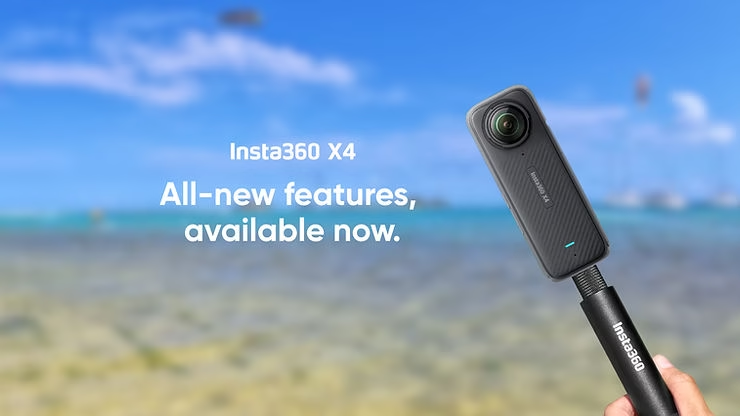
360º Live Streaming: Total Immersion
Among all the new features brought by the Insta360 X4 firmware update v1.2.21, the ability to broadcast live in 360º stands out as a true revolution in the world of immersive video capture. This long-awaited feature transforms the Insta360 X4 into a powerful tool for creating live experiences that captivate and engage audiences in a completely new way.
With Webcam Mode, the Insta360 X4 now supports streaming 360º videos in real time to various third-party streaming platforms. Imagine the ability to share every angle of a live event, where your audience can explore the scene from every angle, as if they were there themselves. This feature opens up a new realm of possibilities for content creators, event organizers, and even businesses looking to offer a unique perspective on their business.
Whether you’re filming a concert, where each spectator can choose their own perspective, or covering a sports competition, where fans can follow the action as if they were on the pitch, this feature creates unprecedented immersion. The audience is no longer passive; they become active, exploring the scene according to their preferences, discovering details that would otherwise have escaped them.
This 360º live streaming capability isn’t just a technological breakthrough; it’s also redefining the standards for interactivity in online broadcasts. Events are becoming more dynamic, more engaging, and, most importantly, more accessible. Whether you’re an independent content creator or a large corporation, this feature allows you to offer your audience an experience they won’t forget.
By bringing this feature to the Insta360 X4 , Insta360 is ushering in a new era of live streaming, where total immersion is no longer an option, but a reality available to everyone. With this update, you have the power to turn every broadcast into an immersive adventure, where the viewer becomes an explorer of the content you create. It’s time to redefine what it means to be at the center of the action.
Extended Compatibility: Simplified Control
The latest firmware update for the Insta360 X4 not only adds new features, but also expands the camera’s compatibility with an even wider range of devices. This improvement gives users greater flexibility in how they can control and interact with their camera, simplifying the user experience, whether in the field or during complex shoots.
Apple Watch: Control at Your Fingertips
One of the most convenient integrations in this update is Apple Watch compatibility. Now, you can control your Insta360 X4 directly from your wrist, without having to physically handle the camera. Whether you’re in the middle of a hike, playing an extreme sport, or simply on the move, this feature makes it incredibly easy to start or stop recording. Plus, you can access other key features, like adjusting settings or previewing captures, all without ever having to remove the camera from its mount. This compatibility makes the Insta360 X4 an even more intuitive and accessible companion for Apple Watch users, integrating your workflow into a seamless tech ecosystem.
Insta360 GPS Action Remote: Total Control Even From a Distance
For those who prefer to keep their hands free or need to control their camera remotely, compatibility with the Insta360 GPS Action Remote is a major step forward. This remote allows for a fast and stable connection with the Insta360 X4 , giving you full control of the camera, even when mounted out of reach, such as on a helmet, vehicle, or drone. With the ability to remotely turn the camera on and off, this remote is especially useful for dynamic shots where direct access to the camera is limited.
What makes this remote even more impressive is its water resistance up to 5 meters. Whether you’re filming in the rain, near a waterfall, or even while practicing water sports, you can count on this remote to stay operational in wet conditions. It’s designed for adventurers, those who push the limits of outdoor content creation, while offering unmatched reliability.
These compatibility expansions don’t just simplify control of the Insta360 X4 ; they also open up new possibilities for capturing images and videos in a variety of situations, with greater ease and precision. Whether you’re an Apple Watch user or an adventurer using the GPS Action Remote, this update ensures you’ll always be in control, wherever you are, and whatever the conditions. This makes the Insta360 X4 more adaptable and powerful, perfectly adapting to your needs, whether you’re shooting a simple photo or undertaking a complex expedition.
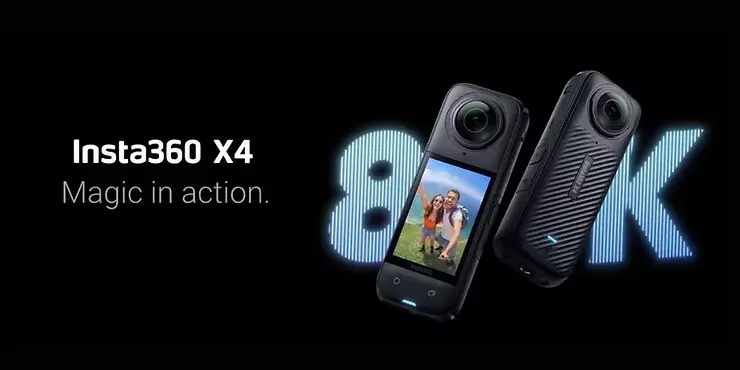
New Features: More Power at Your Fingertips
The v1.2.21 firmware update for the Insta360 X4 doesn’t just transform your live streaming experience and expand the camera’s compatibility. It also introduces a host of new features that significantly increase the power and versatility of the Insta360 X4 , making it more capable and adaptable than ever before.
Live Streaming: Simplified Broadcasting for More Flexibility
With this update, live streaming becomes even more accessible and flexible. By simply logging into the Insta360 app, you can now access an intuitive preview interface that lets you choose between two broadcast modes: 360 Live and Reframe Live. 360 Live broadcasts your videos in 360º, providing an immersive experience where the viewer can explore every angle of the scene. Reframe Live broadcasts reframed footage in real time, manually framing the view to guide your audience through key moments. This flexibility in broadcast options gives you complete control over how you present your content, whether for a live event, a product demo, or any other type of interactive broadcast.
New Refresh Rates: Optimal Smoothness for Exceptional Videos
The update also introduces new refresh rates for 360º mode, adding support for 48fps in 5.7K and 4K. These new settings allow for video capture with improved smoothness, ideal for fast-action scenes or sequences where every detail counts. The jump to 48fps offers a smoother and more realistic viewing experience, especially when capturing fast-moving action, such as extreme sports or live performances. With these new refresh rates, your videos don’t just look sharp; they become a truly cinematic experience, where image quality is accentuated by impeccable smoothness.
Android Mode: Increased Connectivity and Control
Finally, the update brings a particularly anticipated feature for Android users: the ability to directly connect your device to the Insta360 X4 via USB cable. This direct connection allows you to control the camera, preview footage in real time, and play back your recordings directly on your Android device. This connection method offers a convenient alternative to using the mobile app, especially in situations where a wireless connection might be unstable or unwanted. This is a major improvement that ensures Android users get the smoothest and most comprehensive experience possible, with direct access to the camera’s features.
These new features don’t just make the Insta360 X4 a more powerful camera; they transform the way you capture and share your adventures. Combining advanced streaming options, optimized frame rate, and improved connectivity for Android, this update gives you more control, flexibility, and quality in every aspect of your creation. Whether you’re a content creator, a professional, or a passionate hobbyist, these improvements allow you to push the limits of what you can accomplish with your camera, ensuring every moment captured is as impressive as you imagined.
How to Update Your Insta360 X4
To take full advantage of the new features brought by the v1.2.21 firmware update for your Insta360 X4 , it’s essential to update your camera. This process is quick and easy, and gives you immediate access to improvements and innovations designed to enhance your capture experience. Here’s a step-by-step guide to ensure your Insta360 X4 is up to date and ready to reach its full potential.
Step 1: Prepare your camera and accessories
Before starting the update, make sure your Insta360 X4 is fully charged. It’s recommended to have at least 50% battery to avoid any interruptions during the update. Additionally, make sure you have a stable internet connection, either via Wi-Fi or a mobile network, and enough storage space on your camera to download and install the update.
Step 2: Log in to the Insta360 app
The firmware update is done via the Insta360 app, available on iOS and Android. Open the app and connect your Insta360 X4 to your smartphone via Wi-Fi or Bluetooth. Once connected, the app will automatically detect if a new update is available for your device.
Step 3: Download and install the update
When the app notifies you that the firmware update is available, follow the on-screen instructions to begin the download. The download process may take a few minutes, depending on your internet connection speed. Once the download is complete, the app will prompt you to install the update. Tap “Install” and wait for the process to complete. Your Insta360 X4 will automatically reboot once the update is successfully installed.
Step 4: Verify that the update is installed
After restarting your camera, it is recommended to check that the update was successful. To do this, access your Insta360 X4 ‘s settings via the app and view the firmware information. Make sure the version listed is v1.2.21.
Step 5: Explore the new features
Once the update is installed, you’re ready to explore all the new features this release offers. Whether you’re eager to try out 360º live streaming, take advantage of the new refresh rates, or experiment with Android connectivity, everything is now available to you. Take the time to familiarize yourself with these new options to maximize the impact of your future captures.
Following these simple steps will not only ensure your Insta360 X4 is up to date, but also ensure you can start using all the exciting new features it offers right away. Don’t miss this opportunity to enrich your creations and push the boundaries of what you can accomplish with your camera. Update today and embark on a new era of immersive and innovative video capture.
Conclusion
The v1.2.21 firmware update for the Insta360 X4 represents a significant advancement for users of this world-renowned 360º camera. Incorporating features such as 360º live streaming, expanded compatibility with various devices, and technical improvements that increase fluidity and connectivity, this update transforms your capture experience into an even more immersive and versatile adventure.
Whether you’re a content creator looking to push the boundaries of audience engagement or a professional looking to optimize your workflow, this update is a must-have. It lets you unlock new creative possibilities, improve the quality of your videos, and explore new ways to capture and share your most precious moments.
Don’t miss this opportunity: update your Insta360 X4 now and discover the full potential these new features have to offer. This update is more than just an improvement; it’s the key to transforming every capture into a rich and captivating experience.
Subscribe to the Newsletter
To stay up-to-date on the latest Insta360 product news, updates, and tips, sign up for our newsletter today. Never miss a crucial piece of information and ensure you’re always on the cutting edge of technology by subscribing now.


-1-150x150.avif)




Leave a Reply