
A list of CapCut templates is only useful if it helps you avoid the wrong ones. The real question is not which template looks the most viral in isolation, but which one matches your footage, your pacing and the amount of manual cleanup you are willing to do.
That matters because a template can look impressive in the preview and still waste time once you start replacing clips, fixing timing or trying to preserve a more natural style. A practical selection should therefore explain where each template helps and where it becomes noisy or rigid.
Quick answer: the best CapCut template is the one that reduces editing friction without fighting your footage. If a template only works with hyper-specific clips or forces too many corrections, it is usually less useful than a simpler option.
My protocol for judging a CapCut template honestly
- I start with footage compatibility: travel clips, talking-head clips and product shots do not need the same rhythm.
- I check how much manual adjustment is likely: a template that needs constant repair is not really faster.
- I separate style from utility: trendy motion is not automatically good editing.
- I test the likely publishing goal: reels, shorts and quick promo edits reward different choices.
Which template style fits which creator?
| Creator profile | Best template style | Why |
|---|---|---|
| Travel and lifestyle clips | Fast but readable transitions | They keep energy without drowning the footage. |
| Talking-head or educational videos | Cleaner, lighter templates | The message should stay easy to follow. |
| Product or promo edits | Beat-driven showcase templates | They can work if the shots are prepared for them. |
| Beginner who wants speed first | Simple reusable templates | Lower friction usually beats visual excess. |
If your workflow extends beyond CapCut, you can also compare with our guides on using InVideo AI and understanding InVideo AI pricing to decide when a template-based workflow is enough and when another tool makes more sense.
How I sort useful templates from noisy ones
- Readability first: text, stickers and overlays must still make sense on a phone screen.
- Pacing that fits the footage: a travel montage, a product clip and a talking-head edit do not need the same rhythm.
- Customization room: if colors, text blocks and clip timing are too rigid, the template becomes a trap.
- Visual fatigue: the more a template relies on the same gimmick, the faster your videos start blending together.
Which template style fits which use case
| Use case | Template style | Watch-out |
|---|---|---|
| Travel reels and outdoor clips | Clean cinematic rhythm | Avoid effects that bury the landscape under heavy overlays. |
| Fast product or creator workflow clips | Sharp cut-based templates | Keep labels readable and don’t over-stack motion text. |
| Trend-driven short videos | Light viral formats | Useful for speed, but easy to make interchangeable. |
| Tutorial or before/after edit | Structured explanatory templates | Clarity matters more than flashy transitions. |
If you want the broader editing context beyond templates, also read our CapCut vs Premiere Pro comparison and our Submagic vs CapCut guide.
What is a CapCut template?
A CapCut template is a ready-made video editing model that you can use with a single click to transform your basic videos into creative masterpieces. Essentially, instead of doing everything yourself (transitions, effects, text, music…), you simply choose a template, import your clips, and you’re done: the final result is already professional, dynamic, and on-trend.
There are two main categories of CapCut templates:
- The official templates , offered directly in the application, are often linked to current trends (ideal for TikTok or Insta).
- The templates created by the community , which you can find on TikTok, via shared links or on certain creator groups/communities.
The huge advantage is that you don’t need to be a video editing expert. In two minutes, you can recreate the effects that are generating buzz, customize the text or music, and publish directly to social media. Honestly, whether you’re in a hurry or lacking inspiration, CapCut templates are the simple and effective solution to give your content a boost!
Do you want to try it yourself?
Try CapCut for free here and discover all the available templates!
Why use a CapCut template in 2025?
In 2025, the battle is fierce on TikTok, Instagram, and YouTube Shorts to stand out from the crowd. The secret? Publish original, impactful content… and above all, content that’s on trend. That’s where CapCut templates make all the difference! Using a template means taking advantage of the latest effects, transitions that generate buzz, and trends that are exploding on social media. Want a killer slow-motion video? A super dynamic lyric montage? Or some impressive transitions? There’s definitely a CapCut template that will simplify your life.
But it’s not just a matter of trend:
- Save time : No more hours spent editing and tweaking every detail. You choose, you import your clips, and it’s ready to publish!
- Ensuring a professional result : Even without experience, your videos have that little professional touch that makes you want to watch until the end.
- Keep up with the trend : You can follow (or even launch!) the most popular challenges and effects of the moment, just in a few clicks.
In short, using a CapCut template in 2025 is THE best way to create content that works, without any hassle. Honestly, why not take advantage of it?
How to find and use a CapCut template?
Finding a CapCut template is incredibly easy… and it really changes your life when you want to build quickly and efficiently! You have two main ways to find the best templates:
- Directly in CapCut : Open the app, go to the “Templates” tab, and explore the categories: slow motion, transitions, lyrics effects, etc. You can even search by keywords or browse the trending suggestions. Simply click on a template to see a preview, then use it directly on your video.
- On TikTok and social media : See a stylish video with the tagline “Try this CapCut template”? Click the link, and you’ll be redirected to CapCut with the template ready to use. There are also plenty of groups and communities that share links to the best templates to try.
How does it work in practice?
- Click on the template that interests you in the app or on a link.
- Import your videos or photos: CapCut will take care of applying everything automatically.
- Customize if you want (text, music, colors).
- Export and share your creation on TikTok, Insta, or wherever you want!
And if you haven’t tried CapCut yet, now’s the time:
👉 Discover CapCut for free here and take advantage of the best templates available right now!
Honestly, it’s never been easier to create a killer video without wasting time… Try it and you’ll see the difference!
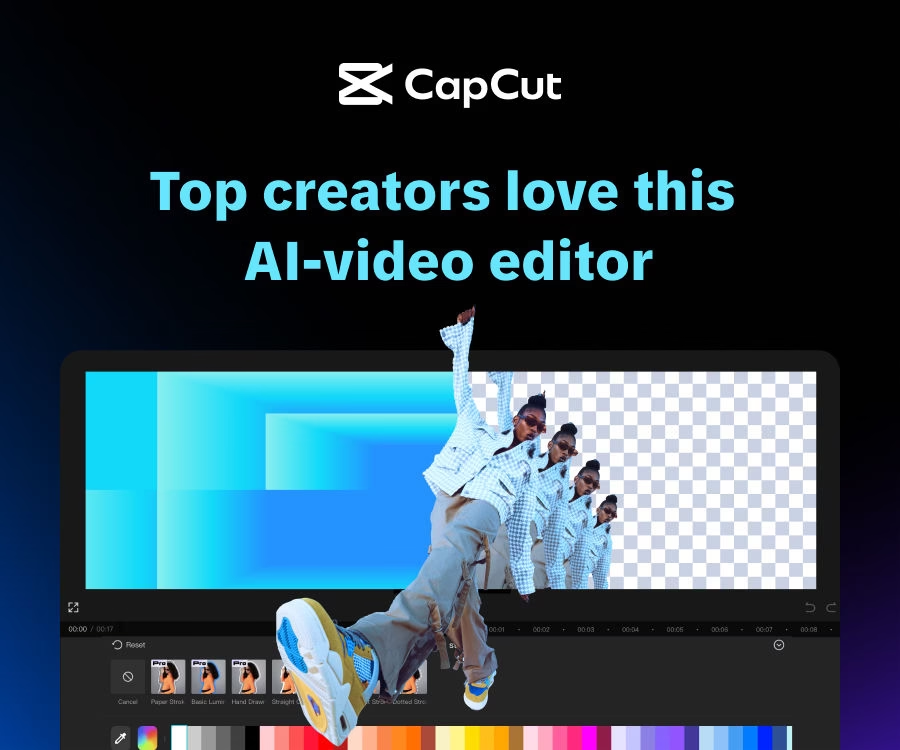
Top 10 Best CapCut Templates of 2025
1. Viral Slowmo Want that super smooth slow-motion effect that’s all over TikTok? The viral slowmo template does all the work in one click: you import your video, CapCut handles the cutting and slowing down at just the right moment for the wow effect.
👉 Try CapCut for free and find this template here
2. Dynamic Lyrics : This template is perfect for synchronizing song lyrics with your videos. The lyrics appear in time with the music, with stylish animations. Super useful for covers, challenges, or musical realities.
👉 Discover CapCut and try this template now
3. “flash & cut” transition A classic: several clips follow one another with white flashes and quick cuts, ideal for adding rhythm to a vlog or a before/after.
👉 Try CapCut to add professional transitions to your videos
4. “Glow-up” transformation effect. Are you showing a before/after? This template is great for revealing a transformation with light and zoom effects that immediately grab attention.
👉 Try CapCut here to customize this glow-up template
5. Minimalist aesthetic design For those who like clean and elegant, this template focuses on smooth transitions and a clean design, perfect for vlogs, travel or lifestyle videos.
👉 Discover CapCut for free and boost your vlogs
6. “Stacked photos” scrapbook style template Super trendy, it allows you to stack several photos with album-style animations: ideal for holiday memories or retrospectives.
👉 Test CapCut and try this scrapbooking template
7. TikTok Trend “3D Zoom” Editing Want that effect where the camera “zooms” into the photo or video? This template instantly gives a professional look and makes your video’s subject stand out . 👉 Discover CapCut and the 3D zoom template here
8. “Cinematic Look” Template : Adds background blur, black bars, and sophisticated color grading for a cinematic look. Perfect for storytelling or enhancing a travel sequence.
👉 Try CapCut to give your videos a cinematic look
9. “Puzzle” animation effect: Separate your image into several pieces that recompose themselves, super eye-catching for an intro or special announcement.
👉 Discover CapCut and its original animation effects
10. “Before/after” split screen montage Highlights a transformation (makeup, decor, fitness…) with a simple split screen effect that always attracts attention on social media.
👉 Try CapCut for free and find this template among the most popular
That’s it for the top 10! You’re spoiled for choice when it comes to giving your videos a new dimension, whether you want to blow up on TikTok, Instagram, or just have fun. Don’t hesitate to try these templates (and many more) with CapCut – it’s free and makes all the difference when you want to create content that stands out!
Tips for customizing CapCut templates
Okay, using a template is already great for saving time… but if you really want to stand out, the secret is personalization! Here are a few simple tips to make each CapCut template unique and truly reflect your style:
- Change the text and fonts : Feel free to modify the sentences, emojis or play with different fonts to match your style or the atmosphere of your video.
- Add your own music : Even though the template provides a sound, you can always import music you like, or even a voiceover to tell a story.
- Play with colors and filters : Adjust the colorimetry, add filters, boost the contrasts… A small tweak, and the atmosphere of your video changes completely!
- Add stickers or GIFs : CapCut offers plenty of stickers, animations or even GIFs to integrate to make your montage even more fun.
- Mix several templates : Nothing prevents you from applying an effect from one template to the intro, another to the end… It gives rhythm and surprises your audience!
- Add your own clips and photos : While the template suggests a certain structure, you don’t have to follow it exactly. Have fun, select your best moments, and create your own style.
In short, with a little creativity, you can really stand out, even if you start with a popular template. And if you want to test all these possibilities, CapCut is free and available here — give it a try, it only takes two minutes and the final result is truly impressive!
CapCut Templates FAQ
Are CapCut templates free?Yes! Most of the templates offered by CapCut are 100% free and accessible to everyone. Some advanced options may require the Pro version, but honestly, even with the free version you have more than enough to have fun and create professional content.
Can CapCut templates be used on PC?Yes, CapCut is available for PC, and you’ll find the main templates on both computers and mobile devices. So you can work on your videos comfortably from your computer or your phone, whichever you prefer.
How to create your own CapCut templateIt’s simple: you edit as usual, then you can save your project as a “template” to share. Super handy if you want to share a video effect or structure with your friends or community!
Can a CapCut template be shared with subscribers?Absolutely! It’s even a great way to engage your community: you can send a direct link to your template, your subscribers click on it and import it directly into their CapCut app. Convenient, right?
Conclusion
There you have it, you now have all the tools you need to unleash your creativity with the best CapCut templates of 2025. Honestly, whether you’re a beginner or already a video editing pro, these templates save you tons of time while ensuring a professional and ultra-trendy look. It’s THE little trick for creators who want to break through on TikTok, Instagram, or YouTube Shorts without struggling for hours.
So, what are you waiting for? Try CapCut for free here , explore the latest templates, get creative with customization, and share your amazing videos. You’ll see, inspiration will come naturally, and your audience will love it!
If you have a question, a tip, or a favorite template to recommend, feel free to leave a comment: the CapCut community is also about helping and inspiring each other! 🚀
Publications similaires :
 CapCut PC – The Complete Guide to Editing Your Videos on Your Computer
 CapCut vs Adobe Premiere Pro: Which software should you choose for your video editing?
 CapCut Pro APK: Is it legal, what are the risks and what are the alternatives?
 CapCut Pad Pro on iPad: professional video editing, finally designed for mobile creators




Leave a Reply