

Choosing the right video editing software can be complicated, especially given the multitude of options available. Movavi Video Editor, one of the most sought-after tools in 2025, impresses with its intuitive interface and advanced features, but does it truly offer good value for money? Discover its strengths and limitations in our comprehensive Movavi review, and learn why it could be the ideal partner for your video projects, whether for simple editing or creating professional content.

Summary of our review of Movavi Video Editor
Movavi Video Editor is a video editing software designed for ease of use while offering advanced features. Available for Windows and Mac, it allows you to cut, trim, and merge videos, add transitions and effects, and enhance audio and video quality. The 2025 version integrates powerful AI tools for noise reduction, scene detection, and background removal. While the free version is limited by a watermark on exported videos, Movavi offers excellent value for money compared to software like Adobe Premiere Elements or CyberLink PowerDirector. Its numerous features, intuitive interface, and regular updates make it a relevant choice for content creators in 2025.
Movavi Video Editor Pricing
The different subscription options
Movavi Video Editor offers several pricing options in 2025. The monthly subscription is available for €17.95 per month, while the annual Video Editor Plus plan is offered at €59.95 per year. For a more comprehensive set of features, the Video Suite Plus is available at €99.95 per year. Each plan includes basic editing tools, with increasing access to advanced features. Updates are included for the duration of the subscription.
Details of the different offers
The three Movavi Video Editor packages differ in the range of features they offer. The basic version provides access to essential video editing tools, while Video Editor Plus adds three bonus effects packs to enhance your creations. Video Suite Plus completes the package with media file conversion tools and a screen recorder. All packages include basic functions, but only Video Suite Plus allows screen recording and format conversion. The additional effects packs are exclusive to the paid versions.
Payment terms and guarantees
The purchase process takes place via a secure platform, with the option to pay by credit card or PayPal. After purchase, an email containing a download link and an activation key is sent within 15 minutes. Movavi offers a 30-day money-back guarantee, applicable if technical problems persist after support. Refunds are possible within 30 days of purchase, subject to unresolved technical issues.
Our opinion on the price of Movavi Video Editor
Movavi Video Editor’s pricing appears balanced compared to its competitors. The €17.95 monthly subscription remains affordable for occasional use, while the annual plan offers better value for money for regular users. Compared to software like Adobe Premiere Pro (€35.69/month) or Wondershare Filmora (€155.88/year), Movavi positions itself as an affordable alternative while still offering professional features. The free version, although limited, allows users to evaluate the software before committing to a paid subscription.
Limitations of the free version
The trial version of Movavi Video Editor, while free, has several limitations. The most noticeable is the addition of a “Trial” watermark to all exported videos. Furthermore, the trial period is limited to 7 days, and some advanced features are unavailable. For professional or regular use, these limitations can be restrictive, justifying the investment in a paid license. However, the free version remains sufficient for a quick introduction to the software.
Movavi Video Editor: Who is it for?
Presentation of user profiles for which Movavi Video Editor is particularly suitable
Movavi Video Editor caters to a diverse audience. Its features are ideal for beginners thanks to its intuitive interface. YouTube content creators will appreciate the AI tools for automatic subtitles and visual effects. Teachers use it for educational materials. Businesses find it a quick solution for basic marketing videos. With over 70 million users in 190 countries, Movavi impresses with its ease of use while offering advanced options like AI motion tracking and background removal. To learn more, visit the official Movavi website .
Explanation of Movavi’s suitability for content creators on social media and YouTube
Social media content creators find Movavi an effective tool. The software offers templates tailored to each platform. Its AI tools easily improve video quality. Automatic subtitles in multiple languages enhance accessibility. Transitions and visual effects make videos more engaging. Optimized export allows for immediate sharing on social media. The screen recording function is useful for tutorials. With its specific effects packs, Movavi helps create original intros for YouTube.
Description of Movavi’s usefulness for casual users and personal projects
For personal projects like editing vacation or family events, Movavi is ideal for casual users. Its clear interface allows for editing without prior training. Predefined effects easily enhance videos. Adding music, text, and titles takes just a few clicks. Conversion to various formats is suitable for sharing on physical media. Quick installation and a small footprint (367 MB) make it easy to use on personal computers. Essential features are accessible without unnecessary extras, making it perfect for home use.
Analysis of Movavi’s limitations for certain demanding professional user profiles
Film and television professionals may find Movavi limited for their demanding needs. Its compositing and motion design features are less developed than those found in software like Adobe Premiere. Post-production teams with collaborative workflows will likely prefer dedicated solutions. Studios requiring precise control over color grading or special effects will need to turn to more specialized tools. Creators of 3D content or content with complex visual effects will find Movavi too basic. Users requiring specific professional codecs may also encounter limitations.
List of features
User interface and ease of use
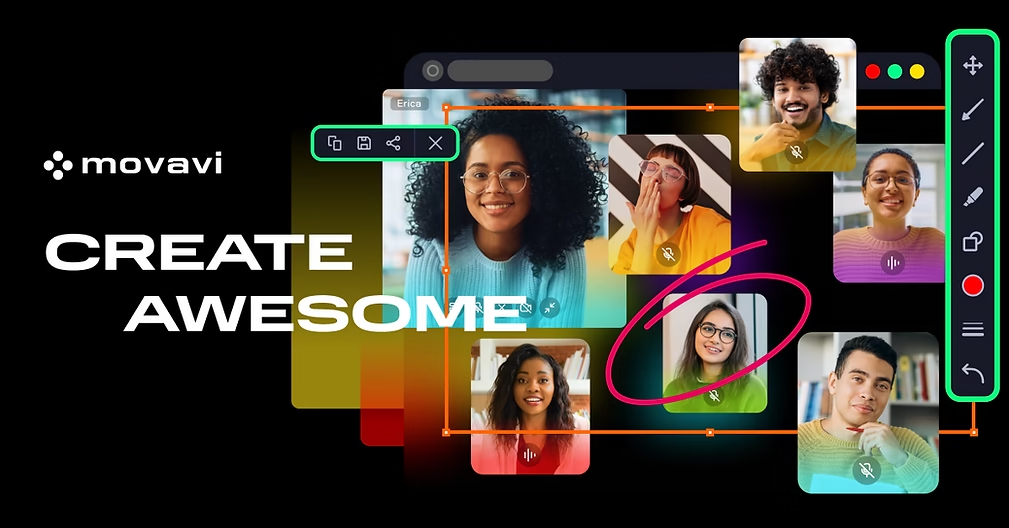
Movavi Video Editor 2025’s interface stands out for its clarity and logical organization. Important elements are grouped into four main areas: a media library, a timeline, a preview area, and a tools panel. Icons are self-explanatory, and contextual tips appear on hover, facilitating learning. Each tool is accessible in just a few clicks, allowing a novice user to become familiar with the software in under 20 minutes.
The video editing process is intuitive, thanks to the drag-and-drop functionality. Basic operations like cutting, trimming, and rotating are completed in seconds. The editor offers a clear timeline with the option to add additional tracks. Panel sizes are adjustable to suit the project’s needs, promoting better workspace management. This balanced design, combining simplicity and advanced features, explains its popularity with both beginners and experienced users.
Video editing tools and effects
Movavi Video Editor offers a comprehensive suite of editing tools, ranging from basic functions to more advanced options. Users can cut, trim, rotate footage, add titles and transitions. Special effects like flames and lightning enhance their creations. Compared to software like Adobe Premiere Elements, Movavi stands out for its ease of use without compromising on technical features.
Movavi’s visual effects palette is particularly extensive, with over 6,000 effects available. Classic transitions (crossfade, fade to black) are complemented by themed animations organized into categories: vlogging, events, games, family, and more. Artistic filters allow for the addition of diverse moods. Animated titles and themed stickers facilitate the creation of dynamic effects. The editor also offers an overlay system to visually enhance projects.
For audio, Movavi includes comprehensive editing tools. Adding music or sound effects is as simple as drag and drop. Users can adjust the volume, layer multiple tracks, and apply equalization effects. AI-powered background noise reduction enhances sound quality. Movavi also offers a library of royalty-free music. These features allow for efficient audio processing, a crucial element for video quality, whether for tutorials or YouTube content.
AI features and advanced technologies
Movavi Video Editor 2025 is enhanced with powerful artificial intelligence tools. Background removal works without the need for a green screen, automatically isolating the main subject. Motion tracking allows you to anchor text or graphics to a moving object. Audio noise removal automatically identifies and eliminates unwanted sounds. These AI features transform tasks that were once complex into operations accessible to everyone.
For 4K videos, Movavi guarantees optimal support. The software handles common formats such as MP4, AVI, MOV, MKV, and FLV. Performance remains smooth even with high-resolution footage, thanks to the optimized rendering engine. For working with 4K videos, a recent processor and a high-performance graphics card are recommended. Movavi offers optimization settings to facilitate the editing of large files.
AI tools are expanding into other areas such as scene detection and automatic color correction. These technologies simplify editing by automating certain steps. Audio noise removal works via a machine learning algorithm. AI features are regularly updated. These technological advancements position Movavi as a viable alternative to more expensive software.
Export and sharing
Movavi’s project export options offer numerous possibilities to suit different needs. The MP4 format with the H.264 codec is recommended for its broad compatibility. Other formats such as AVI, MOV, or MKV are available depending on the distribution platform. You can choose from several predefined profiles for social media or customize the settings. 4K export is only available in the paid versions; the free version adds a watermark to exported videos.
Direct sharing from Movavi is simplified with integrations to major platforms. After exporting, you can upload your videos to YouTube, Facebook, or Google Drive in just a few clicks. Dedicated profiles automatically optimize settings for each social network. The editor also offers templates adapted for vertical formats on TikTok and Instagram. These sharing features make it easy to distribute your creations without leaving the software.

Customer reviews
Overview of customer reviews for Movavi Video Editor in 2025, including average ratings
Customer reviews of Movavi Video Editor in 2025 show an average rating of 3.9/5 based on available feedback. Users consistently highlight its ease of use, awarding an average of 5/5 for its intuitive interface. Basic features such as trimming, cropping, and adding effects are rated 5/5. Value for money averages 4.5/5, while AI tools are also rated 4.5/5. Customer service receives an average rating of 4/5, with feedback regarding varying response times.
Excerpt from positive user reviews regarding ease of use and features
Many users highlight the accessibility of Movavi Video Editor. One beginner explains that they created their first video in under two hours, praising the organization of the tools. An amateur videographer appreciates the automatic transitions and the effects library. Several comments emphasize the speed of exporting 4K videos. YouTube content creators mention the convenience of automatic subtitles. Professional users in training highlight the rapid learning curve with the software.
Excerpt from negative user reviews regarding the software’s limitations
The criticisms mainly concern the free version of Movavi Video Editor. Several users report a “Trial” watermark on videos exported without a license. Feedback mentions problems activating the paid license. Some experienced creators find the software limited for professional editing. Users report lag even on modern computers. Others criticize the lack of certain advanced features available in competing programs.
Movavi Video Editor is establishing itself as a solid tool for your video editing projects in 2025, combining an intuitive interface, advanced features, and affordable pricing. Try the free version for a no-obligation trial, but keep in mind that the paid license unlocks its full power. If you’re looking for software that strikes a balance between simplicity and performance, Movavi is definitely worth your attention.





Leave a Reply