
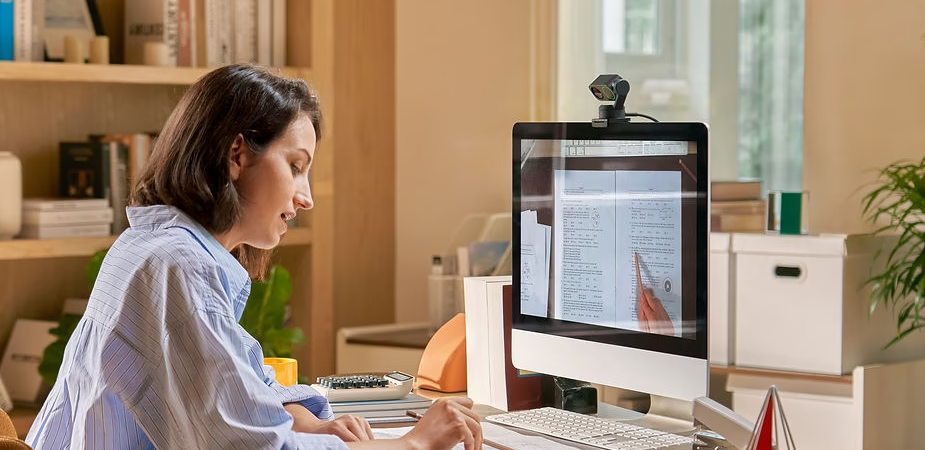
The Insta360 Link 2 is an innovative 4K webcam that offers a multitude of features to make your video presentations more interactive and engaging. Whether you’re a teacher, speaker, or simply need to captivate your audience during online meetings, the Insta360 Link 2 is an ideal tool for creating dynamic video presentations. Thanks to its auto-tracking capabilities, motorized gimbal, and ultra-high-definition resolution, you can transform a simple video conference into an immersive experience. Here are some tips for fully utilizing the Insta360 Link 2 ‘s features for dynamic video presentations.
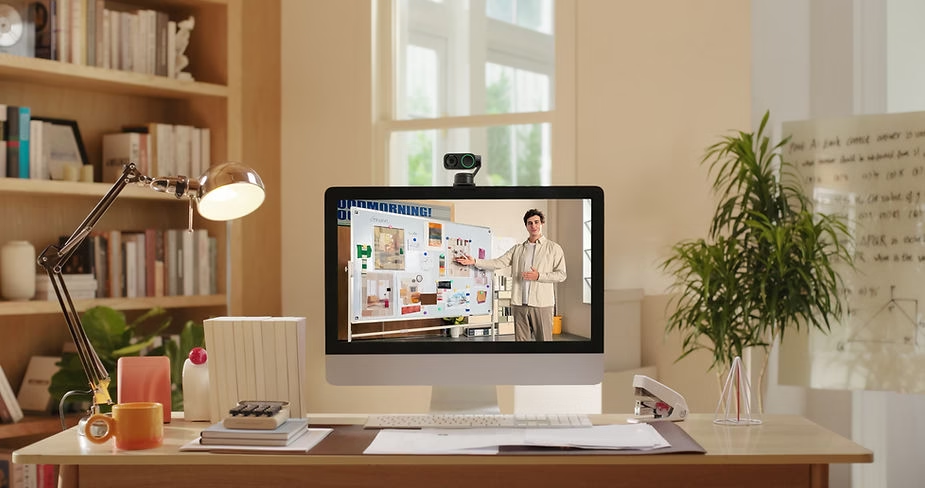
1. Leverage Real-Time Subject Tracking
Subject tracking is one of the standout features of the Insta360 Link 2. Thanks to its dual-axis gimbal and artificial intelligence algorithms, the camera can automatically follow you as you move during a presentation. This is especially useful for presentations where you need to move around the room or show different visual elements. You can activate tracking by waving your hand in front of the camera, and it will automatically focus on you, allowing you to move freely without worrying about framing.
This feature is ideal for interactive presentations where you need to move around to demonstrate something on a whiteboard, or simply to add visual dynamism by avoiding remaining static in front of the screen. It helps capture the audience’s attention and makes the presentation more engaging. By incorporating fluid and natural movements, you create a sense of closeness and immersion that keeps the audience captivated throughout the presentation.
Furthermore, the tracking capability is particularly useful for trainers and teachers, as it allows them to move freely while remaining within the frame. This makes lessons and demonstrations much more dynamic and engaging, especially when they involve hands-on elements or visual explanations that require movement. Using this feature can truly transform how content is perceived, making it more interactive and engaging.
2. Use AI Zoom to Highlight Details
The Insta360 Link 2 features an AI-powered auto-zoom function that lets you highlight specific details during your presentation. For example, if you’re showcasing a product, you can use the zoom to highlight fine details or specific features without having to manually move the camera closer. The AI zoom automatically adjusts the magnification level while maintaining exceptional image quality, even in 4K.
This feature is especially useful for product demonstrations, tutorials, or training sessions where it’s necessary to focus on important details. With smooth, lossless zoom, you can professionally and precisely guide your audience to the key elements of your presentation. This keeps their attention on the important aspects without any extra effort on your part.
AI zoom is also useful for technical presentations where diagrams, drawings, or mechanical parts need to be examined closely. The ability to quickly adjust the zoom allows the presentation to adapt to the audience’s needs in real time, providing a much more personalized and immersive experience. This fosters a stronger connection with the audience, offering them a clear and detailed view of important elements while maintaining a smooth flow to the presentation.
3. Use Gesture Recognition to Simplify Interaction
With the Insta360 Link 2 , you can control the camera without even touching a button, thanks to gesture recognition . This feature allows you to start subject tracking, zoom, or recenter the camera simply by using hand gestures. This makes your presentations much smoother and more professional, as you don’t need to manipulate the camera or use external devices while you’re speaking.
Gesture recognition is ideal for presentations where you need to keep your hands free, such as when handling objects, writing on a whiteboard, or when you need constant interaction with your surroundings. It adds an interactive touch to your presentation and gives the impression of intuitive and fluid camera control. It can also help enhance the impact of your presentation by making the technology appear seamlessly integrated into your communication style.
By using gesture recognition, you can also improve the smoothness of transitions during your presentation. For example, when switching from a whiteboard to a screen demonstration, you can simply use a gesture to recenter the camera, preventing any interruptions. This technology allows you to stay focused on your content without being distracted by technical manipulations, which is essential for maintaining audience attention.

4. Enjoy 4K Ultra HD Picture Quality
The Insta360 Link 2 ‘s 4K resolution is a major asset for video presentations. Whether you’re giving a product demonstration, an educational presentation, or a business meeting, a clear and sharp image makes all the difference. By using the Insta360 Link 2 , you can ensure your audience sees every detail clearly, even when streaming on online platforms.
High resolution ensures that even small text or graphics are perfectly legible. This is crucial when sharing detailed information or technical diagrams. Image quality helps maintain audience interest and enhances the professionalism of your presentation. High-quality images make your presentations more engaging and allow you to convey complex information effectively.
4K quality is especially important for presentations that involve complex visuals, such as maps, diagrams, or illustrations. By offering maximum clarity, you allow your audience to easily understand the information without straining their eyes. This creates a pleasant and professional viewing experience, thus increasing the overall impact of your presentation.
5. Create Dynamic Presentations with Whiteboard Mode
The Insta360 Link 2 also offers a Whiteboard mode that’s perfect for educational demonstrations or brainstorming sessions. By using specific markers, the camera can automatically recognize and zoom in on the whiteboard, ensuring your audience can clearly see what you’re writing or drawing.
This mode is especially useful for teachers, trainers, or professionals who want to illustrate concepts or solve problems in real time. It transforms a simple whiteboard into a dynamic presentation element that is seamlessly integrated into your video. Whiteboard mode ensures that every detail is visible, which is essential for understanding complex concepts.
Whiteboard mode is also perfect for collaborative brainstorming sessions. It allows multiple participants to clearly see what is written, even when they are geographically separated. This enables you to share ideas, concepts, and diagrams with great precision. By making information visually accessible, you improve interaction and participation, making your meetings or classes more productive.
6. Play with angles and perspectives using the motorized gimbal
The Insta360 Link 2 ‘s motorized gimbal lets you easily adjust the camera’s perspective and angle. Rather than being stuck at a single frontal angle, you can vary your shooting angles during your presentation, adding extra visual dynamism. This is especially useful if you want to create a sense of depth or showcase different aspects of a product.
For example, you can switch from a wide shot of yourself speaking to a close-up of an object, then back to the wide shot. This ability to easily change angles adds movement to your presentation, avoiding the monotony of a static video. This makes your content more dynamic and engaging for the audience, while creating a rich visual experience.
By playing with perspective, you can also create a sense of immersion. This is especially useful for presentations involving product demonstrations or three-dimensional elements. By adjusting the angles, you can showcase every aspect of the object being presented, giving the audience a complete and immersive view. This approach makes your presentations much more interactive and engaging.
Conclusion: Make your video presentations more dynamic with the Insta360 Link 2
The Insta360 Link 2 is a powerful tool that can transform your video presentations into a captivating and immersive experience. With advanced features like auto-tracking, AI zoom, gesture recognition, and whiteboard mode, you can easily engage your audience and deliver your ideas clearly and compellingly. Whether you’re a professional, trainer, or content creator, the Insta360 Link 2 gives you everything you need to take your presentations to the next level. Take control, move freely, and create dynamic presentations that leave a lasting impression.
With the Insta360 Link 2 , you can transform your presentations from simple speeches into truly engaging and memorable visual experiences. Every feature is designed to streamline your workflow while maximizing the impact of your content. Whether for teaching, knowledge sharing, or product promotion, the Insta360 Link 2 is your ideal partner for creating unforgettable moments.





Leave a Reply