

The Insta360 X4 is an exceptional camera that allows you to capture breathtaking videos thanks to its advanced features and 8K resolution. One such feature is the TimeShift mode, a perfect option for content creators who want to add a touch of dynamism and creativity to their travel videos. TimeShift mode allows you to create immersive videos by speeding up moments while maintaining spectacular visual quality. This article will explain how to use this mode to make your travel videos more captivating and memorable.
What is TimeShift Mode on the Insta360 X4?
TimeShift mode is a feature that allows you to record videos in fast motion, while also giving you the ability to emphasize certain parts of the video by slowing down or changing the playback speed. With 8K resolution, your videos are sharp, detailed, and have incredible quality, even when the speed is increased. TimeShift is perfect for travel videos, as it allows you to capture long sequences by condensing them into a dynamic and exciting format.
For example, imagine filming a walk along a beach at sunset. TimeShift mode will allow you to show the progression of the sky, the changing colors, and the movement of the waves in a few seconds, while maintaining exceptional image quality. The final result is both artistic and immersive, immersing your viewers in the atmosphere of your trip.
How to Enable and Use TimeShift Mode on the Insta360 X4
Here’s a step-by-step guide to enabling and using TimeShift mode on your Insta360 X4:
- Turn on the Camera and Select TimeShift Mode : To begin, turn on your Insta360 X4 and navigate to the capture modes menu. Select TimeShift . This mode is designed to let you choose which moments you want to speed up or slow down.
- Plan Your Shots : Before you start recording, think about what you want to emphasize. TimeShift mode is ideal for landscapes, busy street scenes, or car rides. Choose scenes with lots of movement to maximize the impact of the effect.
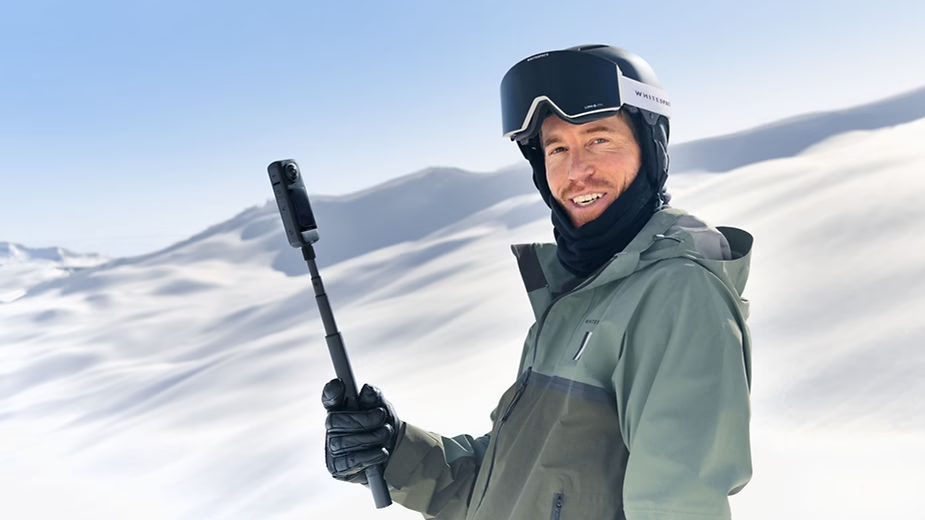
- Use a Tripod or Stable Mount : To achieve a smooth and stable TimeShift effect, it is recommended to use a tripod or mount, such as the Insta360 X4 Invisible Selfie Stick . This will reduce shake and ensure professional shots.
- Record in 8K : One of the main reasons to use TimeShift mode on the Insta360 X4 is the ability to capture videos in 8K . Make sure you set the recording quality to 8K for crisp, high-quality footage. This resolution is ideal for showing fine details, whether it’s mountains on the horizon or waves in the sea.
- Change Playback Speed in the Insta360 App : Once your footage is recorded, you can use the Insta360 app to edit the video. TimeShift allows you to adjust the speed at different sections of the video to highlight specific moments. You can choose to speed up some parts and slow down others to create a captivating contrast.
Tips for Successful TimeShift Photography While Traveling
- Choose Scenes Rich in Detail : TimeShift mode is especially impressive when used on scenes filled with movement. Whether it’s a busy street, a market, or a natural panorama, choose scenes that have a lot of visual activity.
- Use Perspective Shifts : To make your videos even more immersive, try changing your perspective while recording. The Invisible Selfie Stick is a great accessory for this. It allows you to capture aerial shots as if you were using a drone, adding an extra dimension to your videos.
- Play with Light : Changing light, like a sunset or sunrise, is perfect for TimeShift. The accelerated speed will show the variations in light in a magical way, transforming an already beautiful scene into a true work of visual art.
- Combine TimeShift and Hyperlapse : Use TimeShift in combination with Hyperlapse to create seamless transitions between different scenes in your trip. This allows you to seamlessly connect multiple moments, giving your videos a compelling narrative feel.
Editing and Mounting: Create an Immersive Experience
Editing is a key step in maximizing the impact of TimeShift mode. Here are some tips for editing your footage:
- Use the Insta360 App : The Insta360 app is the perfect tool for editing your TimeShift footage. It lets you control the speed of each segment of the video, add transitions, and even include effects like freeze frames to accentuate certain moments.
- Add Music : To make your videos even more engaging, add a soundtrack that matches the mood of your trip. Good music can make all the difference in making your footage even more epic and emotional.
- Maintain an Appropriate Length : TimeShift videos are most effective when they’re short and punchy. Try to keep your videos under 2-3 minutes to keep your audience engaged and maximize the impact of each moment.
Examples of Scenes to Capture in TimeShift Mode
- Car Rides : Speed up a drive on a winding mountain road or along a coast to capture the changing scenery in a short period of time.
- City Walks : City scenes—people walking by, cars moving, and buildings lit up at night—are perfect for TimeShift.
- Natural Landscapes : Showcase the beauty of mountains, rivers, or forests by accelerating the movement of clouds and shadows, providing a unique and dynamic perspective.
Conclusion: Make Your Travel Videos a Work of Art
The Insta360 X4 ‘s 8K TimeShift mode is a powerful tool for transforming your travel videos into works of art. By combining perspective shifts, playing with light, and using accessories like the Invisible Selfie Stick , you can create footage that captivates and inspires. Editing in the Insta360 app will allow you to fine-tune your shots and create an immersive experience for your viewers. Whether you’re exploring the city or immersing yourself in nature, let TimeShift mode help you tell your story in a unique and spectacular way.



Leave a Reply