

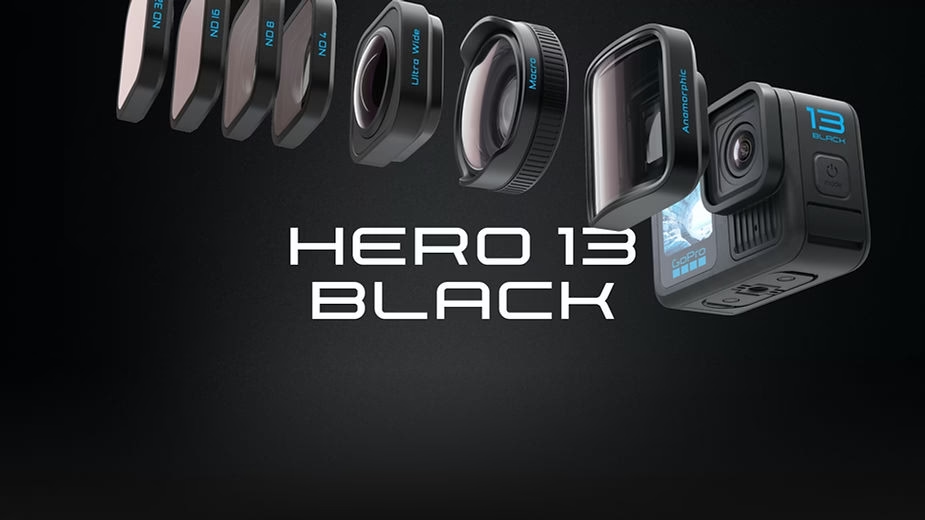
Find all the information about the GoPro Hero 13 Black here: https://geni.us/szzCzjD
Your GoPro Hero 13 Black is playing tricks on you or do you just want to reset it? Don’t stress, we’re here to guide you step by step. This state-of-the-art camera is designed to capture your most epic moments with incomparable image quality thanks to its 5.3K resolutions. Featuring HyperSmooth video stabilization and a waterproof design up to 10 meters, it’s perfect for even the most extreme adventures. Whether it’s fixing bugs, clearing connections, or preparing it for a fresh start, here’s the guide for you. Take a deep breath, we’ll get everything back on track, quickly and efficiently.
Why reset your GoPro?
Sometimes your GoPro needs a makeover, like a car that needs good maintenance. Here are some cases where resetting can be useful:
- Bug fixes : Slowness, crashes or a capricious touchscreen? Resetting is often the best medicine.
- Deleting Bluetooth/Wi-Fi connections : Ideal if you change your smartphone or want to reset your network settings.
- Preparing to sell or share : Planning to lend or sell your GoPro? Give them a clean new start.
- Performance optimization : Sometimes, a small reset helps your GoPro regain its fluidity and responsiveness.
It’s a bit like pressing the “refresh” button on your camera to start again on a good basis.
The different types of resets
There are several levels of reset, depending on your needs:
- Reset preferences : Go back to the default settings, perfect for fixing small issues without touching your files.
- Resetting connections : Removes all Bluetooth and Wi-Fi connections, useful if you want to reconnect your GoPro to new devices.
- Factory Reset : The Big Cleanup. All settings are erased, but not the files on your SD card. Ideal for a real fresh start.
Each type of reset has its advantages! Choose the one that best suits your problem.

How to reset your GoPro Hero 13 Black ?
Here are the detailed steps for each type of reset. Follow them carefully and say goodbye to your worries.
1. Resetting Preferences
Do you just want to go back to the original settings, without touching your files or connections? Easy:
- Swipe down on the touchscreen to access the dashboard.
- Swipe left and tap Preferences.
- Go to Reset, then select Reset Preferences.
- Confirm and let the magic happen. In a few seconds, your GoPro returns to its default settings.
2. Resetting Connections
Need to clean all the wireless connections? Here’s how to do it:
- Go to Preferences from the dashboard.
- Select Connections.
- Tap Reset Connections.
- Once done, you’ll need to manually reconnect all your devices.
This is an ideal solution if you are experiencing synchronization problems or if you want to start from scratch in terms of networks.
3. Factory reset
Are you looking for a real full reset, but you want to keep your files? No problem:
- From the dashboard, go to Preferences.
- Swipe to Reset and choose Factory Reset.
- Confirm and wait for your GoPro to restart. That’s all!
This option is perfect if your GoPro is showing signs of fatigue or if you want to prepare it for a change of owner.
FAQ: Answers to your questions
Here are some frequently asked questions to put your mind at ease:
- Does it delete my files? No, even the factory reset keeps the files on your SD card. On the other hand, everything that is settings and connections will be reset.
- My GoPro is not responding, what should I do? Try holding the Mode button for 10 seconds. This will force a restart of your camera.
- What if I want to erase everything? In this case, after the reset, format your SD card to start again on a completely clean basis.

Pro Tip
Before resetting everything, remember to check that your GoPro is up to date. Sometimes, a simple software update can fix bugs without the need to reset.
And there you have it, your GoPro Hero 13 Black is ready for new adventures! With these tips, you can take back control with ease. If you want more guides, tips, or info, leave a comment and stay tuned. Happy shooting!




Leave a Reply