
If you regularly edit videos on an iPad, you’ve probably already experienced this frustration: either mobile apps are too limited, or professional software is designed for computers and not really adapted to touchscreens. Good news: CapCut Pad Pro is clearly a game-changer.
CapCut has officially launched CapCut Pad Pro , a version specifically designed for the iPad, with a clear ambition: to offer a true desktop editing experience directly on a tablet , without sacrificing portability. And the best part? The software is free for a limited time , making it a perfect opportunity to try it out risk-free.


What exactly is CapCut Pad Pro?
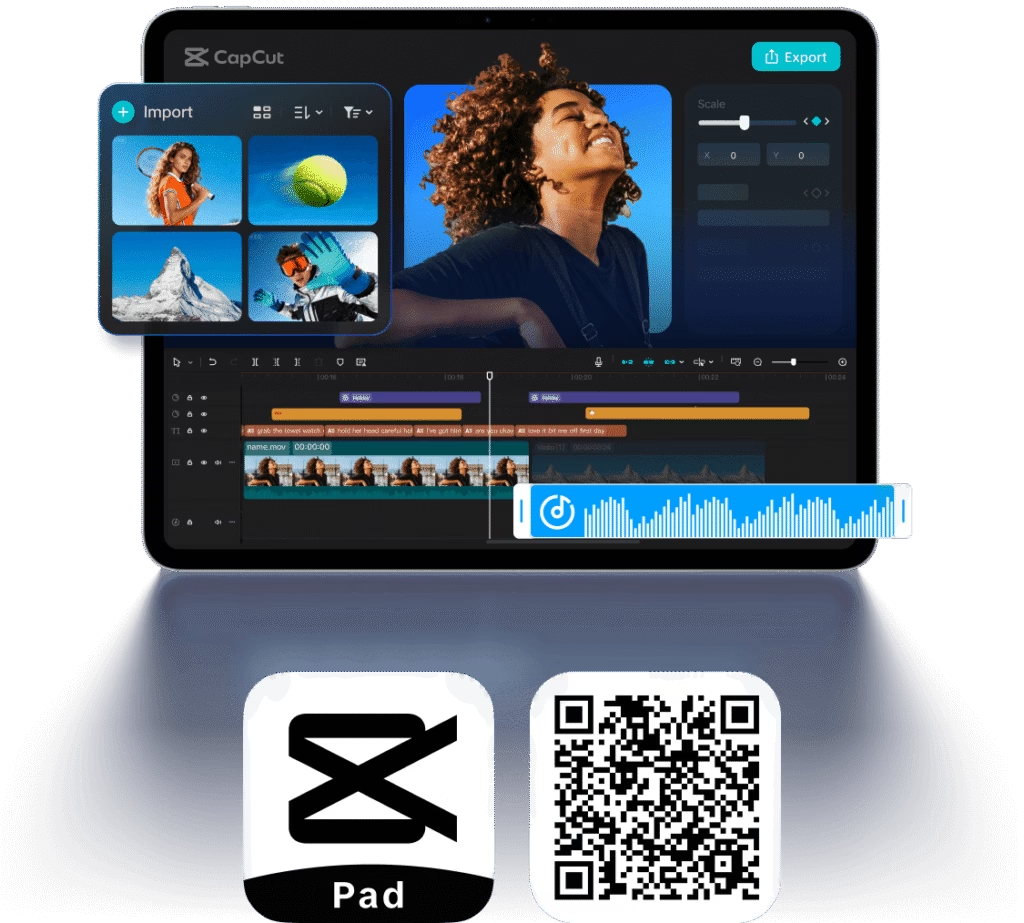
CapCut Pad Pro is the new version of CapCut designed exclusively for the iPad. It’s not just an enlarged adaptation of the mobile version: it’s a redesigned interface , optimized for large screens, touchscreens, multitasking, and the Apple Pencil.
The goal is simple: to allow creators to edit complex, fast and professional videos directly from their iPad, without relying on a computer.
👉 You can already test it here:
https://capcutaffiliateprogram.pxf.io/Bnm5O1

Power worthy of desktop software
Where CapCut Pad Pro really impresses is in the power of its tools .
We find:
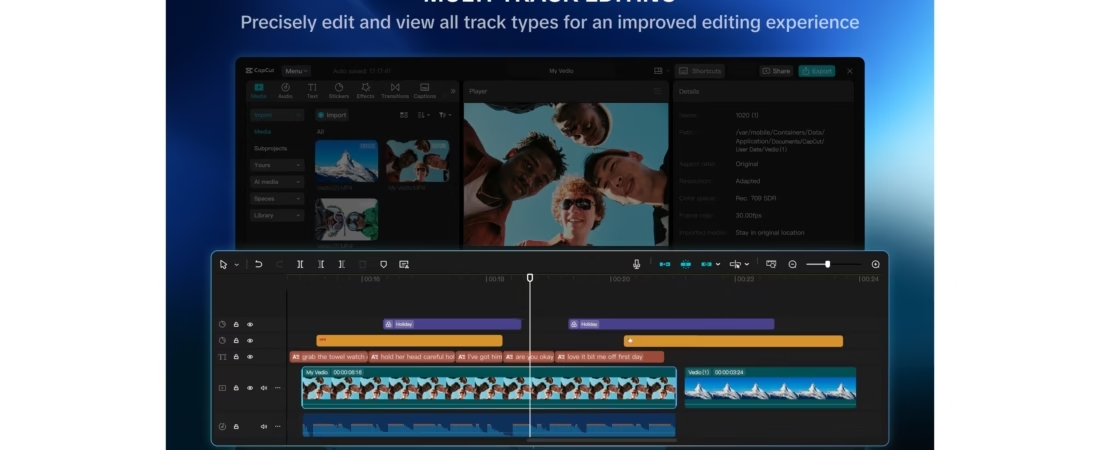
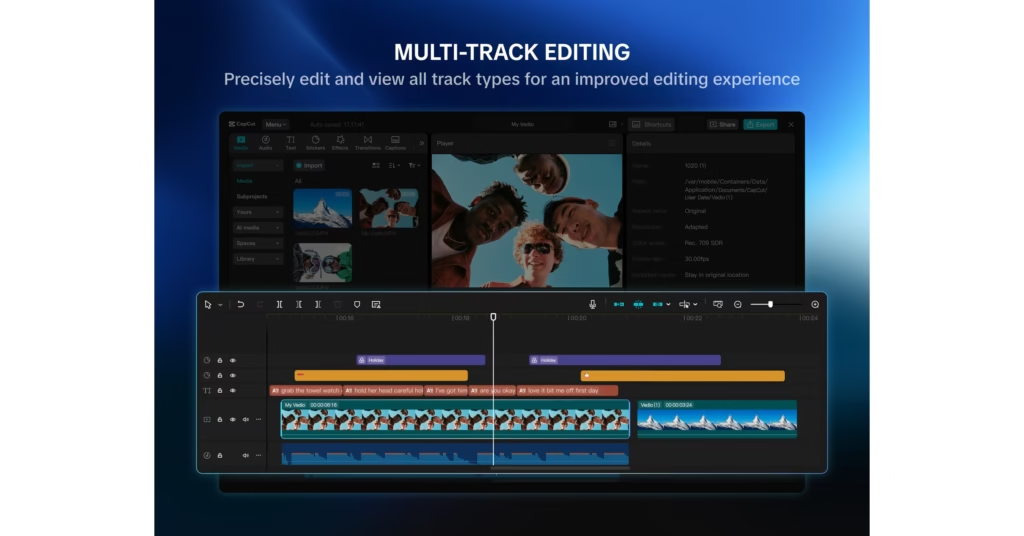
- Multi-track editing is essential whenever you’re working with multiple videos, music tracks, or effects.
- Batch editing saves a ton of time
- Precise control of keyframes , perfect for animations, zooms, and dynamic effects.
- A wide and readable timeline, much more comfortable than on a smartphone
In practical terms, you can work as you would on a classic desktop software, but with the fluidity and simplicity unique to the iPad.
An interface designed for touchscreens (and the Apple Pencil)
CapCut Pad Pro is not only powerful, it is also extremely pleasant to use .
On iPad, everything is smooth:
- 100% touchscreen navigation
- Interface optimized for large screens
- Multi-windows to manage several elements at the same time
- Apple Pencil compatibility, ideal for precise adjustments, keyframes, or frame-by-frame trimming
The result: editing becomes almost intuitive, even on complex projects.
More practical than a classic desktop software
This is where CapCut Pad Pro scores a real point.
Go anywhere, without restrictions
No need to get out a computer, sit down at a desk or lug around a heavy setup. Your iPad is all you need.
You can go up:
- while traveling
- on a trip
- between two appointments
- on the sofa
For nomadic creators, this is a huge advantage.
A fast and efficient workflow
CapCut Pad Pro is perfectly suited for short formats and content intended for social media:
- TikTok
- Reels
- Shorts
- UGC
- YouTube Vlogs
Exports are fast, presets are effective, and everything is designed for quick publishing without losing quality.
Who is CapCut Pad Pro for?
Honestly, the audience is very broad:
- TikTok Creators, Reels and Shorts
- YouTubers (vlogs, facecam, lifestyle content)
- UGC Creators
- Students in communication or audiovisual studies
- Freelancers and social media managers
- Anyone who already uses an iPad with or without Apple Pencil
If you create content regularly and want to save time without sacrificing quality, CapCut Pad Pro is clearly for you.
Free for a limited time: why now is the perfect time to try it out
CapCut Pad Pro is currently free for a limited time , and that’s a huge plus.
For what ?
- You can test all the advanced features without paying.
- No barriers to entry
- Perfect for seeing if the software fits your workflow
This is exactly the kind of tool that’s better to test now, while access is free, rather than waiting for a paid version later.
👉 Direct access here:
https://capcutaffiliateprogram.pxf.io/Bnm5O1
CapCut Pad Pro vs CapCut Mobile vs CapCut Desktop
Without going into an ultra-complex technical table, here’s the general idea:
- CapCut Mobile : fast, convenient, but limited
- CapCut Desktop : powerful, but less mobile
- CapCut Pad Pro : the best of both worlds
This is clearly the most balanced version for modern creators who want power and mobility.
My review of the CapCut Pad Pro
CapCut Pad Pro ticks a lot of boxes:
- Powerful
- Fluid
- Designed for creators
- Adapted to current uses (short-form, social networks, UGC)
- Perfect for working quickly, efficiently, and anywhere.
If you already use CapCut on mobile or desktop, the transition is incredibly smooth. And if you’re just starting out, it’s probably one of the best tools to begin with without making things complicated.
Conclusion: Is CapCut Pad Pro the best video editor on iPad right now?
It’s hard not to say yes. CapCut Pad Pro manages to offer a truly professional editing experience , while remaining accessible, mobile and pleasant to use.
With its temporary free access , it’s clearly the right time to test it and see if it can become your main editing tool on iPad.
👉 Try CapCut Pad Pro now:
https://capcutaffiliateprogram.pxf.io/Bnm5O1


Leave a Reply