
In the ever-changing landscape of digital media, 360° video has rapidly established itself as a force to be reckoned with, redefining the way we live and share experiences in fields as diverse as entertainment, marketing and education. By offering an immersive view to the audience, who are literally at the center of the action, 360° video opens up unprecedented horizons in terms of storytelling and engagement, transforming the passive viewer into an active explorer of rich, enveloping content.
However, capturing these immersive worlds is only the first step. To truly exploit the potential of 360° video, it’s crucial to use suitable editing software, capable of handling this new form of media with the necessary precision and flexibility. Unlike traditional editing, editing 360° videos requires specific tools that understand and deal with the peculiarities of spherical imagery, ensuring a smooth and coherent transition between different shots.
Faced with this new era of content creation, the aim of this article is to provide a comprehensive overview of the best 360° video editing software currently available on the market. Whether aimed at professionals seeking to produce high-quality cinematic works, or hobbyists eager to immortalize their personal adventures from a 360-degree angle, these tools represent the key to unlocking the true magic of immersive video. Follow us as we explore the software that is redefining the boundaries of what we can create and share in the increasingly captivating field of 360° video.

Understanding 360° Video
Often seen as a window onto virtual worlds, 360° video differs radically from traditional video formats in its immersive approach and its ability to capture not just a frame, but the entire surrounding environment. Unlike standard videos, which restrict observation to a fixed direction chosen by the videographer, 360° video gives viewers the freedom to look all around them – up, down and all around – creating a truly enveloping experience.
This ability to record at 360 degrees brings with it unique challenges, particularly when it comes to editing. Traditional video editing software is often unable to handle complex spherical imagery without distorting it, requiring specialized tools designed specifically for 360° video. These tools must not only enable users to navigate and edit in 360-degree space, but also manage aspects such as image stabilization, stitching together different fields of view without visible seams, and adjusting orientation to guide the viewer’s gaze.
Editing 360° videos requires careful consideration of the viewer’s experience, as every cut, transition or effect must maintain immersion without disorientating the audience. This means rethinking the way stories are told, with particular attention to how viewers navigate through the video content.
For creators keen to explore this field, software such as Adobe Premiere Pro with its 360° video extensions, Final Cut Pro X, and Insta360 Studio (specially designed for Insta360 cameras) offer robust solutions to overcome these challenges. They offer a range of advanced features that facilitate the creation of captivating 360° videos, ensuring that creators can realize their vision without compromising on quality or immersive experience.
By understanding the nuances of 360° video and mastering the unique challenges it presents, videographers can fully exploit the potential of this revolutionary medium, opening the door to unprecedented creative possibilities.
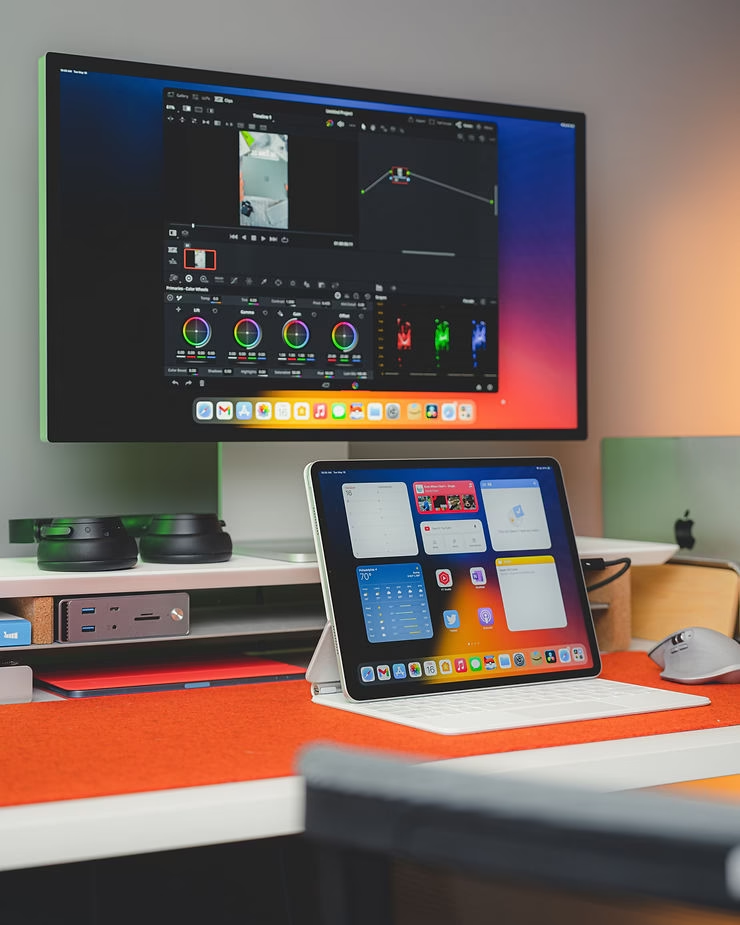
Essential 360° Video Editing Software
Having established the essential criteria for choosing 360° video editing software, let’s explore a few must-have options that stand out on the market:
- Adobe Premiere Pro: The undisputed leader in video editing, Adobe Premiere Pro also excels in 360° video editing, thanks to its regular updates and integration with Adobe After Effects. Offering a full range of tools dedicated to 360° video, including high-resolution support and advanced features such as color correction and spatial audio, Premiere Pro is ideal for professionals looking to produce high-quality content.
- Final Cut Pro X: Apple’s Final Cut Pro X is another robust option for Mac users. With native support for 360° video, including real-time editing and viewing in 360-degree space, Final Cut Pro X offers an intuitive user interface and performance optimized for Apple devices.
- Insta360 Studio: Designed specifically for videos captured with Insta360 cameras, Insta360 Studio is a solid choice for those new to 360° video. Free and easy to use, it offers essential features such as automatic stitching, stabilization and basic editing, making it an excellent starting point for novices.
- DaVinci Resolve: DaVinci Resolve combines video editing, color correction, audio post-production, and now, support for 360° video in a single platform. With a free version offering an impressive range of features and a Studio version for professional needs, DaVinci Resolve is a powerful option for those looking for an all-in-one solution.
Tutorials and resources for getting started
To help you get started, most of these programs offer tutorials and how-to guides on their official websites and on YouTube. Whether you’re interested in editing techniques specific to 360° video, or looking to hone your post-production skills, there are plenty of resources available to guide you through your learning journey.

Advanced 360° Video Editing Tips
360° video editing opens the door to a world of limitless creativity, but mastering its subtleties can transform a good video into a truly immersive experience. Here are some advanced techniques and tips to take your 360° video projects to the next level.
360-Degree Narration
- Guide the Viewer’s Gaze: In a 360-degree environment, directing your audience’s attention becomes crucial. Use visual elements such as movement, color, or even audio tracks to subtly guide viewers through your story.
- Play with transitions: Transitions in 360° videos need to be fluid so as not to disorientate the viewer. Experiment with cross-fades or motion-based transitions to maintain immersion.
Mastering Space Publishing
- Use Sequential Shots: For a coherent narrative, consider using sequential shots that allow a natural exploration of the 360° space, creating a logical progression in the story.
- Crop and reorient: Some software programs allow you to crop or reorient your 360° shots. This can be particularly useful for correcting the horizon or highlighting specific elements of your scene.
Integrating spatial audio
- Create an Immersive Sound Experience: Spatial audio adds an extra dimension to your 360° videos by allowing sounds to come from all directions. Use software compatible with spatial audio to record or import audio tracks that match the video’s visual orientation.
- Synchronize audio and video: Make sure that spatial audio is well synchronized with the movements in the video. For example, if an object moves from left to right in your scene, the audio should follow this movement for total immersion.
Technical Advice
- Optimize Video Quality: For 360° videos, always favor the highest possible resolution when editing and exporting. This ensures that your content remains crisp and detailed, even when viewed on virtual reality devices.
- Attention to Detail: In a 360-degree environment, every detail counts. Spend time fine-tuning every aspect of your video, from color corrections to eliminating seam artifacts, to ensure a quality visual experience.
- Experiment with VR: If possible, view your edits on a VR device throughout the editing process. This will give you a better idea of the final user experience, and enable you to adjust your editing accordingly.
By integrating these advanced techniques and paying particular attention to spatial audio, you’ll be able to create 360° videos that don’t just capture images, but truly transport viewers into another world. The key is to experiment and let your creativity guide the process, exploring all the possibilities this fascinating form of media has to offer.
Optimizing Assembly Workflow
- Resource management: With 360° video files often being large and high-resolution, efficient resource management becomes essential. Use fast hard disks for storage, and consider using proxies for smoother editing, especially if your hardware isn’t the latest generation.
- Team reviews: 360° video editing can benefit from collaboration, especially when it comes to assessing immersion and narrative effectiveness. Use online review platforms that support 360° video to gather feedback and make adjustments accordingly.
Taking advantage of special effects
- Immersive effects: Don’t limit yourself to raw video; explore the special effects that can enrich the immersive experience. From floating particles to dynamic lighting effects, the possibilities are endless for captivating your audience.
- Animation and graphics: Integrating graphic elements or animations into your 360° videos can add an extra layer of narration or information. Make sure these elements are well positioned in the 360° space to maintain immersion.
Staying on the cutting edge of technology
- Technology Watch: The field of 360° video is evolving rapidly. Keep abreast of the latest advances in software and hardware to continue improving the quality of your productions.
- Continuous experimentation: 360° video offers an almost limitless creative playground. Feel free to experiment with new shooting techniques, editing styles and innovative narratives to discover what works best for your content.
Conclusion
Mastering 360° video editing opens up a world of possibilities for content creators eager to immerse their audiences in enveloping visual and audio experiences. By applying these advanced tips and constantly exploring new techniques, you can push the boundaries of creativity and produce work that not only captivates the attention but also sparks the imagination. Remember that spatial audio is just as important as image in creating a truly immersive experience. Ultimately, your aim should be to tell stories in innovative ways, using the full range of tools available to take the audience on an unforgettable 360-degree journey.
Call to Action
Feel free to share your own experiences, challenges and successes in editing 360° videos in the comments. Your insights can greatly benefit the creative community, contributing to collective advancement in this exciting field of videography.




Leave a Reply