
The Insta360 Preview GPS Remote Control is an essential accessory for all Insta360 camera users looking to enhance their shooting experience. Thanks to its advanced features, this remote control allows you to adjust settings remotely, preview shots in real time and control the camera with unparalleled precision. By using the GPS Preview Remote Control , you can benefit from a full 360° preview with the X4, which is particularly useful for getting the best possible shots. In addition, it integrates various GNSS systems such as GPS, BeiDou, Galileo and GLONASS, thus ensuring the quality and accuracy of the data collected. The GPS Preview Remote also allows you to add accurate dashboard data to your videos in the app or Insta360 Studio, providing significant added value to your recordings. In summary, this remote control is a powerful tool that greatly improves the use of Insta360 cameras, making every shot easier and more professional.

Insta360 remote control key features
Remote control with Insta360 remote control
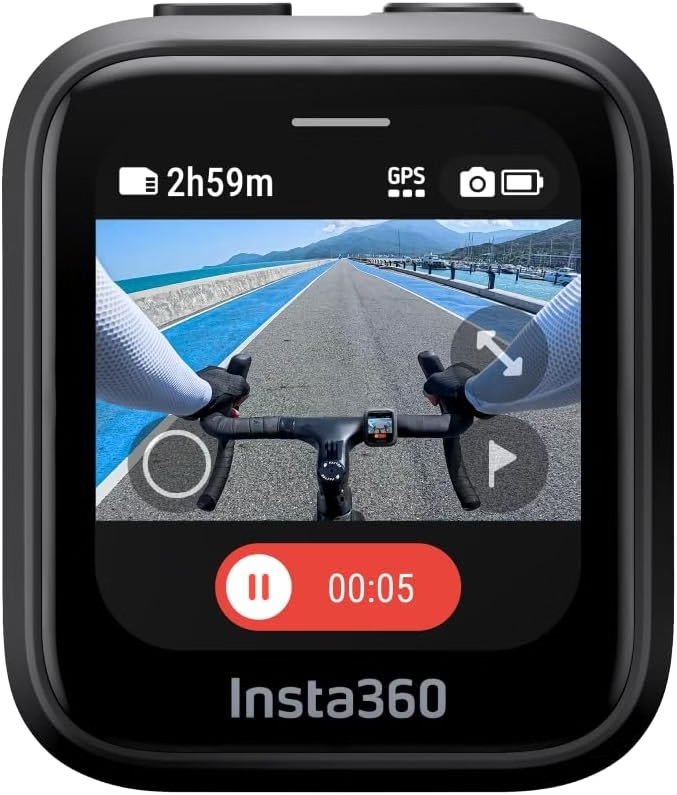
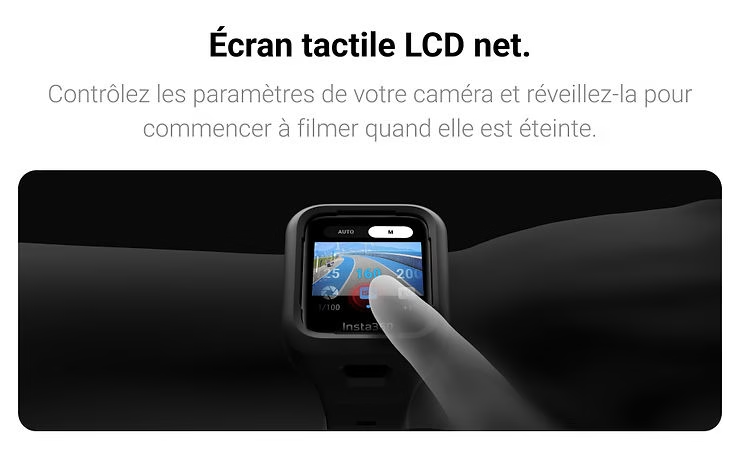
The Insta360 Preview GPS Remote Control allows you to adjust camera settings remotely and control the camera from up to 20 meters away. Whether you’re filming an action scene or capturing a panoramic landscape, this remote control gives you the flexibility to achieve the best results without having to touch the camera.
Real-time preview with Insta360 remote control
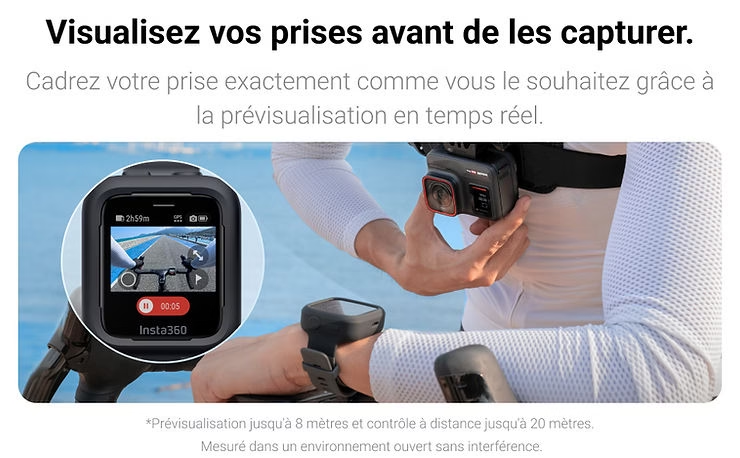
One of the most impressive features of the GPS Preview Remote is the ability to preview shots in real time up to 8 meters. This is particularly useful with the Insta360 X4 , where preview is available for the entire 360° image. This feature allows you to see exactly what you are capturing, ensuring perfect shots every time.
GNSS systems integrated with Insta360 remote control
Using different GNSS with the Insta360 remote control
The Insta360 Preview GPS Remote Control stands out for its advanced integration of various GNSS systems, including GPS, BeiDou, Galileo and GLONASS. These global satellite navigation systems offer a significant improvement in the quality and accuracy of the data captured by your Insta360 X4 camera.
GPS (Global Positioning System)
GPS is the world’s most widely used satellite navigation system. By integrating GPS, the GPS Preview Remote Control Insta360 remote control enables you to capture precise position data, crucial for applications such as geotagging your videos and photos. This is particularly useful for users who want to track their exact position when shooting outdoors or in vast environments.
BeiDou
The BeiDou navigation system, developed by China, offers global coverage and increased accuracy, particularly in Asian regions. Using BeiDou in combination with GPS, the GPS Preview Remote ControlInsta360 remote control ensures that you get reliable and accurate position data, even in areas where other GNSS systems may encounter difficulties.
Galileo
Galileo, the European Union’s satellite navigation system, is renowned for its high accuracy. The integration of Galileo with the GPS Preview Remote Control Insta360 further improves the quality of location data, offering accuracy of up to one meter. This is particularly beneficial for users in Europe, enabling them to capture extremely precise position data.
GLONASS
GLONASS, the Russian satellite navigation system, operates efficiently in high latitudes and harsh environments. By combining GLONASS with GPS, BeiDou and Galileo, the GPS Preview Remote ControlInsta360 remote control ensures complete global coverage and optimum accuracy, even in the most remote regions.
By using these different GNSS systems, the Insta360 Preview GPS Remote Control significantly improves the quality and accuracy of the position data captured by your Insta360 X4 camera. This not only allows you to track and document your adventures with unparalleled precision, but also adds a layer of professionalism and detail to your videos and photos.
Adding dashboard data with the Insta360 remote control
Dashboard data with Insta360 remote control
One of the most powerful features of the Insta360 Preview GPS Remote is its ability to add accurate dashboard data to your videos. This feature is especially useful for Insta360 X4 users, as it allows you to enrich your recordings with essential information that can transform a simple video into a rich and informative document.
How to add dashboard data
With the Insta360 Preview GPS Remote Control , adding dashboard data to your videos is a simple and intuitive process. Here’s how it works:
- GNSS Data Capture: When you record with your Insta360 X4the remote control automatically captures position, speed and altitude data from the various integrated GNSS systems (GPS, BeiDou, Galileo and GLONASS).
- Synchronization with the Insta360 app: After recording your videos, connect your camera to the Insta360 app on your smartphone or tablet. Data synchronization takes place automatically, and the information captured by the remote control is integrated into your videos.
- Use in Insta360 Studio: For more advanced editing, import your videos into Insta360 Studio on your computer. You can then view and use dashboard data to add informative overlays to your videos, such as speed, route traveled, altitude, and more.
Importance of Dashboard Data
Dashboard data adds an extra dimension to your videos, offering several key benefits:
- Visual and informative enrichment: By adding data overlays, your videos become not only more informative, but also more visually interesting. Viewers can see real-time information on speed, direction, and other aspects of your ride.
- Accurate documentation: For sports activities, travel, or any other adventure, dashboard data provides accurate documentation of your experience. This can be particularly useful for analyzing sports performances, planning future expeditions, or simply sharing precise details with your audience.
- Increased professionalism: Incorporating accurate, detailed data into your videos shows a level of professionalism and attention to detail that can impress your viewers and potential customers. It can also help tell a more complete and engaging story.
- Sharing and Engagement: Videos enriched with dashboard data are often more engaging and shared more widely, as they offer a more interactive and immersive viewing experience.
In conclusion, adding accurate dashboard data with the Insta360 GPS Preview Remote Control greatly enhances your Insta360 X4 videos. This feature not only improves the quality and visual appeal of your recordings, but it also adds a layer of professionalism and information that is valuable to all users.
Flexibility and ease of use with the Insta360 remote control
Adjustable straps for Insta360 remote control
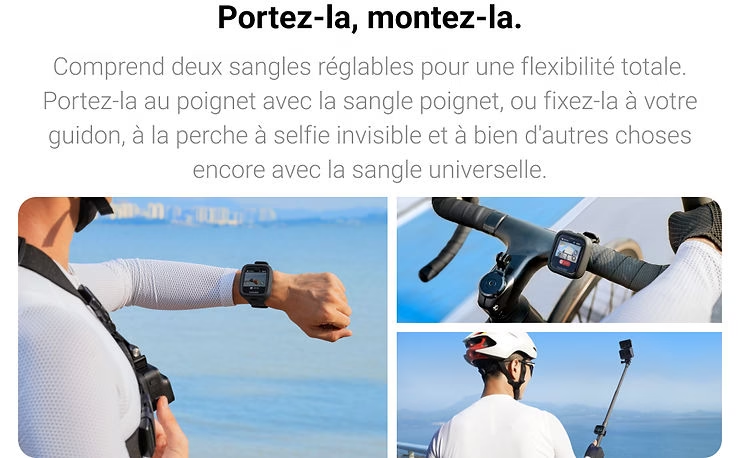
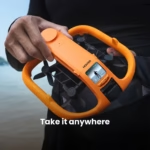
The Insta360 Preview GPS Remote Control is designed to offer total flexibility and optimal user comfort, thanks in particular to the two included adjustable straps. These straps play a crucial role in ensuring that the remote control remains secure and easily accessible during your filming sessions with the Insta360 X4 .
Total flexibility
The two adjustable straps on the Preview GPS Remote Control Insta360 are designed to adapt to a variety of configurations and user preferences:
- Versatile attachment: Whether you prefer to attach the remote control to your wrist, your arm, or even your equipment, the adjustable straps provide secure, stable attachment. This gives you the freedom to position the remote control so that it’s always close at hand, without impeding your movements.
- Adaptability: The straps are long and adjustable enough to fit different sizes and types of garment. Whether you’re wearing a heavy jacket in winter or a light t-shirt in summer, you can adjust the straps for a comfortable, secure fit.
Ease of use
In addition to their flexibility, the adjustable straps on the Preview GPS Remote Control Insta360 are designed to maximize user comfort:
- Comfortable materials: the straps are made from soft, breathable materials that minimize irritation and discomfort, even during long shooting sessions. This is particularly important for users who spend many hours filming complex scenes or capturing extended adventures.
- Ease of adjustment: The strap adjustment mechanisms are intuitive and easy to use. You can quickly adjust strap length and tension with one hand, which is ideal when you’re on the move and need to make quick adjustments.
- Enhanced security: Adjustable straps ensure that the remote control remains firmly in place, reducing the risk of accidental loss or drop. This is essential for maintaining constant, reliable control of your camera. Insta360 X4camera, especially in dynamic environments or during rapid movement.
Practical benefits
The integration of adjustable straps with the Preview GPS remote control Insta360 brings several practical benefits:
- Improved mobility: You can easily move and reposition the remote control without having to remove it from your wrist or equipment. This improves your mobility and lets you stay focused on shooting.
- Quick Access : With adjustable straps, the remote control is always within easy reach, allowing you to adjust settings and control the Insta360 X4 camera in seconds. This is crucial to avoid missing important moments and to react quickly to scene changes.
In summary, the adjustable straps of the Insta360 Preview GPS Remote offer total flexibility and exceptional user comfort. They ensure that the remote control remains secure and accessible, thus improving your shooting experience with the Insta360 X4 . Whether you’re in the middle of shooting an action scene or capturing a tranquil landscape, these straps offer you the freedom and comfort you need to get the best possible shots.
Insta360 Remote Control Firmware Update
Importance of updates for the Insta360 remote control
To get the most out of your Insta360 Preview GPS Remote and Insta360 X4 camera, it is crucial to keep your firmware up to date. Firmware updates play a vital role in improving performance, fixing bugs, and adding new features. This is why it’s important to always use the latest official firmware.
Performance Improvement
Firmware updates are regularly released to optimize the performance of your devices. This can include improvements to remote control responsiveness, the stability of the connection between remote control and camera, and overall fluidity of use. By installing the latest updates, you can ensure that your Preview GPS Remote Control Insta360 GPS Remote Control works optimally, providing a more pleasant and efficient user experience.
Bug fixing
Even the most advanced devices can encounter bugs or software problems. Firmware updates often correct these bugs, resolving problems that could affect the functionality or reliability of your equipment. Keeping your remote control and camera Insta360 X4 remote control and camera, you minimize the risk of unforeseen malfunctions and ensure worry-free operation.
New Features
Firmware updates don’t just correct existing problems; they also add new features to your cameras. These new features can include additional shooting modes, user interface improvements, and enhanced customization capabilities. By regularly updating the firmware of your GPS Preview Remote Control Insta360 GPS Remote Control, you’ll benefit from the latest technological innovations and enhancements from Insta360’s developers.
Security
Firmware updates often include security patches that protect your devices against potential vulnerabilities. By keeping your firmware up to date, you ensure the security of your data and equipment, protecting you against potential threats.
Update Instructions
Update the firmware of your GPS Preview remote control Insta360 and your Insta360 X4 is a quick and easy process:
- Connect your camera to the Insta360 app: Make sure your camera is connected to the Insta360 app on your smartphone or tablet.
- Check for available updates: Access the application settings and check for firmware updates.
- Download and install the update: Follow the on-screen instructions to download and install the firmware update. Make sure your devices are sufficiently charged and do not switch them off during the update process.
Conclusion
Summary of the benefits of the Insta360 Preview GPS remote control
The Insta360 Preview GPS Remote Control proves to be an indispensable tool for all users of the Insta360 X4 camera. Here is a summary of the main advantages offered by this innovative remote control:
- Efficient remote control
- The ability to control your camera from a distance of up to 20 meters gives you unprecedented flexibility, allowing you to adjust settings and capture perfect shots without having to touch the camera directly.
- Real-time preview
- Thanks to real-time preview up to 8 meters away, and especially with the Insta360 X4 for 360° preview, you can see exactly what you’re capturing, ensuring optimal composition of your shots.
- GNSS data accuracy
- The integration of various GNSS systems (GPS, BeiDou, Galileo, and GLONASS) guarantees accurate and reliable position data, adding a professional dimension to your videos with detailed dashboard information.
- Flexibility and ease of use
- The two adjustable straps included with the remote control offer total flexibility and exceptional comfort of use. They provide a secure hold that can be adapted to your preferences, ensuring that the remote control always remains within easy reach.
- Firmware Updates
- Regular firmware updates improve performance, fix bugs and add new features, ensuring that your remote control and camera are always up to date. Insta360 X4 remain at the cutting edge of technology.
By integrating the Insta360 Preview GPS Remote into your equipment, you significantly improve your shooting experience. Whether you are a passionate amateur or a seasoned professional, this remote control offers you the tools needed to capture exceptional images with increased precision and ease.
We strongly encourage you to add the Insta360 Preview GPS Remote to your photography and videography arsenal. With its advanced features and ergonomic design, it transforms every shooting session into a smooth and productive experience, allowing you to push the boundaries of your creativity and achieve impressive results.




Leave a Reply