
The DJI Mini 4 Pro is one of the most advanced and compact drones on the market, offering exceptional performance for both amateur and professional aerial photographers. To take full advantage of this drone’s capabilities, it’s crucial to choose the right SD card. Indeed, the quality of the SD card can directly influence data transfer speed and the storage capacity of high-resolution videos and photos. In this article, we’ll look in detail at the best SD card options for the DJI Mini 4 Proto help you make an informed decision. We’ll discuss SD cards from leading brands such as SanDisk, Lexar and Gigastone, and analyze their specific features and benefits for use with the DJI Mini 4 Pro.
Introducing the DJI Mini 4 Pro
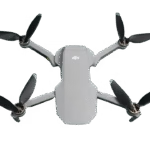
The DJI Mini 4 Pro is a compact, powerful drone designed to deliver exceptional performance in a portable format.
Main technical specifications :
- Camera: 1/2.3-inch sensor, 4K video at 60fps, 48MP stills
- Stabilization: Three-axis gimbal for smooth, stable images
- Autonomy: Up to 34 minutes flight time per charge
- Range: Live video transmission up to 10 km
- Smart features: ActiveTrack 3.0, QuickShots, Panorama, Hyperlapse
- Weight: Less than 250 grams, not requiring registration in some countries
Advantages of the DJI Mini 4 Pro over other models :
- Portability: its light weight and compact size make it easy to carry and use in a variety of situations.
- Image quality: The ability to capture 4K video and high-resolution photos makes the DJI Mini 4 Pro an ideal choice for content creators.
- Autonomy: A long flight time enables extended shooting sessions without interruption.
- Advanced features: Intelligent features and automated shooting modes make it easy to capture professional footage.
Buy link : DJI Mini 4 Pro


SD card selection criteria for the DJI Mini 4 Pro
Choosing the right SD card for your DJI Mini 4 Pro is essential to maximize its performance and ensure smooth capture of your videos and photos. Here are the main criteria to consider:
Storage capacity (GB)
- To capture 4K video and high-resolution photos, we recommend using large-capacity SD cards. 64GB, 128GB, 256GB or even 512GB cards are ideal to ensure you have enough space to store your files without having to transfer them frequently.
Reading and writing speed
- SD card speed is crucial for the DJI Mini 4 Pro. Fast write speeds enable uninterrupted 4K video recording. Look for cards with a UHS-I U3 or V30 speed class, offering write speeds of at least 30 MB/s.
Reliability and durability
- It is important to choose a reliable and durable SD card, especially for outdoor activities with the DJI Mini 4 Pro. Opt for cards that are resistant to water, shock, X-rays and extreme temperatures to ensure the safety of your data.
Compatibility with DJI Mini 4 Pro
- Make sure the SD card is compatible with the DJI Mini 4 Pro. SDXC cards with capacities of up to 512 GB are generally supported. Consult your drone manual or the manufacturer’s recommendations to confirm compatibility before purchase.
By taking these criteria into account, you can choose the best SD card to optimize the performance of your DJI Mini 4 Pro and guarantee a flawless flying and video-capture experience.
The best SD cards for the DJI Mini 4 Pro
When it comes to maximizing the performance of your DJI Mini 4 Prothe choice of the right SD card is crucial. Here are three high-quality options that will meet the needs of the most demanding users:
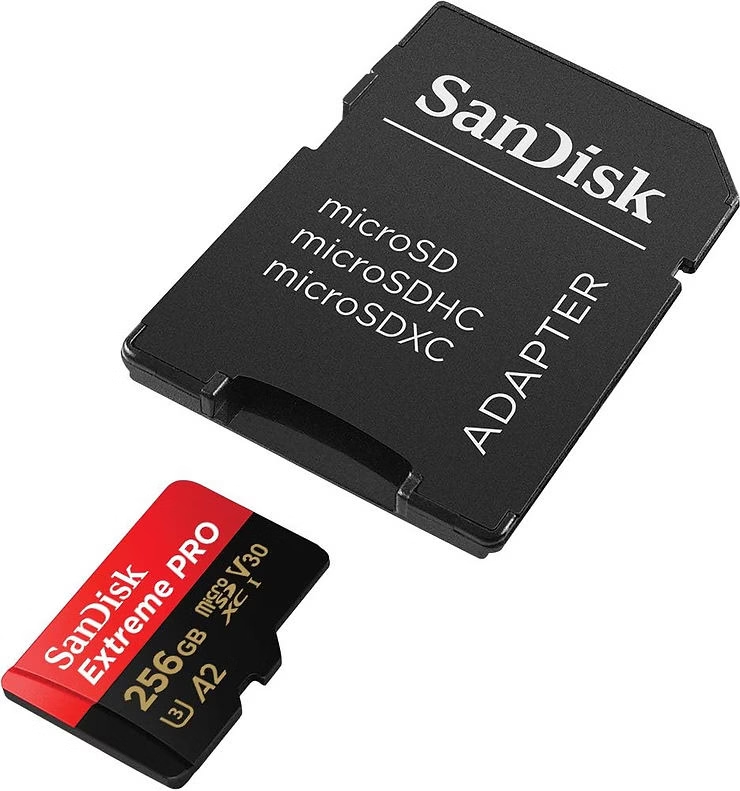
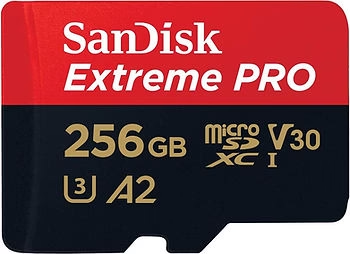
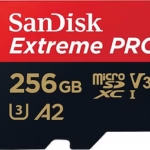
The SanDisk 512 GB Extreme PRO SDXC is a premium card, offering generous storage capacity and ultra-fast read and write speeds. With read speeds of up to 170 MB/s and write speeds of up to 90 MB/s, it lets you capture 4K UHD video and high-resolution photos without interruption. Its robustness and durability make it a reliable option for demanding environments, ensuring that your data remains protected even under extreme conditions.
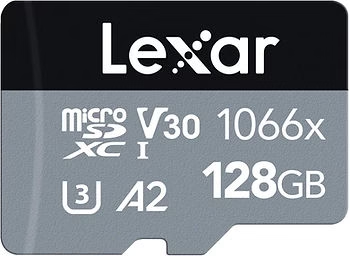
The Lexar Silver Pro 512GB SDXC is another excellent option for the DJI Mini 4 Pro. It offers read speeds of up to 160 MB/s and write speeds of up to 120 MB/s, making it ideal for high-resolution recording and fast file transfers. The card is also designed to withstand harsh conditions, offering protection against water, shock and X-rays, ensuring reliable performance on every flight.
For those looking for a more economical option without compromising performance, the Gigastone 256 GB SDXC is an excellent choice. With read speeds of up to 100 MB/s and write speeds of 60 MB/s, it’s perfectly suited to capturing high-quality 4K video and photos with the DJI Mini 4 Pro. Although it offers less storage capacity than other options, it remains a reliable and durable solution, resistant to water, extreme temperatures and shocks.
By choosing one of these SD cards, you can be sure that your DJI Mini 4 Pro will perform optimally, enabling high-quality captures and flawless performance.
Comparison of the three SD cards for the DJI Mini 4 Pro
To help you choose the best SD card for your DJI Mini 4 Prohere’s a detailed comparison of the features, advantages and disadvantages of the three recommended SD cards, along with recommendations based on different needs.
Summary table of features
| SD card | Capacity | Playback speed | Writing speed | Approximate price |
| SanDisk 512 GB Extreme PRO | 512 GB | Up to 170 MB/s | Up to 90 MB/s | High |
| Lexar Silver Pro 512GB | 512 GB | Up to 160 MB/s | Up to 120 MB/s | High |
| Gigastone 256 GB SDXC | 256 GB | Up to 100 MB/s | Up to 60 MB/s | Moderate |
Advantages and disadvantages of each card
- Advantages :
- Excellent read and write speeds
- High storage capacity ideal for long shooting sessions
- Highly reliable and durable, resistant to extreme conditions
- Disadvantages :
- Higher prices
- Advantages :
- High writing speed, perfect for 4K recording
- Large storage capacity
- Robust design with protection against water, shock and X-rays
- Disadvantages :
- High prices
- Advantages :
- More affordable price
- Sufficient read and write speed for high-quality 4K video and photos
- Good resistance to harsh conditions
- Disadvantages :
- Lower storage capacity than other options
- Slightly lower speed
Recommendations based on specific user needs
- For demanding professionals and enthusiasts: The SanDisk 512 GB Extreme PRO is ideal thanks to its high storage capacity and fast speeds, despite its higher price.
- For those looking for the best writing speeds: The Lexar Silver Pro 512GB is an excellent option with superior write speeds, perfect for intensive 4K recording and fast file transfers.
- For users on a budget: The Gigastone 512 GB SDXC offers a good balance between performance and price, with speeds sufficient for most uses of the DJI Mini 4 Pro.
Depending on your specific needs and budget, you can choose the SD card that will give you the best performance for your DJI Mini 4 Pro.
Tips to Maximize SD Card Performance for the DJI Mini 4 Pro
To ensure that your SD card works optimally with your DJI Mini 4 Prohere are a few essential tips:
How to format an SD card correctly
- Use the drone to format: We recommend that you format the SD card directly in the DJI Mini 4 Pro. This ensures that the formatting is compatible with the drone’s system and reduces the risk of errors.
- Regular formatting: Format your SD card regularly, especially after transferring your files to another medium. This maintains card performance and prevents corrupted files.
Tips for extending card life
- Avoid extreme conditions: Although cards like the SanDisk 512 GB Extreme PRO are designed to withstand harsh conditions, it’s best to minimize exposure to extreme temperatures, water and dust to prolong their life.
- Handle with care: Avoid frequent removal and insertion of the SD card to prevent contact wear and physical damage.
- Use quality adapters: If you use an adapter to read the card on a computer, make sure it is of good quality to avoid bad contacts or damage.
Recommendations for file and backup management
- Transfer files regularly: Don’t leave files accumulated on the SD card for too long. Transfer them regularly to an external hard drive or online storage service to free up space and avoid data loss.
- Organize your files: classify your files by date or project to make them easier to manage and retrieve at a later date.
- Make backups: In addition to transferring your files, make backup copies to provide extra protection for your data. Use automatic backup solutions for added security.
- Use recovery software: Have reliable data recovery software at hand in case you have corrupted or accidentally deleted files.
By following these tips, you can maximize the performance and longevity of your SD card, ensuring an optimal flying and video capture experience with your DJI Mini 4 Pro.
Conclusion
To maximize the performance of your DJI Mini 4 Prothe right SD card is essential. We’ve looked at the criteria for choosing an SD card, such as storage capacity, read and write speed, reliability and durability, as well as compatibility with the drone. We also compared three excellent options: the SanDisk 512 GB Extreme PROthe Lexar Silver Pro 512GB and the Gigastone 256GB SDXC.
For those looking for the best performance, the SanDisk 512 GB Extreme PRO offers exceptional capacity and speeds, albeit at a higher price. The Lexar Silver Pro 512GB is an excellent alternative with superior write speeds, ideal for intensive 4K recording. For those on a more moderate budget, the Gigastone 512GB SDXC offers a good balance between performance and cost.
Feel free to leave comments or questions if you need more information or have experiences to share about using these SD cards with your DJI Mini 4 Pro.
Call to Action
To optimize your experience with the DJI Mini 4 Proplease consider purchasing the recommended SD cards via the links provided:
Subscribe to our blog for more tips and tricks on using drones, as well as to keep up to date with the latest and best products to enhance your aerial photography.




Leave a Reply