
Think you need to be a graphic design expert to bring your ideas to life? Think again, because generating animated videos with InVideo AI is now possible and transforms your simple text into dynamic sequences. We’ll explain right now how to create high-quality visuals without any technical skills.
- Invideo AI and animation: the direct answer
- How to create your animation with InVideo AI?
- What animation styles and for what purposes?
Invideo AI and animation: the direct answer
So, yes or no?
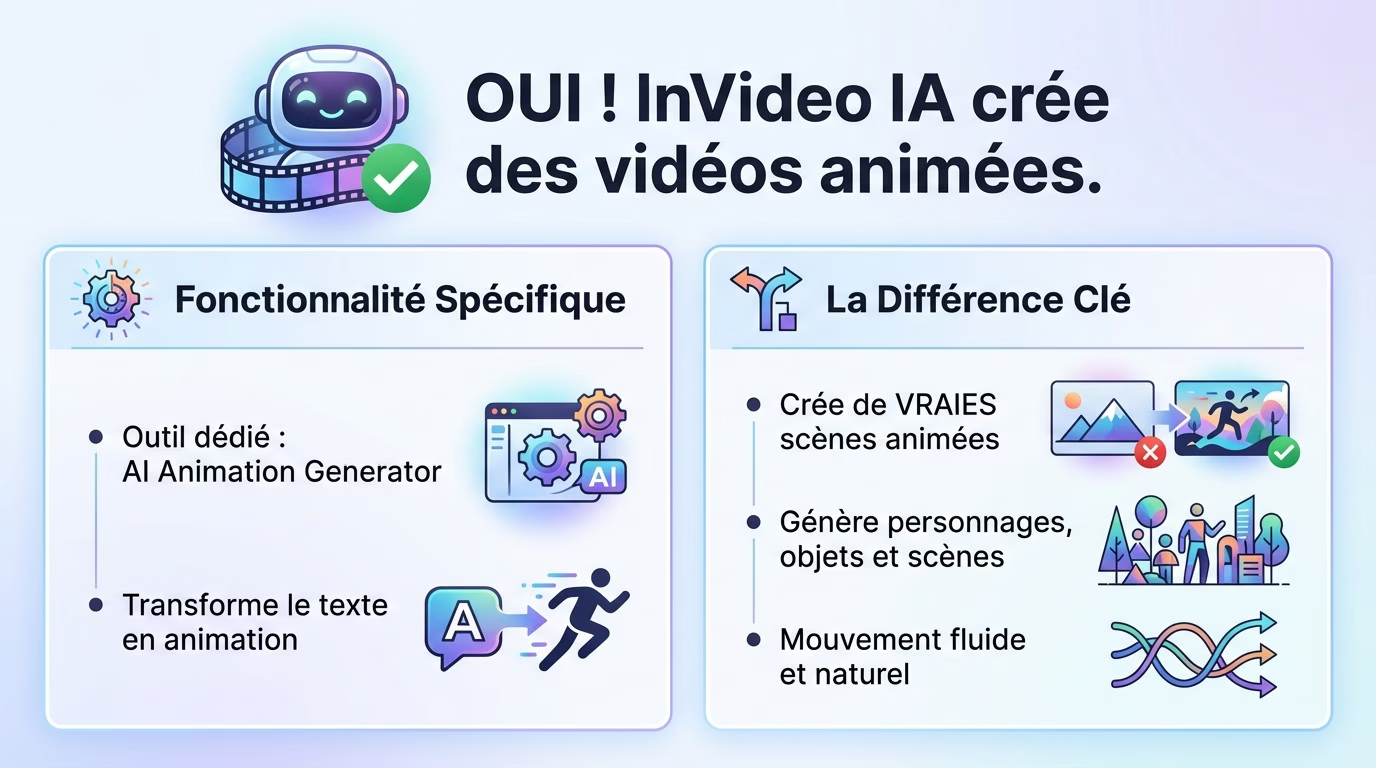
The answer is a resounding yes. You can create animated videos with InVideo AI without being a technical expert, as it’s a native feature of the platform.
Don’t see this as just a gimmick. The platform offers the “AI Animation Generator”, a robust tool developed specifically to convert any script into dynamic and coherent animation .
More than just a video from text
The difference is striking. Unlike traditional montages that simply paste together archive videos, this tool creates truly unique animated scenes , ranging from Disney style to Claymation.
This is where the magic happens. Artificial intelligence generates the characters and objects, and ensures smooth and natural movement of the whole thing, simply by analyzing your initial text description.
How to create your animation with InVideo AI?
The step-by-step process
You don’t need to be an expert for your InVideo AI animated videos, the tool guides you . It all starts with a clear idea.
- Describe the idea : You give your topic or story to the AI.
- Choose the settings : You select the duration, the platform (e.g., YouTube, TikTok) and the style.
- Customize the details : You adjust the voiceover, music, subtitles and you can add your logo.
- Generate and edit: AI creates the video . You can then modify specific scenes with simple commands.
The features that make the difference
AI doesn’t just create images. It automatically adds a natural AI voiceover and music that fits the atmosphere.
The real advantage is being able to edit specific scenes without having to redo everything. This saves a huge amount of time compared to other traditional video editing software .


What animation styles and for what purposes?
A range of styles at your disposal
InVideo AI doesn’t lock you into a single or boring rendering style. You can freely choose from several distinct graphic styles to create your animated InVideo AI videos.
| Style | Ideal for… |
|---|---|
| Lego style | Fun content, tutorials, clips for children |
| Anime Style | Dynamic storytelling, social media clips, action scenes |
| Claymation style (modeling clay) | Original stories, handcrafted-looking explainer videos, stop-motion |
Who is this tool designed for?
This tool is a lifesaver for content creators, marketers, and busy SMEs. In short, it’s for anyone who demands impactful visuals quickly . No more wasting days on a simple animation.
Think of it as a serious alternative for automating part of your production . It’s comparable to other specialized AI tools for video editing . To get a better idea, it’s best to take a look. Learn more about Invideo AI and see Invideo AI pricing .
In short, InVideo AI makes animation accessible to everyone. You no longer need technical skills: simply describe your idea and let the AI generate the scene . It’s an ideal solution for quickly energizing your content. Get started and try the tool now to effortlessly bring your stories to life .






Leave a Reply