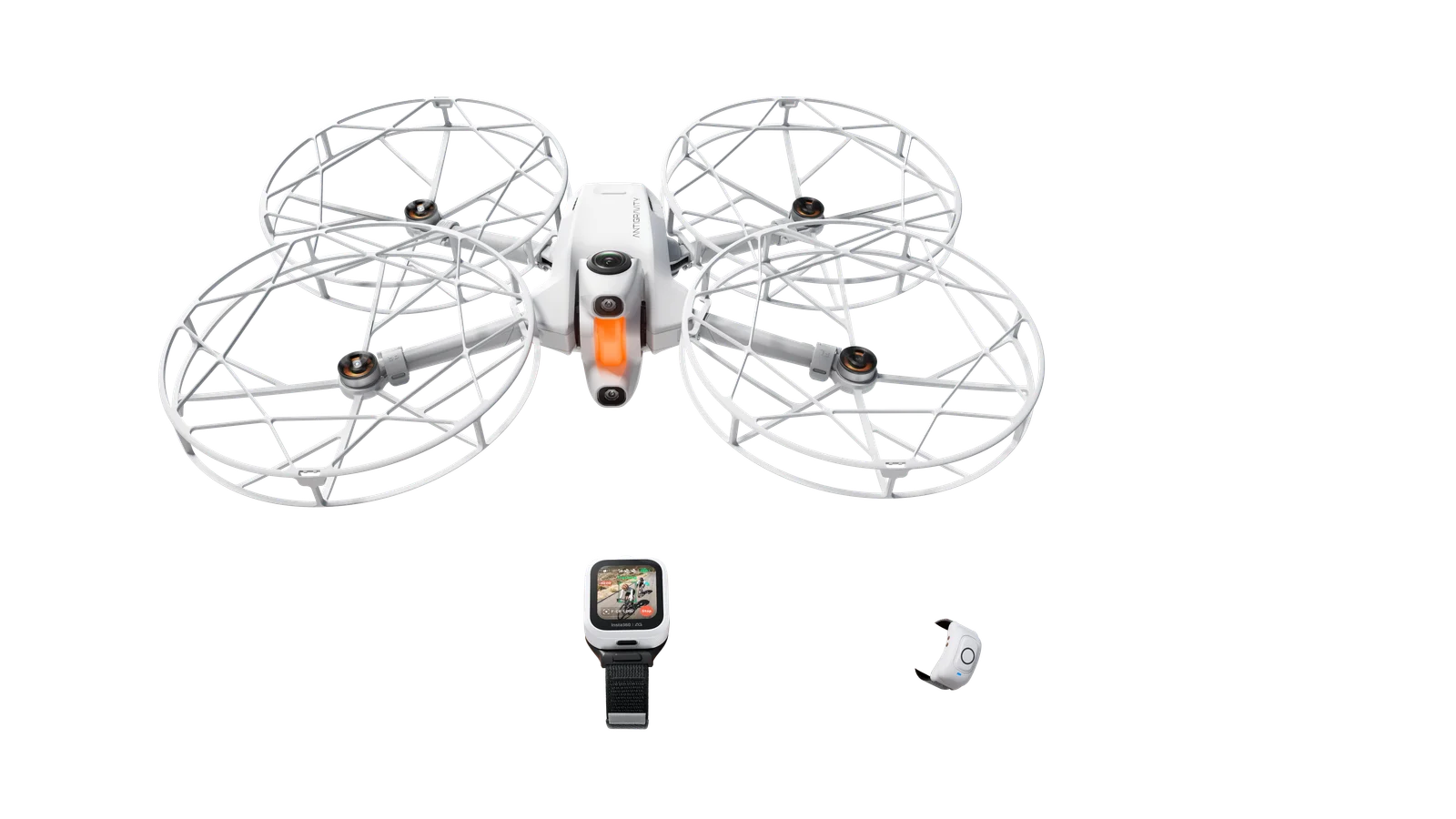
Key takeaway: piloting a HOVERAir requires precision despite its ease of use. Safety relies on systematic preparation , monitoring the environment, and strictly adhering to designated flight zones. Anticipating the automatic return when the battery reaches 30% prevents loss of the drone, while careful storage ensures its long-term reliability.
Is the fear of damaging your drone holding you back from fully enjoying your flight, especially if you’re unsure of the common mistakes to avoid when starting out with a HOVERAir drone? This tutorial details the technical errors and frequent oversights that often turn a simple pleasure session into a costly repair. Discover the essential tips to master your drone and fly with peace of mind starting today.
- Costly Pre-Flight Oversights
- Common piloting mistakes for a beginner
- Battery management : the key to success
- Stealing without knowing the rules of the game
- Technical pitfalls and loss of control
- Negligence after the theft: how to ruin your equipment
Costly Pre-Flight Oversights
Skip the preparation checklist
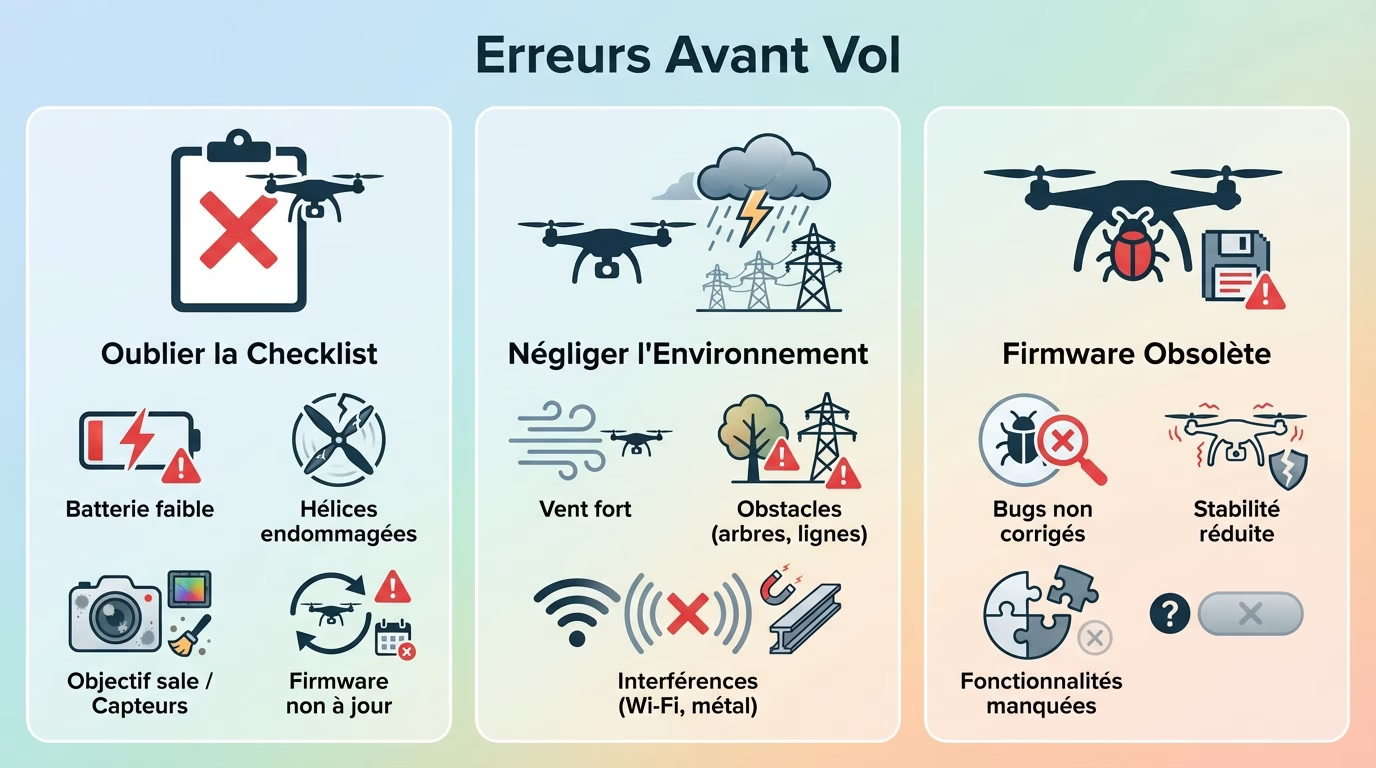
We’re all the same; the desire to see our drone fly right away takes over. Yet, this is precisely where mistakes to avoid with a HOVERAir drone arise, especially for beginners . Even professionals never take off without a thorough check.
Take a quick but thorough look at the drone: condition of the propellers, cleanliness of the camera, no cracks. This is the absolute minimum for worry-free flying .
Take thirty seconds, no more, to check these vital points before starting the engine. This little ritual literally saves your aircraft from a silly crash . Here’s what you need to scan. It’s a reflex you should develop right now.
- Battery charge level
- Propeller attachment and condition
- Cleanliness of the lens and sensors
- Firmware updates installed
Ignore the flight environment
Your HOVERAir is a technological marvel, but it’s not indestructible against the elements. Wind remains its number one enemy when you lack experience. Attempting a flight in windy conditions is asking for trouble immediately .
Also, look around you before launching the app. Trees, power lines, and building facades are classic traps. For your first attempts, aim for a large, open park , far from all of that.
It’s something we don’t often think about, but invisible interference often spoils the fun. Too many Wi-Fi networks or metal structures can cut off the connection mid-flight. Choosing a “clean” flying spot makes all the difference to reliability .
Neglecting firmware updates
Don’t see these update notifications as a waste of time; quite the opposite. They fix critical bugs, boost flight stability, and often add new modes. Flying with outdated firmware is an unnecessary technical risk.
The best approach? Launch the app at home to check everything before heading out. Doing it in the comfort of your own home with a good Wi-Fi connection will save you a lot of hassle in the field .
It’s a simple step, but it guarantees the drone’s reliability for every session. And there you have it!
Common piloting mistakes for a beginner
Underestimating intelligent flight modes
The HOVERAir shines with its automatic modes like Follow and Orbit. But be warned, one of the mistakes to avoid when starting out with a HOVERAir drone is believing they are completely infallible. You risk serious consequences if you don’t understand how they work.
Each mode has its own technical limitations. The “Follow” mode can lose tracking if you run too fast, and the “Orbit” mode requires a lot of space. Always test these functions at low altitude and in a safe environment before filming your feat.
Understanding the logic behind these modes will save you. You’ll know exactly when to use them and when not to trust them .
The rushed takeoff and landing
The HOVERAir launches directly from your hand—it’s magic. However, many people release it too quickly or with a sudden movement that destabilizes the sensors. Simply let it stabilize for a second .
For landing, resist the urge to “catch” it mid-air like a ball. It’s dangerous for your fingers. Place your open palm underneath, and let the drone manage its descent to stop on its own .
These two phases remain the most critical for the mechanics. Mastering them smoothly from the start avoids 90% of silly accidents and broken propellers . And there you have it!
Misinterpreting the concept of “without a remote control”
The absence of a physical remote control is both an advantage and a devious trap. You can’t “correct” a trajectory error with a flick of the joystick. Piloting relies entirely on the app and the AI’s pre-programmed modes.
The classic mistake is thinking you can improvise like with a standard drone. With the HOVERAir, everything is about anticipating the movement and choosing the right mode before launch.
It is a different philosophy that must be accepted in order to understand its specificities compared to other models without a remote control .



Battery management : the key to success
Once airborne, a new enemy appears: the clock. Battery management is what separates a smooth flight from a panicked return.
Pushing autonomy to the very last second
The advertised 16-minute flight time is an “ideal” figure. Wind, temperature, and your piloting style will quickly reduce it. Believing you always have a full 10 minutes is an illusion and one of the mistakes to avoid when starting out with a HOVERAir drone .
The fatal mistake is waiting for the low battery warning before thinking about returning. You should always maintain a safety margin , especially if the drone is far away or if there’s a headwind on the return journey.
The golden rule: start bringing the drone back when there is 30% battery left.
Ignore the RTH (Return To Home) setting
RTH is a safety feature. It activates in case of low battery or signal loss. But it must be configured correctly.
A common mistake is leaving the return altitude at the default setting. If it is too low, the drone may hit an obstacle on its way back .
Before each flight, it is essential to verify that the RTH altitude is higher than that of the tallest obstacle in the vicinity. This is like life insurance for the drone .
Battery percentage isn’t an exact science; it’s an estimate. A headwind on the return trip can use twice as much battery as you anticipated.
Mistreating batteries at rest
A battery’s lifespan depends on its maintenance . Leaving a fully charged battery for weeks damages it. Similarly, storing it completely empty is destructive.
The right thing to do: if you don’t plan to fly for more than a few days, you should store the batteries at about 50-60% of their charge .
Never leave them in a car in direct sunlight or in the cold.
Stealing without knowing the rules of the game
To think that “small drone” means “no rules”
This is one of the mistakes to avoid when starting out with a HOVERAir drone. Even though it’s lightweight, this gadget is still considered an aircraft by law. Therefore, it is subject to aviation regulations .
The pilot is solely responsible on board . This includes knowing the maximum flight altitudes (usually 120 meters), the obligation to keep the drone within visual line of sight, and the prohibition against flying over people. Don’t forget it.
Researching local legislation is not an option, it is a strict obligation .
Fly over restricted or private areas
You can’t fly just anywhere. Official maps like Géoportail clearly show the restricted areas to avoid. Ignoring these red lines is completely illegal .
Respect for privacy is just as important. Flying over a neighbor’s garden or filming people without their consent is a very bad idea that comes at a high price .
Here are the main areas to avoid. Before taking off, a quick look at a map can save you a hefty fine or a run-in with the law . It’s a simple habit to adopt for a worry-free flight.
- Proximity to airports
- Military zones
- Nuclear power plants
- National parks and nature reserves
- Dense urban areas (often restricted)
To forget that you are not alone
The noise of a drone, even a small one, can be annoying. Flying at low altitude over people who are relaxing is the best way to make enemies and damage the image of all drone operators .
You simply need to use common sense. Choose secluded locations and times when you won’t disturb anyone. Absolute discretion is key .
Thinking of others also means thinking about the safety of animals . They can be really frightened by the drone.
Technical pitfalls and loss of control
Even with good preparation and adherence to the rules, technology can sometimes play tricks. Understanding potential malfunctions helps prevent panic .
Ignore compass (GPS) calibration
The GPS acts as the directional brain of your machine. If it is incorrectly set up, the drone may behave erratically, drift in circles (the infamous “toilet bowl effect”) or miss its starting point .
Is the app asking you to calibrate? Never skip this step ; it’s a golden rule. This is especially true if you’ve moved your flying location several kilometers away.
This procedure takes barely 15 seconds and guarantees a stable flight .
Panicking when there is a loss of signal
Seeing the connection drop is stressful, that’s for sure. However, one of the worst mistakes to avoid with a HOVERAir drone when you’re starting out is to panic and wave your smartphone around wildly.
Take a deep breath and stay calm. The drone is programmed to automatically return to home (RTH) after a few seconds. The best course of action? Do nothing and wait for it to begin its return procedure .
Trusting automation, if it is properly configured, often remains the best solution .
Blindly trusting sensors
The HOVERAir does have sensors to avoid obstacles, that’s true. But they’re not magic. They can be blinded by low sunlight or miss thin branches and cables .
The classic mistake is to fly too close to hazards, assuming the drone will handle it. This is wrong. You remain solely responsible for your safety .
The sensors are an aid, a crutch, not an autopilot. Your eye remains the most reliable anti-collision system.
Negligence after the theft: how to ruin your equipment
The flight is over, the drone is landed. Many people think the job is done. However, this is where some of the worst mistakes to avoid with a HOVERAir drone occur, especially for beginners. Negligence on the ground often costs more than a crash in the air .
The wrong choice of memory card
Not all microSD cards are created equal, far from it. If you insert a slow or low-quality card into your HOVERAir, expect the worst: stuttering video, corrupted files, or even a complete stop in recording .
It is essential to choose a card with sufficient write speed (a minimum of class V30 is recommended for 2.7K video). It’s a small investment, but it’s what guarantees the true quality of your images .
Failing to understand the technical specifications is a classic mistake that ruins the final result. Take the time to understand the differences between SDHC, SDXC, and MicroSD to avoid making a mistake.
Put the drone away without cleaning it
After a flight, your drone will inevitably have accumulated dust, pollen, or a little moisture. Putting it away in that state? Frankly, that’s a very bad idea .
Dirt eventually gets everywhere, especially in the motors and sensors, which will sooner or later affect performance .
Taking two minutes for basic cleaning is a good habit to adopt. Here’s a simple routine to keep your equipment in perfect condition :
- Wipe the lens with a microfiber cloth
- Use a can of compressed air (gently) on the engines
- Inspect and clean the propellers
- Check that there is no debris on the lower sensors.
Neglected and risky storage
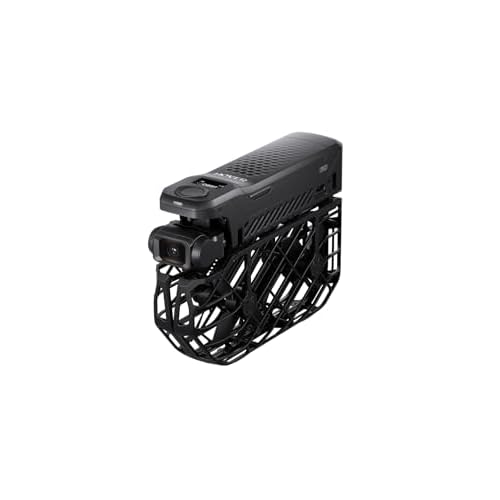
Leaving the drone loose in a backpack is the best way to damage it unnecessarily. The propellers are fragile, and the protective cage can deform under pressure. You must use its carrying case .
Long-term storage should be in a dry place, away from direct sunlight and extreme temperatures.
Proper storage simply prolongs the life of the drone .
Avoiding these common mistakes guarantees an optimal flying experience with your HOVERAir. Preparation and adherence to safety rules are essential to prevent damage to your equipment . Take the time to check everything before takeoff . By being careful, you ‘ll enjoy your drone for a long time . Happy flying !