
You’ve probably already come across the term “CapCut Pro APK” while searching for ways to edit your videos like a pro, without spending a penny. Honestly, you’re not alone! Every month, thousands of creators type that into Google, hoping to find the ultimate version of CapCut with all the premium features, exclusive effects, and unlimited exports… all for free.
But beware: these pirated “APK” versions often hide serious pitfalls. Between the risks of viruses, account suspension, or worse, it’s best to do your research before clicking on the first link you see. The temptation is strong, but is downloading CapCut Pro APK really a good idea? What are the risks? Are there safe and legal alternatives to fully enjoy CapCut?
In this article, I explain everything to you, without mincing words: the reality about the legality of APKs, the dangers to avoid, and above all the best ways to enjoy all the CapCut features without ever putting yourself in danger.
Let’s take stock together!
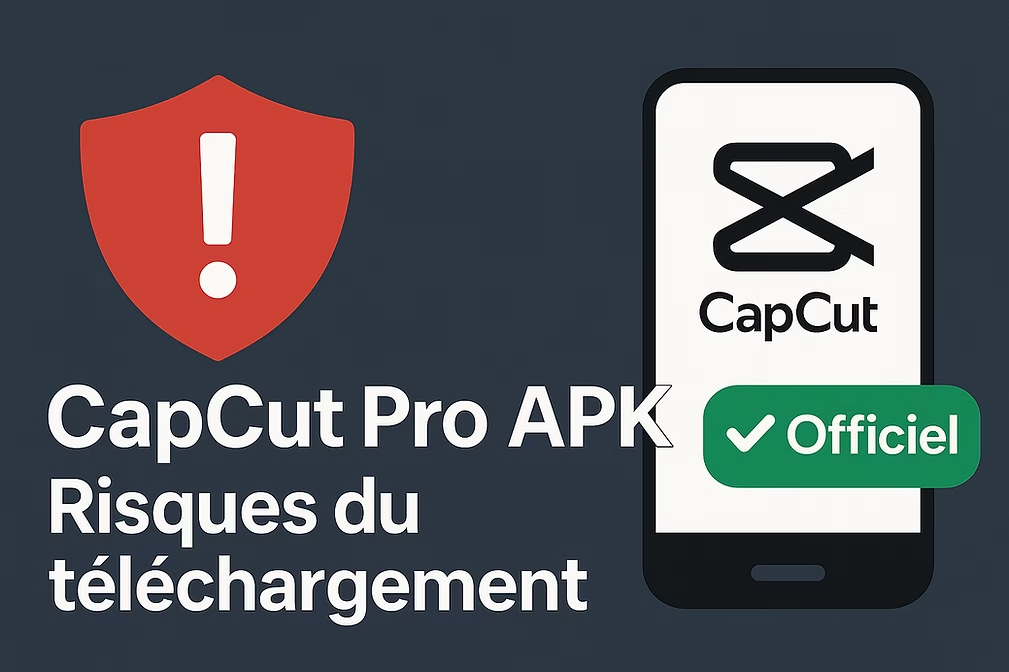
What is CapCut Pro APK?
Before you start downloading, a quick note: an APK is simply an installation file for Android. Many websites offer modified APKs, supposedly providing all of CapCut’s “Pro” features for free, even if the app isn’t official or available on the Play Store.
Basically, “CapCut Pro APK” promises to give you access to all the paid features: premium effects, ad removal, watermark-free exports, etc. But beware, this is not a version approved by the creators of CapCut! This “Pro APK” version circulates on third-party sites, outside of the official app stores (Google Play, App Store, official CapCut website). The result? No one really controls what the file contains: you might end up with a simple copy… or a real minefield.
Why are so many people looking for this version? It’s simple: they want to enjoy all of CapCut without a subscription, thinking it’s a good deal. But you’ll see, it hides quite a few risks…
If you want to play it safe, the official version of CapCut (PC or mobile) is available for free here: 👉 Download the official version of CapCut
The real risks of downloading CapCut Pro APK
Downloading a CapCut Pro APK might seem tempting, but in reality, it’s a bad idea… and often, it’s not worth the risk. Here’s what you really risk by using unofficial websites:
- Viruses, malware, and intrusive ads: Modified APKs are a perfect playground for hackers, allowing them to install viruses, display aggressive ads, and even steal personal data. The result: you could end up with a slow phone, non-stop ads, or worse, your sensitive information stolen.
- Legal Issues and Account Closure : Downloading a pirated version isn’t just “clever,” it’s illegal. You risk violating CapCut’s terms of service, which could lead to the permanent closure of your account, or even more serious problems depending on the laws of your country.
- Instability and recurring bugs: Pirated APKs aren’t updated like the official app, so you risk encountering bugs, crashes, or even the complete loss of your work in progress. It’s incredibly frustrating when you’ve spent hours on a project.
- Incompatibility and lack of support: If you encounter a technical issue with an unofficial APK, you’re on your own. No customer support will help you, and you won’t be able to sync your projects between your phone and your PC.
- Data or project loss: Many users report losing videos or experiencing unexpected crashes after installing dubious APKs. Imagine losing all your work just because you wanted to save a few euros…
In short: for a few “free” options, you’re putting your device, your projects, and sometimes even your personal data at risk. That’s a lot of risk for very little gain, especially considering that the official version of CapCut already offers a huge amount for free!
👉 Download the official version of CapCut here, it’s free and secure
What CapCut actually offers (for free and legally)
It’s sometimes forgotten, but the official version of CapCut (whether on mobile or PC) already offers a ton of features, completely free. Here’s everything you can do for free and legally :
- Complete video editing : cut, assemble, adjust speed, add music, text and transitions, all without limitations.
- Trendy effects and filters : access to a large library of ultra-stylish effects, transitions, stickers, templates and filters, often updated with the latest TikTok or Insta trends.
- Automatic subtitles : CapCut automatically generates subtitles for your videos, which is super convenient for social media formats.
- Export in HD and without watermark : you can export your creations in high quality, without the CapCut logo stuck on the video, which is rare for a free tool.
- Ready-to-use templates : choose from a ton of templates to create dynamic videos worthy of the biggest creators in one click.
- Synchronization between PC and mobile : start a project on your phone and finish it on your computer, or vice versa, thanks to the CapCut cloud.
Of course, there’s a “Pro” version that unlocks some premium features (exclusive filters, advanced effects, unlimited cloud storage, etc.), but frankly, the free version is already enough for the vast majority of users. Want to enjoy all this risk-free? 👉 Try CapCut for free here, the official and secure version
How to legally enjoy all CapCut features
Good news: you don’t need to risk your phone or videos to fully enjoy CapCut! Here’s how to unlock everything, 100% legally and securely:
1. Download the official version. Whether you’re on Android, iPhone, PC, or Mac, always download CapCut from the official website or through recognized app stores (Google Play, App Store). This way, you avoid any risk of viruses or data loss.
2. Create a free CapCut account. By logging in, you can save your projects in the cloud, access your edits on all your devices, and enjoy real-time updates.
3. Explore the free version thoroughly. Test all the tools: editing, effects, templates, transitions, automatic subtitles, music, etc. Honestly, the free version is incredibly comprehensive for 99% of your needs, even if you create a lot of content.
4. Upgrade to the Pro version if needed. If you really want to go further (for example, for exclusive effects or filters, unlimited storage, or advanced features), CapCut offers a Pro subscription. But it’s not mandatory, and you can already do everything without paying initially.
5. Stay up-to-date and discover the latest features. CapCut frequently adds new features, templates, and trends. By using the official version, you’re guaranteed to get all the updates without any hassle.
In short, you take advantage of the full power of CapCut, without any risk… and you create videos that really make a difference on TikTok, Instagram or YouTube.
👉 Download the official CapCut here and start creating without limits

FAQ about CapCut Pro APK, official version and subscriptions
Is CapCut Pro APK legal or not?
No, downloading a CapCut Pro APK from outside the official app stores (Play Store, App Store, CapCut website) is illegal. Besides being risky for your device, you risk security issues and having your account closed.
Which features on CapCut are paid?
CapCut offers a free version that is already incredibly comprehensive. The Pro version only unlocks a few effects, filters, or advanced options (and unlimited cloud storage), but most creators don’t even need it initially.
Can CapCut be used for free on PC and mobile?
Yes, CapCut is 100% free on PC and mobile for all essential functions: editing, HD export, templates, trendy effects, etc.
What are the risks of downloading an unofficial APK?
You risk installing viruses, having your data hacked, losing your videos, or getting banned from the app. It’s really not worth it.
Where can I download CapCut safely?
Always via the official website or recognized stores.
👉 Click here to download the official version of CapCut; it’s free and secure.
Conclusion
In short, downloading a “CapCut Pro APK” might seem tempting, but in reality, you’re taking far too many risks for minimal gain. Between viruses, data loss, or account closure, it’s really not a good idea… Especially when you consider that the official version of CapCut, whether on PC or mobile, already offers the essentials for free, with added security and peace of mind.
So why tempt fate?
👉 Download the official CapCut version here , discover everything you can do for free and create your videos with confidence, without worrying about unpleasant surprises.
If you have any questions, experiences, or tips to share, feel free to leave a comment or join the community. We’re here to help each other and learn together!
Publications similaires :
 CapCut PC – The Complete Guide to Editing Your Videos on Your Computer
 CapCut vs Adobe Premiere Pro: Which software should you choose for your video editing?
 Best CapCut templates in 2025: which ones are actually useful?
 CapCut Pad Pro on iPad: professional video editing, finally designed for mobile creators




Leave a Reply