
In a world where users’ attention is increasingly difficult to capture, Shorts have become an indispensable format for creators and marketers. With their fast and engaging format, they maximize visibility and engagement on platforms like TikTok, Instagram Reels, and YouTube. But how can you create this captivating content quickly and efficiently? The answer is Submagic , a tool designed to transform your videos into optimized, viral-ready content.

1. Why are Shorts so powerful?
Short-form content like Shorts is a powerful tool for captivating an audience. Here’s why it stands out:
- Increased visibility: Social platform algorithms favor these formats, giving them maximum exposure.
- Quick Engagement: In less than 60 seconds, a Short can capture attention and convey a strong message.
- Easy sharing: Ideal for viral content, Shorts are easily shared among users, amplifying their reach.
- Adaptability: Whether promoting a product, telling a story, or sharing a tip, Shorts adapt to any type of content.
2. Introduction to Submagic
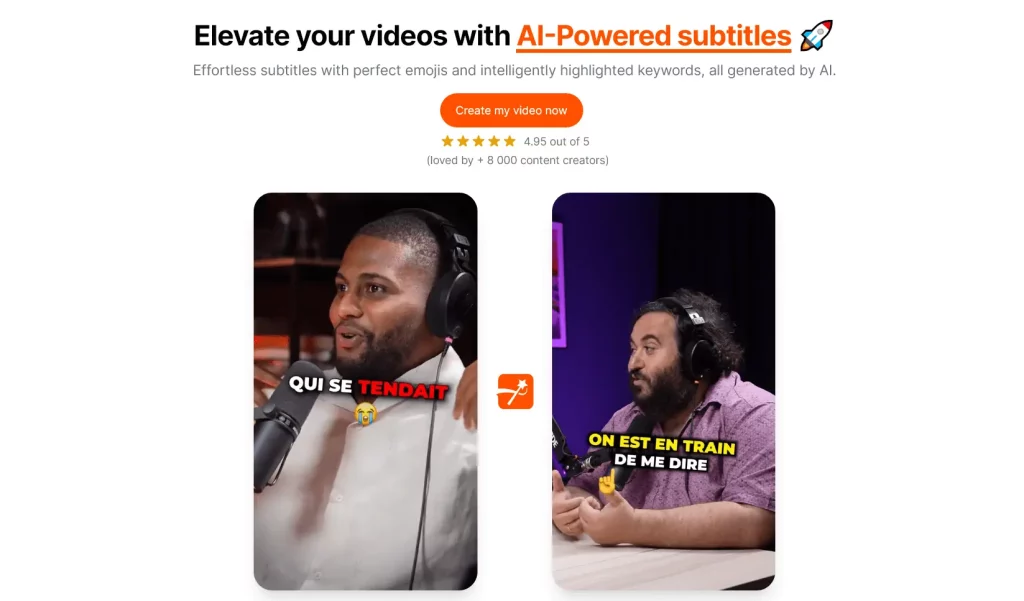
Submagic is an innovative platform powered by artificial intelligence. Designed to revolutionize video content creation, it simplifies often complex tasks, such as dynamic subtitling, automatic cropping, and adding visual effects. With Submagic, even beginners can create professional-quality videos in just a few clicks.
Main features of Submagic:
- Dynamic Captions: Automate the addition of attention-grabbing captions.
- Smart Cropping: Adjust your videos to the ideal format for each platform.
- Impactful Animations: Make your content even more engaging with dynamic visual elements.
- AI Optimization: Let AI analyze and improve your videos to ensure their success.
3. How to create a viral short in 1 click
With Submagic , creating viral Shorts has never been easier. Follow these steps to transform your videos:
Step 1: Import your content
Head to Submagic and upload the video you want to transform. Whether your file is short or long, Submagic adapts and prepares the content for optimization.
Step 2: Choose dynamic options
Enable available tools, such as automatic subtitles or pre-made animations. These elements allow you to create videos that immediately captivate your audience.
Step 3: Optimize for format
Submagic automatically crops your content to 9:16, the ideal aspect ratio for Shorts. No more tedious manual adjustments—it’s all handled by AI.
Step 4: Export and Publish
Once your video is ready, export it in high quality. Submagic ensures your file is perfectly suited for TikTok, Instagram Reels, or YouTube Shorts. Publish directly or share for maximum impact.
4. The advantages of Submagic
Using Submagic offers a multitude of benefits:
- Fast and efficient: Create impressive videos in a fraction of the time usually required.
- High Visual Impact: Add visual elements that capture and hold attention.
- Increased accessibility: Create content that is understandable for an audience that often watches without sound.
- Suitable for all levels: Whether you are a beginner or a professional, Submagic meets your needs.
- Virality Boost: Take advantage of AI-powered tools to maximize your impact on social media.
Practical cases:
- Influencers: Attract new followers with dynamic content.
- Entrepreneurs: Promote your products or services in an attractive way.
- Content Creators: Turn your ideas into engaging videos that spark interaction.

Conclusion
With Submagic , creating viral Shorts is within everyone’s reach. This powerful tool simplifies the editing process while delivering impressive results. Whether you’re an influencer, an entrepreneur, or a video enthusiast, Submagic helps you transform your videos into content that makes a splash. Try it today and take your video strategy to the next level.






Leave a Reply