
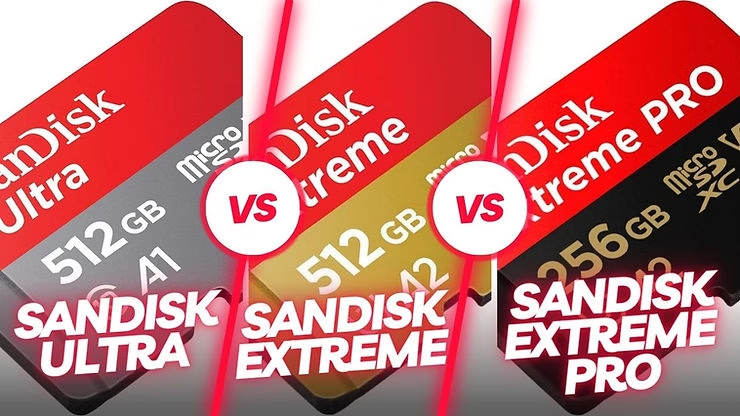
When you’re looking for a microSD card for your photography, video, or simply to expand your device’s memory, it’s common to come across options like the SanDisk Ultra, SanDisk Extreme, and SanDisk Extreme Pro. But which one is best for your use? In this article, we will compare these three models in order to help you make the best choice. We’ll explore the key differences in speed, performance, video recording, and recommended apps to help you make an informed decision.

1. SanDisk Ultra: The Budget Choice for Everyday Use
The SanDisk Ultra is an ideal microSD card for users looking for an affordable solution for expanding the memory of their smartphone, tablet, or compact camera. With read speeds of up to 100MB/s, it’s sufficient for common tasks like taking high-resolution photos and recording Full HD video.
Key features of the SanDisk Ultra:
- Read speed : Up to 100 MB/s. This speed is more than enough to transfer classic media files quickly.
- Video recording : Suitable for Full HD 1080p videos, this card allows you to record family memories or vacation moments in good quality.
- Recommended Use : Perfect for smartphones, tablets, and compact cameras, this card is suitable for users who don’t require ultra-fast performance.
For those with moderate storage needs and who don’t necessarily need the latest advancements in speed, the SanDisk Ultra is a very accessible option. It’s ideal for family use or for storing media files economically. Plus, it’s compatible with many devices, making it a universal solution for a variety of needs.

2. SanDisk Extreme: Best for Photography and Videography Enthusiasts
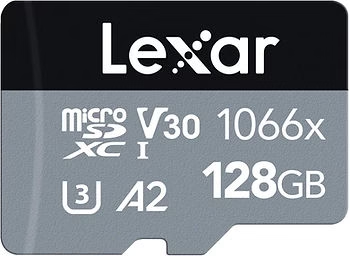
The SanDisk Extreme is a great option for those looking to take a step further into the field of photography and videography. With a read speed of up to 160MB/s and a write speed of up to 90MB/s, it is perfectly suited for recording 4K UHD video and burst shooting.
Key features of the SanDisk Extreme:
- Playback speed : Up to 160MB/s, this speed allows media files to be quickly loaded onto a computer, which is especially useful for videographers and photographers.
- Write speed : Up to 90MB/s, this speed allows you to record videos and photos without interruption, even in high resolution.
- Video Recording : Supports 4K UHD resolution, which is perfect for capturing memorable moments in stunning detail.
- Recommended Use : Ideal for DSLR cameras, action cameras, and drones, the SanDisk Extreme is for users who want a higher level of performance.
For superior performance over the SanDisk Ultra, the SanDisk Extreme is the right choice if you intend to capture high-resolution images and videos without compromising on speed. Whether you’re capturing extreme sports or filming an important event, this card offers remarkable reliability and speed. In addition, it is also water, shock, and X-ray resistant, making it an ideal choice for adventurers.
3. SanDisk Extreme Pro: The microSD card for professionals
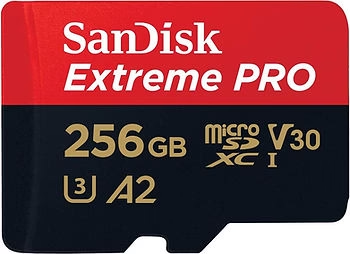
If you need the best in performance, the SanDisk Extreme Pro is the card for you. With a read speed of up to 170MB/s and a write speed of up to 90MB/s, it’s designed for professional photographers, videographers, and anyone who needs maximum performance for demanding work.
Key features of the SanDisk Extreme Pro:
- Read speed : Up to 170MB/s, which means you can transfer large files in a flash. This speed is essential for professionals who work with large files, such as high-resolution videos.
- Write speed : Up to 90MB/s, perfect for bursts of high-definition photos without losing quality or time.
- Video Recording : Perfect for high-quality 4K UHD video, delivering exceptional image smoothness, even for fast-paced action sequences.
- Recommended Use : For professionals who need industry-leading performance for burst photography and videography, the SanDisk Extreme Pro is the go-to option.
The SanDisk Extreme Pro is made for those who can’t afford any compromises and need a card that can handle the most ambitious projects. Whether you’re shooting a documentary film, capturing a high-intensity sports session, or shooting with hundreds of burst shots, this card ensures optimal performance. Its rugged construction also makes it resistant to extreme temperatures, which is ideal for professionals who work in harsh environments.
Learn more about SanDisk SD cards
SanDisk Ultra, SanDisk Extreme, and SanDisk Extreme Pro Summary Table
| Model | Playback speed | Writing speed | Video recording | Recommended use |
| SanDisk Ultra | Up to 100 Mb/s | Up to 10 MB/s | Full HD 1080p | Smartphones, tablets, compact devices |
| SanDisk Extreme | Up to 160 Mb/s | Up to 90 MB/s | 4K UHD | Cameras, Action Cameras, Drones |
| SanDisk Extreme Pro | Up to 170 MB/s | Up to 90 MB/s | 4K UHD | Professional photography, videography |
Conclusion
The choice between the SanDisk Ultra, the SanDisk Extreme, and the SanDisk Extreme Pro depends primarily on your specific needs. For everyday use and simple tasks, the SanDisk Ultra is an affordable and sufficient option. For photo and video enthusiasts who want to record in 4K, the SanDisk Extreme offers optimal performance. Finally, if you’re a demanding professional or enthusiast, the SanDisk Extreme Pro is the best choice for the best possible performance.
Whether you’re a casual user, a photography enthusiast, or an experienced professional, each model has been designed to meet specific requirements. Consider the nature of your work, your devices, and your budget to choose the microSD card that will best suit your needs. A good memory card is not only about storage capacity, but also about speed, reliability, and compatibility with your devices, so make the right choice to optimize your digital experience.



Leave a Reply