
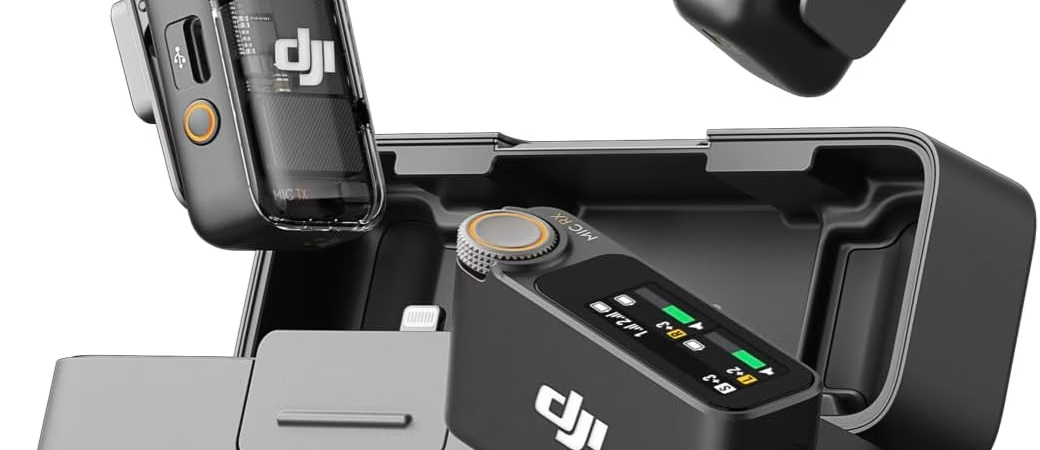
The DJI Osmo Pocket 3 deserves sound that lives up to its capabilities, and your choice depends on your needs. The DJI Mic 2 shines with its pro quality with 32-bit float recording and internal storage, ideal for flexible post-pro. The DJI Mic Mini, on the other hand, seduces with its compactness and plug-and-play simplicity, perfect for fast shoots. Both offer a smooth Bluetooth connection and smart noise cancellation. Need to get started without any headaches ? The Mini is your ally. Are you looking for the precision of a portable studio ? The Mic 2 is the obvious choice. Buy the DJI Osmo Pocket 3
Osmo Pocket micro DJ disappointing? Does your audio lack clarity for your vlogs, interviews or outdoor shots? Don’t let sound ruin your videos anymore! This guide compares the DJI Mic 2 (pro quality with 32-bit float recording and 14 hours of storage) and the Mic Mini (extreme compactness, plug-and-play) to help you choose, whether you’re a nomadic vlogger or a demanding videographer. Finally, discover how to improve your sound in one click, thanks to an ultra-simple Bluetooth connection via OsmoAudio™, intelligent noise cancellation and a battery life of up to 6 hours. Ready to transform your audio?
- DJI Mic 2 vs Mic Mini: the head-to-head for your Osmo Pocket 3
- The DJI Mic 2: Professional quality in your pocket
- The DJI Mic Mini: simplicity and efficiency above all
- How to connect your wireless microphone to the Osmo Pocket 3? (Step-by-step guide)
- Your profile, your microphone: making the right final choice
DJI Mic 2 vs Mic Mini: the head-to-head for your Osmo Pocket 3
Do you have a DJI Osmo Pocket 3 and want sound to match your images? Good news, you’ve come to the right place. The choice mainly comes down to two great options: the DJI Mic 2 and the DJI Mic Mini. Both are compatible with your device thanks to OsmoAudio™ wireless connectivity, but their differences count when choosing the right choice.
To guide you, here is a clear comparison :
Comparison Chart: DJI Mic 2 vs DJI Mic Mini
| Characteristic | DJI Mic 2 (Transmitter) | DJI Mic Mini |
|---|---|---|
| Ideal for… | Demanding professionals and creators | Vloggers and nomadic creators |
| Key feature | 32-bit float internal recording, extended battery life | Ultra-compact, lightweight, direct connection |
| Audio quality | Professional, high-fidelity, uncompressed | Excellent, Voice Optimized |
| Internal recording | Yes (until 2 p.m.) | No |
| Noise reduction | Two-level smart | Two-level smart |
| Autonomy | 6 hours (transmitter only) | 6 hours |
| Connecting to the Pocket 3 | Direct via Bluetooth (OsmoAudio™) | Direct via Bluetooth (OsmoAudio™) |
In short, if you’re looking for maximum quality and advanced recording options for post-production, the DJI Mic 2 is your ally. If you value simplicity, lightness, and an ultra-efficient plug-and-play solution, the DJI Mic Mini is for you.
To learn more about the capabilities of the camera itself, you can check out our comparison between the Insta360 X5 and the DJI Osmo Pocket 3.
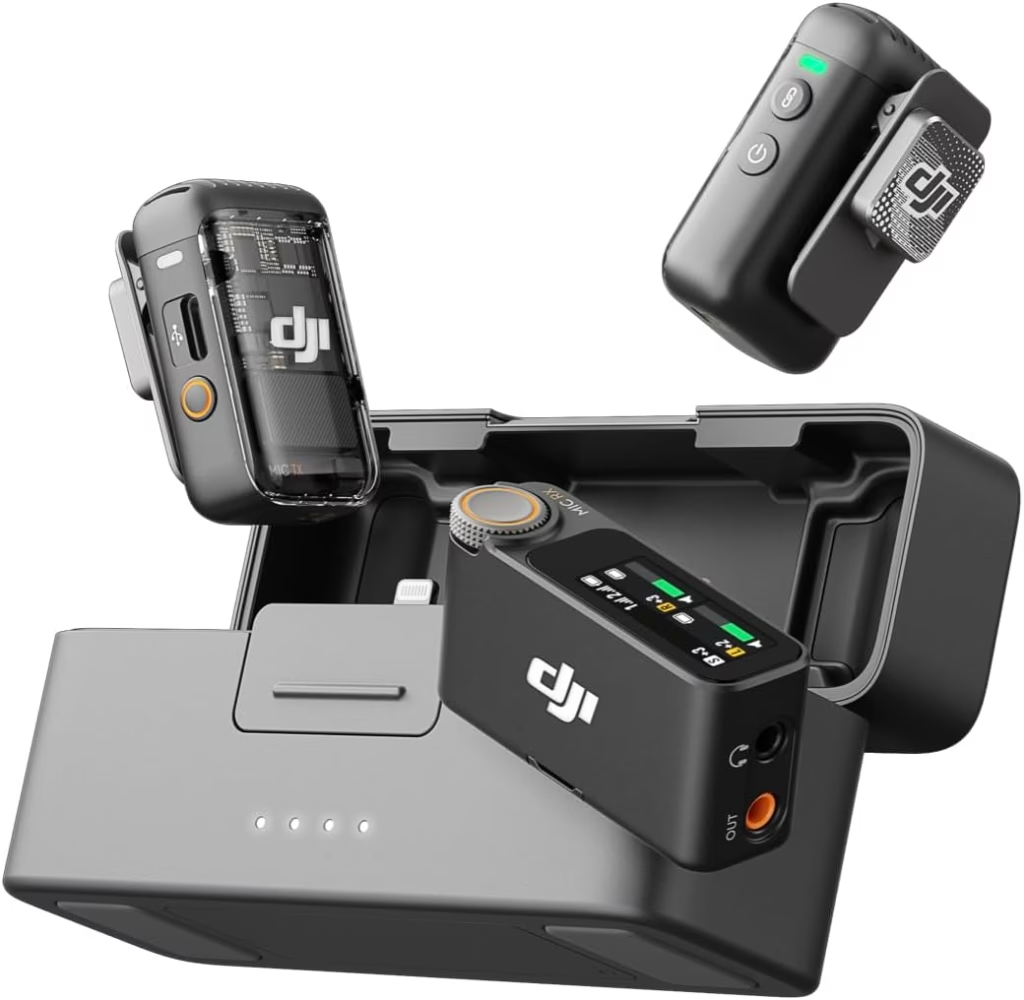
In short: the essentials to remember
For your DJI Osmo Pocket 3, the choice of a wireless microphone is between the DJI Mic 2 for its professional audio quality and advanced features such as 32-bit float recording, and the DJI Mic Mini for its extreme compactness and simplicity. Your choice will depend on your level of requirement and your need for flexibility in post-production. Buy the DJI Osmo Pocket 3
The DJI Mic 2: Professional quality in your pocket
The DJI Mic 2 turns your Osmo Pocket 3 into a mobile studio. A revolution for your videos, thanks to its 32-bit float technology that 90% of creators underestimate. Because 50% of the success of a video comes from sound, this microphone is an essential ally.
The star? 32-bit float recording. Adjusts the volume in post-production without losing quality, ideal for changing environments. Need clarity in voices? It’s in the pocket. In concrete terms, this means that you can turn up the volume of a whisper or reduce a shrill scream without altering the accuracy of the sound. A considerable time saver.
The superpowers of the DJI Mic 2
- Internal Recording : Stores up to 14 hours of uncompressed sound. In the event of a power outage, the local backup remains accessible. For example, during a long interview, even if the Bluetooth connection breaks, you still get the sound directly from the transmitter.
- 32-bit float quality : Adjusts the volume freely. No more re-recordings for voices that are too weak or saturated sounds. Do you film outside? Rain, wind or a passing car no longer spoil the final sound.
- Safety track : Dual recording (-6dB). A safety to avoid saturation on unexpected sounds. Example: a child who suddenly screams during a take. Your -6dB version remains usable without having to start over.
- Solid battery life : 6 hours per charge, 18 hours with the 3250 mAh case. Perfect for long shoots. The case frees you from electrical outlets and fits in a pocket, ideal for quick travel.
- Magnetic design : Attach it in one click to your Pocket 3 or a compatible cage . A crucial advantage for setting up your equipment quickly on the field, without risk of falling.
The Mic 2 includes two-stage noise cancellation. Silent mode for quiet interviews, reinforced mode for noisy environments. Outdoors, activate the wind filter for clean shots. Are you filming an interview in a subway train? The high-intensity mode eliminates ambient crackling.
The safety track at -6dB protects against sound spikes. This saves precious time in assembly. With a range of 250 meters, you can shoot dynamic scenes while keeping a stable signal. Do you follow a mountain bike? The DJI Mic 2 maintains the wireless connection even when moving fast.
And compatibility with the Osmo Pocket 3 is flawless. One-touch pairing, built-in control via the DJI Mimo app. Want to zoom in remotely? The microphone can also control the camera. A turnkey solution for solos who want to manage everything on their own.
The DJI Mic Mini: simplicity and efficiency above all
Are you a video creator, a vlogger on the go, or just a fan of smooth mobile content? The DJI Mic Mini is the ideal solution for those who refuse to sacrifice audio quality at the altar of practicality.
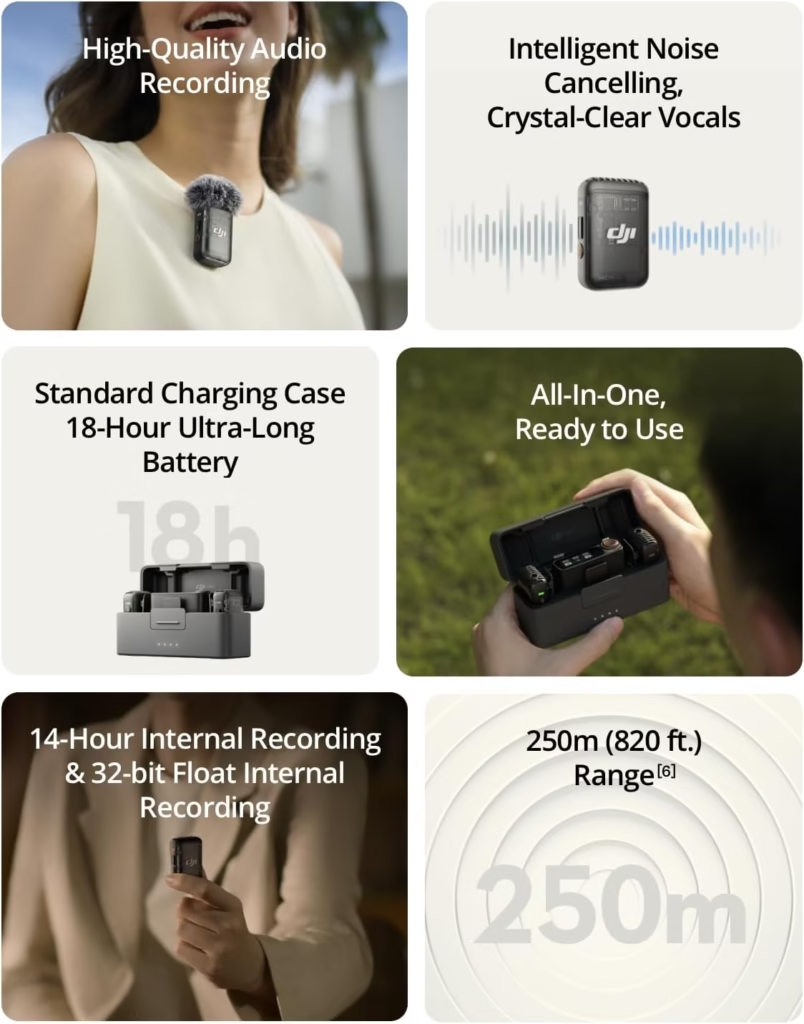
Imagine a microphone that fits in the palm of your hand, weighing barely 10g (the transmitter) and 17.8g (the receiver). Its ultra-compact 26.55×26.06×15.96 mm format allows it to be slipped into a pocket without adding unnecessary bulk. Perfect for on-the-go shoots where every gram counts.
The Carry Less, Record More concept is not just a slogan: it sums up the DNA of the Mic Mini. No more cumbersome cables or extra receivers. You simply plug the USB-C receiver into your Pocket 3, and the OsmoAudio™ connection is done automatically via Bluetooth. Zero handling, just clear sound in one click.
The magic happens especially with its intelligent two-stage noise cancellation. Even without the advanced features of the Mic 2, this mic compresses ambient interference to deliver a crisp voice, whether indoors or outdoors. A technological feat that makes the link between nomadic accessories and professional quality.
For purists, DJI has even designed a 139g (96.10×41.00×59.35 mm) charging case with a built-in hard case and an extra battery. You can juggle between several sockets without fear of running out of power, with enough autonomy for a day of light recording.
At a time when creators are juggling hardware and portability, the Mic Mini embodies the perfect balance. A full review of the DJI Mic Mini confirms that it’s the ideal companion for everyday use, where quick setup takes precedence over complex configurations. Do you want to film and talk without worrying about the sound ? Now is the time to take the plunge.

Good news, connecting your DJI microphone (Mic 2 or Mic Mini) to your Osmo Pocket 3 is ultra-easy thanks to OsmoAudio™ technology. No need for an external cable or receiver: everything is done via Bluetooth. We guide you step by step for a professional sound!
Connection in 4 easy steps
Turn on your Osmo Pocket 3 and the DJI Mic Transmitter (Mini or 2). Verifies that both are loaded. The Mic Mini offers up to 10 hours of battery life, the Mic 2 goes up to 14 hours – ideal for long shots.
Put your microphone in pairing mode. On the transmitter, hold the pairing button for 2 seconds. The light flashes blue for the Mic Mini, green for the Mic 2.
On the Pocket 3, scroll down the control menu, go to Wireless Mic Settings > . Enables the search for available mics. The camera lists devices via Bluetooth 5.0 for a stable connection.
Select your microphone from the list. Once connected, the microphone icon will appear on the screen. There you go! You’re ready to film. For a duo, repeat these steps: the Pocket 3 supports up to 2 simultaneous mics.
Tip: After logging in, adjust the gain in the Pocket 3 settings. Activate the Low-Trim filter to reduce background noise, or test the Mic 2’s floating 32-bit option for better dynamics. Do a quick check-in before filming.
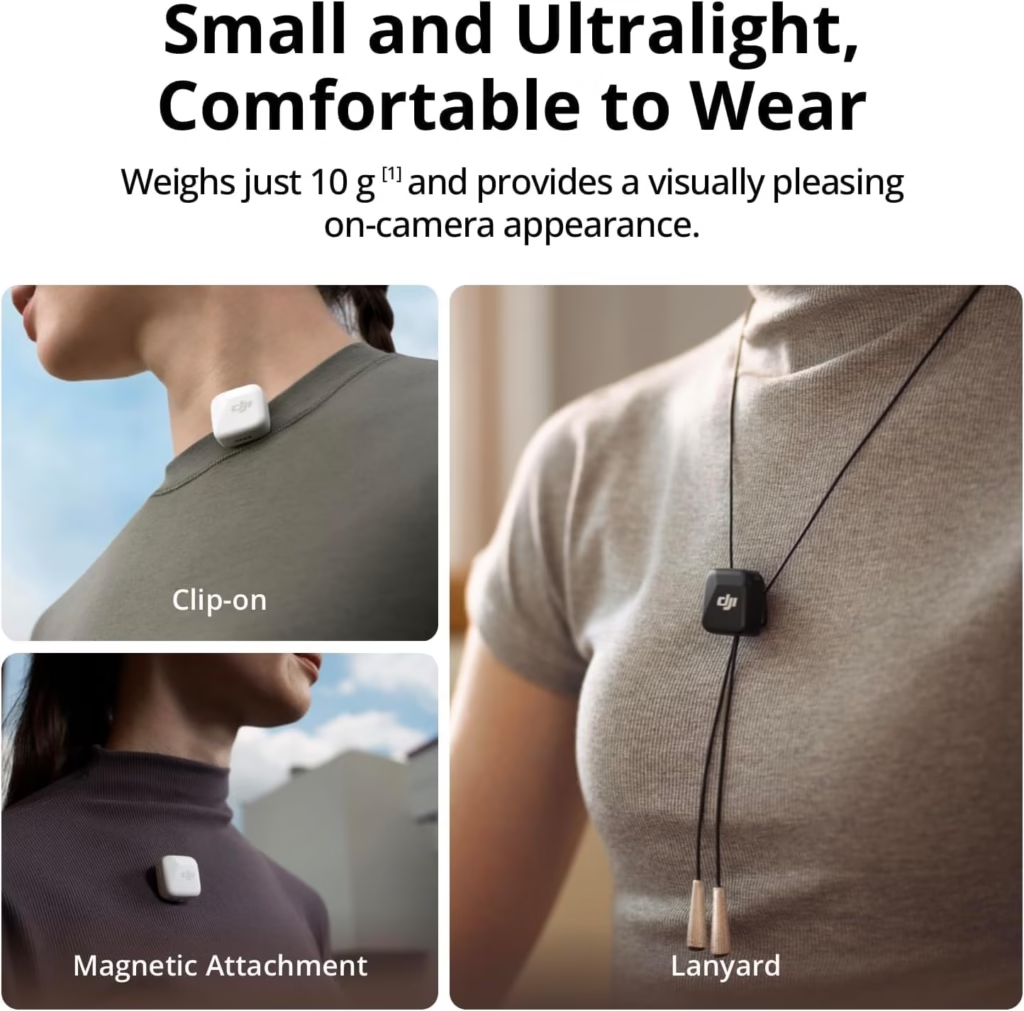
Example of a successful connection between a DJI Mic 2 and the Osmo Pocket 3.
Your profile, your microphone: making the right final choice
Now that you know the strengths of each mic for your DJI Osmo Pocket, all that’s left to do is choose the one that suits your style. Lightweight, professional or versatile, each model has its use. But how do you find your way through the available options ?
So, you’re rather…
- The nomadic vlogger or social media creator? You want speed, lightness and simplicity. The DJI Mic Mini is for you. DJI OsmoAudio™ direct connectivity, 47g and 48h battery life with the case. Instant power-on, noise cancellation, and crisp sound quality. Wind caps included to prevent outside disturbances.
- The demanding or professional videographer? You want zero compromises on quality. The DJI Mic 2 is your tool. Safety track (-6dB), floating 32-bit recording for more flexibility in post-production, and 14-hour battery life in 48kHz/24 bits. 1.1″ touch screen to adjust settings. Perfect for critical projects where every detail counts.
- The versatile designer? You hesitate between quick vlogs and more calm interviews. The DJI Mic 2 remains the most adaptable thanks to its internal recording. Can be used wirelessly with the Pocket 3 via Bluetooth or in standalone mode. Dual transmitter to capture two voices simultaneously, ideal for collaborative content.
An external mic radically transforms the audio of your Pocket 3. Without it, you miss out on the professional dimension of your videos. To decide between the models : the Mic Mini for its mobility and immediate handling, the Mic 2 for its safety and advanced options. It’s up to you!
Choose between the DJI Mic 2 for audio quality and flexibility in post-production, choose between the DJI Mic 2 for audio quality and flexibility in post-production, or the Mic Mini for lightweight vlogs. Both turn your Osmo Pocket 3 into a pro tool. Then your next shoot deserves some pro sound !
FAQ
Which microphone should I use for a standard DJI Osmo Pocket (not Pocket 3)?
Good news, you have several options! For versions of Osmo Pocket prior to Pocket 3, the Movo Edge-OP-DUO system is a great solution. This is a duo of wireless lavalier microphones that are compatible directly with the Osmo Pocket via a USB-C receiver. Ultra practical, this receiver is powered by the camera and even allows you to charge the Pocket while recording. Need simplicity? The included mics pick up a clear voice, even in noisy environments, thanks to their omnidirectional technology and windproof accessories. A reflex for professional videos: remember to test the sound level before filming!
What is the real difference between the DJI Mic 2 and the DJI Mic Mini?
If you’re hesitating between the two, remember this rule : the DJI Mic 2 is for those who want studio-quality sound, and the Mic Mini, for those who want perfect sound without the headaches. The Mic 2 allows you to directly record 14 hours of uncompressed sound (thanks to its 32-bit float chip), ideal for demanding videographers. On the other hand, the Mic Mini is tiny (10g!) and connects via Bluetooth directly to the Pocket 3 without a receiver. A reflex for nomads: if you travel light, the Mic Mini is your ally. If you post-produce a lot, the Mic 2 will give you more leeway.
How to connect a DJI mic to your Osmo Pocket 3?
Easy as pie! For your DJI Osmo Pocket 3, connect your mic (Mic 2 or Mic Mini) in 4 quick steps. Turn on both devices, put your microphone in pairing mode (one button to hold), activate the settings of your Pocket 3 via the Control Center, then select the detected microphone. There you go! Tip: Once connected, adjust the gain directly on the screen of your Pocket 3 to avoid crackling. Do you want to be sure? Do a 1-minute test before filming to check the sound. Don’t hesitate to check out the YouTube tutorials if you get stuck, they’re super clear!
Which microphone should I choose if I want maximum portability?
The DJI Mic Mini is for you! This mic weighs just 10g and fits in the palm of your hand. Its magnetic format allows you to clip it anywhere without taking up too much space. Need to go fast? It connects via Bluetooth directly to the Pocket 3, no need for a receiver. Even its battery lasts 11.5 hours, so you can take it with peace of mind. In short, it’s the “carpe diem” solution: you grab your Pocket 3 and your Mic Mini, and you go for it. A reflex for mobile creators: opt for the Mini if you prefer lightness without sacrificing quality.
Is the DJI Mic 2 really worth it for an amateur?
It depends on your needs ! If you want pro settings, the DJI Mic 2 is your best bet. It records in 32-bit float, which means that even if you get carried away with the volume, your sound remains sharp in post-production. Imagine: you have a sound recording with a sudden noise, the safety track of the Mic 2 (-6dB) saves the day. On the other hand, if you’re just starting out or just want a clear sound without fiddling, the Mic Mini is more than enough. A tip: if you shoot interviews or videos where the sound is critical, the Mic 2 will give you cinematic sound. For quick vlogs, the Mini is more than enough.




Leave a Reply