
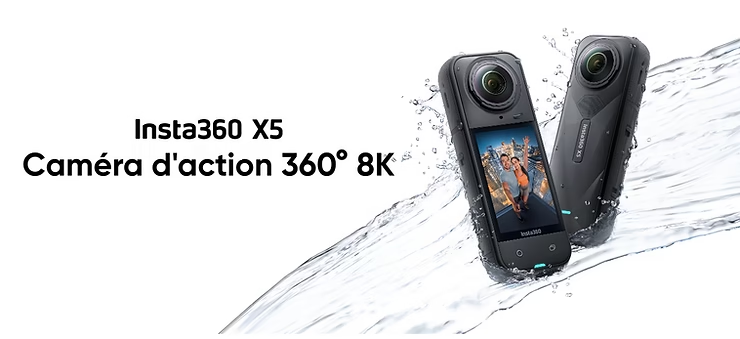
Do you dream of filming underwater in 360° without worrying about a bulky box? Now you can with the Insta360 X5. Thanks to its water resistance up to 15 meters (IP68), it allows you to dive into fresh or salt water without additional equipment. In this article, we’ll explain how to get the most out of this feature, whether you’re a snorkeling enthusiast, a beach videographer, or a water explorer.
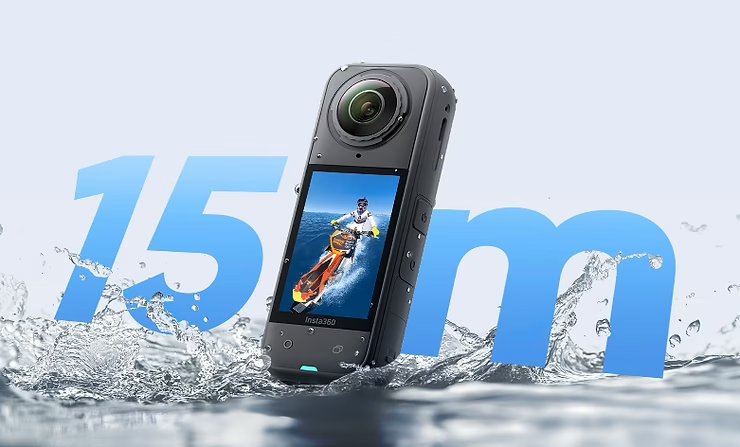
Insta360 X5: a 360 camera waterproof up to 15 meters
The X5 is the first Insta360 360 camera to offer true native waterproofing up to 15 m deep, without a housing or external housing. IP68 certified, it is resistant to water, dust and prolonged immersion.
Comparée à la X3 (étanche à 10 m) ou à la GoPro Max (5 m), la X5 offre plus de profondeur, plus de liberté, avec une qualité vidéo 8K pour immortaliser tes plongées, baignades et explorations côtières.
Master your Insta360 X5 with our FREE Complete Guide!
Shooting underwater without a box: advantages and limitations
Advantages :
- Less bulk, weight and material
- Less glare and distortion than with a dome
- Ultra-fast deployment: out, film, tidy up
Bounds:
- Not designed for scuba diving (beyond 15 m)
- Rinse thoroughly with clean water after use at sea
- Wipe the lenses to avoid droplets after immersion

Recommended settings for filming underwater
Here are some key settings to optimize the quality of your underwater shots:
- Capture Mode: Standard 360° or PureVideo (low light)
- Resolution: 5.7K at 30/60 fps or 8K at 30 fps
- Stabilization: FlowState enabled + Horizon Lock
- White balance: manual between 5500K and 6500K for clear water
- ISO: auto, or fixed between 400 and 800 in low light
Useful accessories for water shooting
- Floating invisible pole: to film without fear of losing your camera
- Non-slip handle: better grip
- Microfiber cloth: essential for wiping the lenses after each dive
- Waterproof carrying case: protects your gear on the beach or on the boat
See the features of the Insta360 X5
Tips for successful underwater plans
- Moves in and out of the water slowly to create a smooth air-to-water transition effect
- Filming close to the surface maximizes natural light
- Avoids bubbles and rapid movements, which can hinder readability
- Uses low-angle shots to film towards the surface (magic effect guaranteed)
Last piece of advice before diving with your X5
With its reinforced waterproofing, the Insta360 X5 becomes a great companion for exploring the aquatic world without constraint. Whether you’re filming in a pool, at sea, or by a river, it gives you the ability to capture your adventures in 360°, in total immersion, without unnecessary accessories. It’s up to you to reveal the beauty of the aquatic depths!
a:hover { transform: scale(1.05); } a[href*=”amazon”]:hover { background-color: #e68a00; } a[href*=”insta360″]:hover { background-color: #222222; } a[href*=”lacameraembarquee”]:hover { background-color: #0052a3; }❓ FAQ – Filming underwater with the Insta360 X5
Is the Insta360 X5 waterproof without a housing?
Yes. It is IP68 certified and can go up to 15 meters deep without additional accessories. Perfect for snorkeling, swimming or beachfront plans.
Can it be used for scuba diving?
No. The X5 is not designed to exceed 15 m. For scuba diving, a dedicated diving chamber is essential to protect the camera.
What settings should I use underwater?
Uses the standard 360° mode, activates FlowState + Horizon Lock stabilization, adjusts the white balance between 5500K and 6500K, and favors a resolution of 5.7K at 60 fps for smoother performance.
Do I need to rinse the camera after use at sea?
Yes. Always rinse thoroughly with clean water to avoid salt deposits, then dry with a clean microfiber cloth.
What accessories are useful for filming underwater?
An invisible floating pole, a non-slip handle, a microfiber cloth and a waterproof carrying case are highly recommended to protect and handle the X5 safely.
How to avoid drops on lenses after immersion?
Wipe the lenses with a microfiber cloth as soon as you get out of the water. You can also blow lightly on the lens to flush out the water before wiping.



Leave a Reply