

Do you spend hours editing your content and wonder if Submagic’s LinkedIn video editing solution is really suitable for quickly professionalizing your posts? We’ll show you why this tool perfectly meets the expectations of your B2B audience, going far beyond simple entertainment formats. Get ready to discover how to automate your branding and subtitles to transform your videos into real opportunity magnets today.
- Submagic for LinkedIn: the direct answer
- Specific functions to shine on LinkedIn
- Adapting your content to LinkedIn’s conventions
- Going further to convert and stand out
Submagic for LinkedIn: the direct answer
So, can we use Submagic for our LinkedIn videos or not?
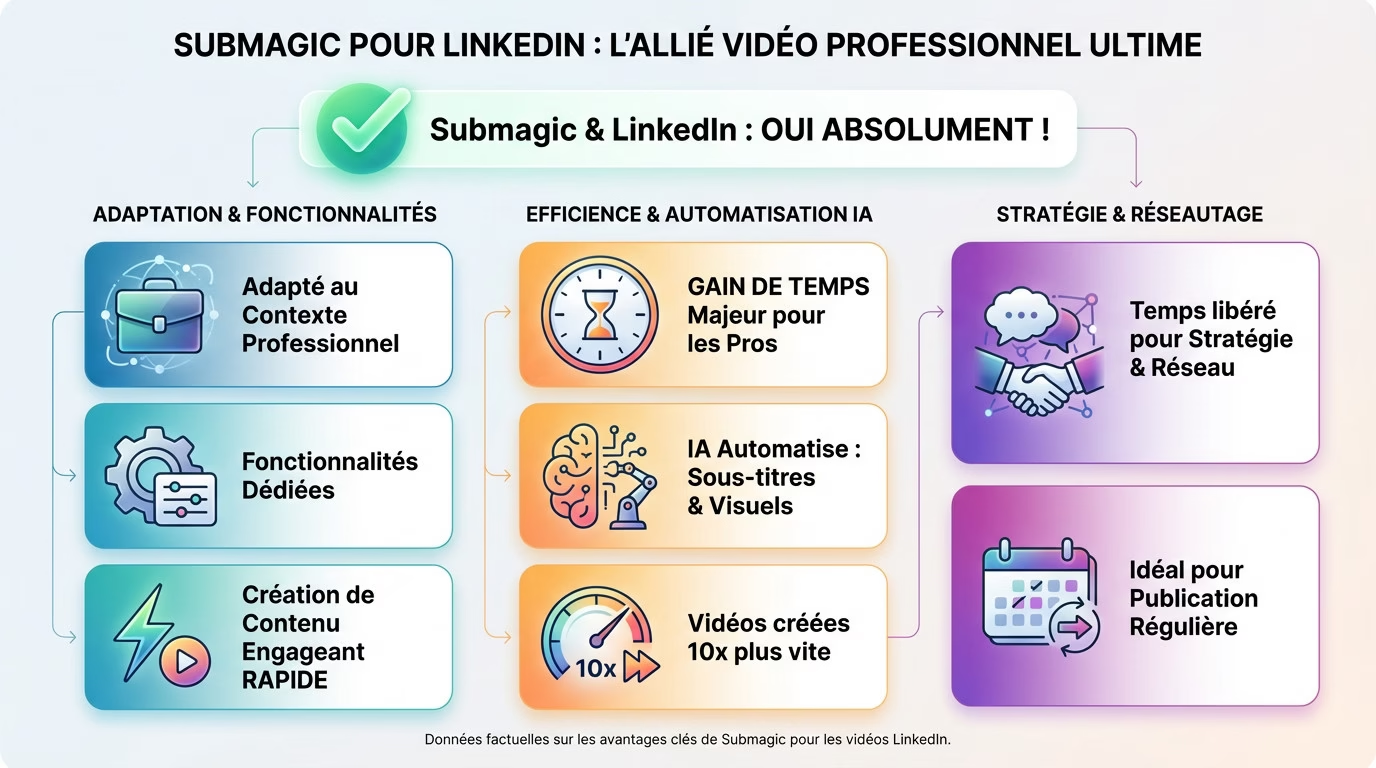
Yes, you can absolutely manage your LinkedIn video editing with this tool. It’s even a formidable solution for this network.
It’s often associated with TikTok, but it’s designed for professionals. BrandKit automatically applies your logos and colors to every video. It’s ideal for maintaining a professional and consistent image without any technical effort.
The goal is to produce engaging content without spending all day on it. It’s a secret weapon for busy LinkedIn professionals. Subtitles grab attention immediately, even without sound.
The real advantage: a time saving for professionals
AI automates the most tedious tasks of video editing. It handles subtitling and adds relevant visuals instantly. No more time wasted on purely technical aspects.
The promise is to create videos 10 times faster. Reinvest that valuable time in your strategy or networking on the platform. Don’t lose visibility due to a slow publishing schedule.
For regular publishing, this efficiency makes all the difference on a daily basis. Check out my full review of Submagic to understand the actual user experience.
Specific functions to shine on LinkedIn
Now that we have established that it is possible, let’s look specifically at which Submagic features make a difference in a professional context.
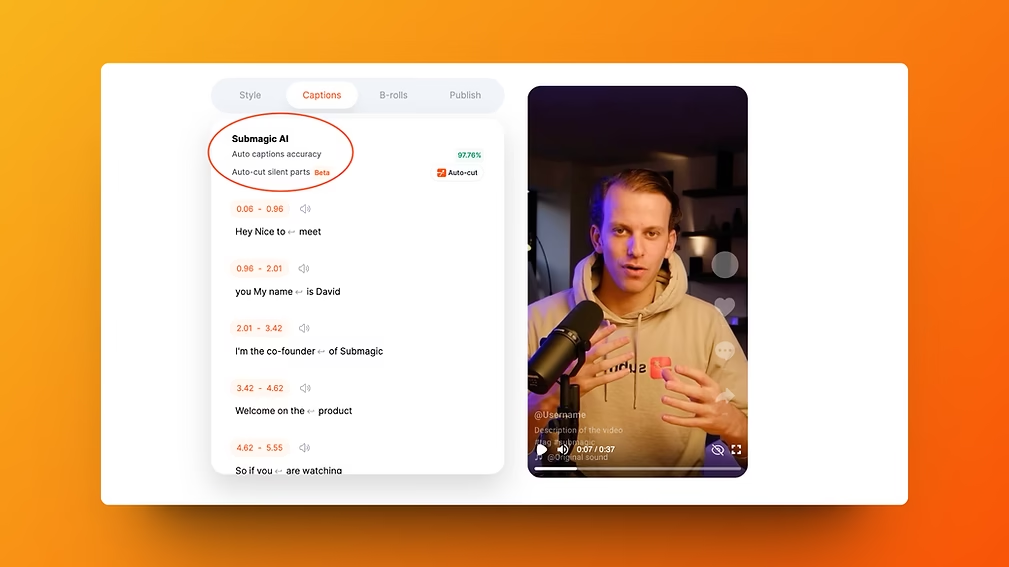
Dynamic subtitles to capture the audience
On LinkedIn, most videos play without sound, often watched discreetly at the office or while commuting. If you don’t display text, you lose a huge portion of your audience. Readable subtitles aren’t an option; they’re an absolute necessity.
Submagic doesn’t just transcribe your words; it literally animates your subtitles to grab attention. It automatically integrates relevant emojis and highlights important keywords. Your content becomes vibrant and impossible to ignore.
Here’s why it’s a major asset for successfully editing your LinkedIn submagic videos:
- These animations drastically improve audience retention.
- They make your message much more impactful and memorable.
- They instantly give your video a modern and professional look.
A consistent and professional brand image
Personal branding relies on visual repetition to build trust on a network like LinkedIn. Your logo, colors, and font must remain consistent across all posts. This consistency is what makes you instantly recognizable.
Fortunately, Submagic’s “BrandKit” feature simplifies this entire tedious process. You save your visual identity (logo, color palettes, fonts) once and for all within the application. Then, you apply this unique style to all your new videos with a single click.
This ensures a professional and standardized output without having to manually readjust settings each time. If you want to see how to configure this kit, check out a complete tutorial on Submagic .
Adapting your content to LinkedIn’s conventions
Choosing the right video format for maximum impact
While the vertical format (9:16) reigns supreme on TikTok, LinkedIn has its own preferences for capturing attention. The square (1:1) and vertical formats are the most effective on the mobile news feed. You risk losing the reader’s attention if you neglect this technical detail.
Submagic handles these different formats perfectly, making it easy to adapt the same video. This is a real advantage, unlike tools such as CapCut , because it proves that the tool isn’t limited to purely vertical formats.
| Video Format | Ideal for… | Main advantage | Managed by Submagic? |
|---|---|---|---|
| Square 1:1 | LinkedIn news feed | Takes up more space on the mobile wire | Yes |
| Vertical 9:16 | Stories/Mobile | Immersive on mobile | Yes |
| Horizontal 16:9 | Articles/Desktop | Standard format for long content | Yes |
Optimize your post with AI-powered descriptions and hashtags
A good video alone isn’t enough to succeed on this professional network. The accompanying text, from the title to the hashtags, is just as important for visibility on LinkedIn. Without it, your content will go unnoticed by your target audience.
Submagic also helps with this, automatically generating relevant text suggestions. This is a powerful feature for speeding up your LinkedIn video editing workflow.
- A catchy title for the video.
- A ready-to-use job description.
- A selection of relevant hashtags to boost reach.
It’s an excellent starting point that you can personalize to keep your own human touch.
Going further to convert and stand out
Once the basics are mastered, Submagic still offers some advantages to transform a simple spectator into a prospect or a subscriber.
Incorporate calls to action to guide your audience
A call to action tells your audience exactly what to do after the video. Without this clear instruction, you’re needlessly missing engagement opportunities.
Submagic lets you add custom intro and outro sequences in a snap. It’s the perfect place to include your call to action, like “Visit my website” or “Subscribe.” Submagic’s LinkedIn video editing tools then become a true lead generation machine.
It’s a basic function, but incredibly effective for generating interaction or traffic. Don’t neglect it; the results often follow immediately.
Opening up to the international market through automatic translation
LinkedIn is a global network, so why limit yourself to French? Speaking only one language is a huge obstacle to reaching a wider audience.
Fortunately, Submagic’s translation feature breaks down this barrier. It can translate your subtitles into more than 40 languages in just a few clicks, without any technical effort.
Here’s what this means in practical terms:
- Reaching potential clients abroad.
- Building a reputation as an international expert.
- Expanding one’s network beyond linguistic boundaries.
To test these features yourself, you can try Submagic here .
In short, Submagic is perfectly suited to your LinkedIn needs. You’ll benefit from quick editing and a professional finish thanks to its automated features. It’s the ideal solution for enhancing your brand image without wasting time. Now it’s your turn: upload your first video and see how it turns out.




Leave a Reply