
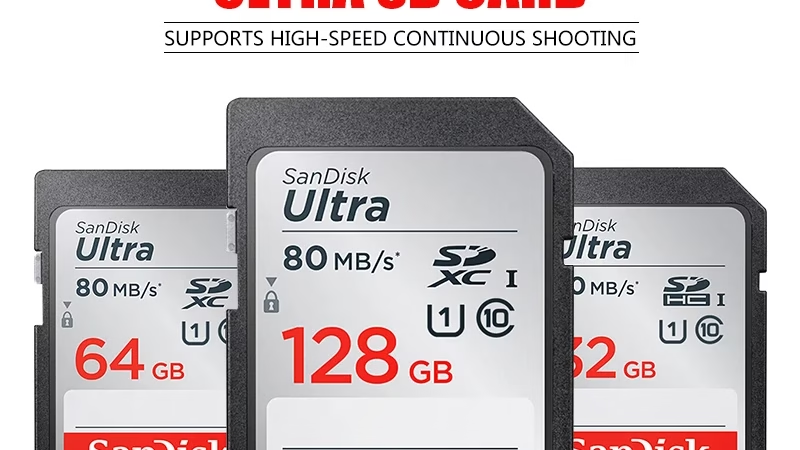
Choosing the right SD card for your Sony ZV-E10 is, as we all know, a real headache: SDHC, SDXC, or Memory Stick? And what if the speed or capacity isn’t up to par for your high-quality videos? Don’t panic: we’ll break down the compatibility, essential UHS speeds, and reliable brands (like SanDisk Extreme or Sony Tough) to ensure every XAVC S video or recording is a success.
Summary
- Memory card compatibility with the Sony ZV-E10
- Performance requirements for an optimal memory card
- Best memory card brands for the Sony ZV-E10
- Optimal use of memory cards with the Sony ZV-E10
Memory card compatibility with the Sony ZV-E10
The Sony ZV-E10 accepts SDHC, SDXC, and Memory Stick PRO Duo/PRO-HG Duo formats. For high-quality XAVC S video, the UHS speed class becomes critical . A poor-quality card will even prevent burst shooting. Let’s break it all down.
| Card format | Recommended use | Minimum speed required |
|---|---|---|
| SDHC | Photography | Class 10 |
| SDXC | Photography | Class 10 |
| SDHC | XAVC S 4K at 60 Mb/s or XAVC S HD at 50/60 Mb/s | UHS-I (U1) |
| SDXC | XAVC S 4K at 100 Mb/s or XAVC S HD at 100 Mb/s | UHS-I (U3) |
| Memory Stick PRO Duo | Photography | Class 10 |
| Memory Stick PRO-HG Duo | XAVC S 4K at 60 Mb/s or XAVC S HD at 50/60 Mb/s | UHS-I (U1) |
| Memory Stick PRO-HG Duo | XAVC S HD at 100 Mb/s | ❌ Not supported |
The Sony ZV-E10 supports SDHC (up to 32GB) and SDXC (over 64GB) cards for both photos and videos, with a preference for 4K SDXC cards at 100Mbps. Memory Stick PRO-HG Duo cards are suitable for 60Mbps video, but their high bitrate is limited. The UHS-I (U1 or U3) format is essential to avoid dropouts during video recording. While compatible, SDHC cards split XAVC S files into 4GB segments, which can complicate editing. UHS-II cards, even though they fit in the slot, offer no performance advantage. In short, for versatile use, choose a U3 SDXC card : it supports maximum video bitrates and avoids the FAT32 limitations of SDHC cards.
Performance requirements for an optimal memory card
SD card speed and its impact on shooting
The speed of a memory card is crucial for the Sony ZV-E10. In photography, it allows you to capture bursts of images without lag. In video, it prevents dropouts during 4K recording. A card that’s too slow, and that’s a disaster…
Here are the essential UHS speed classes for the Sony ZV-E10:
- U1 (or Class 10) is sufficient for XAVC S video recording up to 60 Mb/s, with a minimum write speed of 10 MB/s.
- U3 is essential for 100 Mb/s XAVC S videos, guaranteeing a sustained write speed of 30 MB/s without interruption .
- SDXC cards are preferable to SDHC cards to avoid automatic file splitting into 4GB segments during long 4K recordings.
- The UHS class determines video performance, but always check compatibility with adapters if you are using microSD or Memory Stick Micro.
Choosing the right UHS class avoids unpleasant surprises during filming.
A slow SD card will block the video stream of the Sony ZV-E10, especially in 4K at 100 Mbps. Without sufficient write speed (30 MB/s minimum for U3), the camera will stop recording. Even in still photography, a slow speed will slow down the buffer after a few bursts. In short, choose U3 for demanding applications .
Storage capacity tailored to your needs
For photos, 64GB is more than enough. For 4K video, you’ll need at least 128GB to avoid having to switch between cards . The XAVC S HD format at 100 Mbps uses 45GB per hour. And if you’re editing on location, it’s best to double the capacity.
| Capacity | Photos (JPEG) | 4K video (XAVC S 100 Mb/s) |
|---|---|---|
| 64 GB | ≈ 10,000 | 1 hour 15 minutes |
| 128 GB | ≈ 20,000 | 2 hours 30 minutes |
| 256 GB | ≈ 40,000 | 5 a.m. |
Capacity depends on the file type and the intended recording time . At 4K 100 Mbps, each hour consumes 45 GB. At HD 25 Mbps, a 64 GB card lasts 4 hours and 20 minutes. For on-location editing, allow an additional 20% margin. SDXC cards avoid the FAT32 limitations of SDHC, especially for long recordings.
Best memory card brands for the Sony ZV-E10
High-performance memory cards recommended
Brands like SanDisk Extreme Pro and Sony Tough UHS-II stand out for their reliability and high speeds . These cards support the 4K video bitrates of the ZV-E10 without latency. Their durability—a lifetime warranty for SanDisk and physical resistance for Sony—makes them ideal for demanding environments.
Here are the premium models for the Sony ZV-E10 :
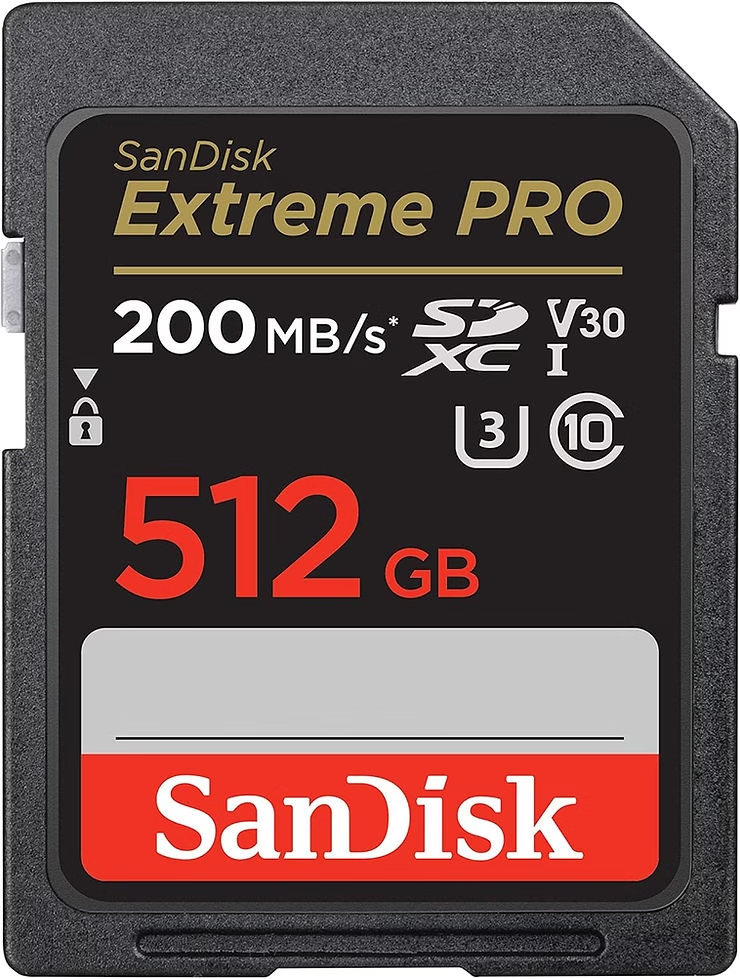
- SanDisk 512GB Extreme PRO : UHS-II, 300MB/s read / 260MB/s write, shock and water resistant.
- Sony 512 GB Tough M Series UHS-II SDXC : no physical lock, 277 MB/s read / 150 MB/s write, extremely robust.
- Lexar SILVER PRO SD Card : UHS-I V30, 160MB/s read / 120MB/s write, optimized for 4K video.
- Angelbird AV Pro SDXC : UHS-II, 300 MB/s read / 260 MB/s write, with video file integrity checking.
Premium memory cards are distinguished by their physical durability and extreme speeds. The Sony Tough, for example, avoids failures thanks to the absence of a locking switch. SanDisk offers a limited lifetime warranty. Angelbird integrates file verification tools, useful for editing. For the ZV-E10, these features are a plus, especially outdoors or under stress .
Best value memory cards
Brands like Gigastone and Transcend offer affordable U3 SDXC cards without sacrificing minimum speeds (30 MB/s write). The Gigastone 256GB SDXC memory card (100 MB/s read / 45 MB/s write) is perfectly suited for the ZV-E10’s 4K capabilities , at a lower price than premium models.
The acceptable compromises depend on your usage. If you’re not editing on location, a 128GB U3 card is sufficient. UHS-I (U3) class remains essential for 4K, but UHS-II offers no advantage on the ZV-E10. Opt for V30 or V60 models, which are often less expensive than V90s. Brands like Lexar Professional or Gigastone offer reliable, lower-priced alternatives without sacrificing compatibility or recording time.
Optimal use of memory cards with the Sony ZV-E10
Insert the memory card into the Sony ZV-E10 with the notched corner facing down. Format it directly in the camera via the menu (Setup → Format) to ensure optimal stability . Avoid removing the card while the access indicator is flashing. To prolong its lifespan, do not leave it in humid or dusty environments.
Common errors include using a locked card (toggle the LOCK switch), formatting performed on a computer (requires device formatting), or dirty terminals. If the card is not recognized, check the lock, clean the contacts with a soft cloth, and reformat it using the ZV-E10. If the error persists, try another card. In short, simplicity pays off: follow best practices to avoid unpleasant surprises .
In short, for the Sony ZV-E10, prioritize an SDXC UHS-II card for lag-free 4K video, choose a capacity that suits your needs (128GB minimum for extended shooting sessions), and avoid U1 models if you plan on shooting in burst mode. Always check read/write speeds and durability: a good memory card guarantees you’ll never miss a shot or an unforgettable scene .


Leave a Reply