
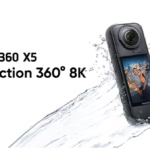
Creating content for multiple platforms can quickly become a real headache. YouTube requires 16:9 horizontal, TikTok and Instagram Reels prefer 9:16 vertical, and some stories or sponsored posts prefer square formats. Redoing the same scene several times in different formats is not only time-consuming, but it also makes you lose spontaneity. Fortunately, the Insta360 X5 is a game-changer: thanks to its ultra-high-definition 360° recording, you can capture a single shot and make vertical, horizontal or square videos… at will.

The advantage of a 360° camera to create multi-format content
With a 360° camera like the X5, you can film everything around you. This frees you from the constraint of framing during the shoot. In post-production, you can decide:
- Adopt a 16:9 aspect ratio for YouTube or a website
- Create a 9:16 version for social platforms like TikTok, Instagram Reels, or Shorts
- Publish a square (1:1) variation for sponsored posts or Instagram carousels
This approach not only allows you to maximize your content production, but also allows you to adapt perfectly to each channel without shooting the same scene multiple times. It’s a huge time saver, and a real asset to keep your videos flowing and spontaneous.
a:hover { transform: scale(1.05); } a[href*=”amazon”]:hover { background-color: #e68a00; } a[href*=”insta360″]:hover { background-color: #222222; } a[href*=”lacameraembarquee”]:hover { background-color: #0052a3; }
How to capture a single shot with the X5
To get the most out of this feature:
- Turn on Standard 360° mode for global capture, or Me mode to keep your subject centered
- Shooting in 8K ensures that you have excellent detail, even after cropping
- Positions the camera at eye level for a natural perspective
- Uses the invisible boom for a “floating camera” effect
- Prefers slow, circular movements to enrich the potential cropping field
And above all: film with the environment in mind. 360° captures everything — making sure your surroundings are consistent and aesthetically pleasing for all formats.
Crop to vertical, horizontal, or square in Insta360 Studio
Once you’re done shooting, you can move on to editing with the Insta360 or Insta360 Studio mobile app on desktop:
- Uses Auto Frame mode, which automatically detects the best angles
- Manually create your keyframes to simulate a tracking shot, zoom, or tracking
- Change ratio at any time: go from 9:16 to 16:9 in two clicks
- Exports multiple versions from a single file
As a result, the same scene can be used for a long YouTube video, a quick Reel, a teaser in story and an original TikTok clip.
Examples of practical uses
- 🏞️ A hiking video: a YouTube version to tell your itinerary, a vertical version to share a highlight (jump, summit, panorama)
- 🚴 ♀️ Urban vlog on a bike: capture the city in 360°, export a vertical story and a cinematic sequence for your channel
- 📦 A product presentation: a long explanatory format on YouTube, a vertical dynamic teaser for Reels or a Meta Ads ad
A single shoot = 3 to 5 variations of content.
Tips for framing right from the moment
Even if the reframing is done afterwards, some good practices significantly improve the result:
- Keeps the main subject centered in relation to the camera
- Anticipates future framing : avoids visual distractions in the background
- Use Me mode to have the X5 automatically track your location
- Quickly preview the scene via the mobile app before starting a long sequence
- Avoids tight corners to maintain flexibility when cropping
What this workflow changes for creators
With the Insta360 X5, filming once is enough to create video content in all popular formats. No need to multiply the takes or adapt your setup to each channel:
- You save precious time on every shoot
- You keep your storytelling consistent, regardless of the format
- You can schedule a cross-platform publishing schedule from a single file
- You maximize the value of every shooting session without any extra effort
In short, this feature is a game changer for all content creators, vloggers, communicators and visual entrepreneurs who want to produce more efficiently, without sacrificing quality or creativity.
❓ FAQ: Creating Multi-Format Content with the Insta360 X5
Why is the Insta360 X5 ideal for creating multi-format content?
Thanks to its ultra-high-definition 360° capture, the X5 allows you to record a single scene and use it in different formats (16:9, 9:16, 1:1) suitable for platforms such as YouTube, TikTok or Instagram. This avoids multiplying the number of sockets and saves precious time.
Which mode should I use to effectively film in 360°?
Standard 360° mode is recommended for global capture, while Me mode allows you to keep the subject centered automatically, convenient for vlogs and solo content.
Can you shoot in 8K and crop losslessly?
Yes, shooting in 8K with the X5 ensures an excellent level of detail, even after cropping. This makes it possible to produce crisp videos regardless of the output format.
How to Crop Videos in Insta360 Studio Easily?
The Insta360 Studio app (PC/Mac) or the Insta360 mobile app allow you to:
- Use Auto Frame mode for intelligent framing
- Placing keyframes manually to simulate movements
- Change ratio (16:9, 9:16, 1:1) in a few clicks
- Export multiple videos from a single source file
What types of content can be produced from a single shoot?
Like what:
- A full YouTube video
- A vertical Reel or TikTok
- A teaser story or a square adAll from a single recording.
What are the best framing practices from the moment of shooting?
- Position the camera at eye level
- Using an invisible pole
- Keeping the main topic centered
- Avoid visual distractions in the background
- Preview the scene via the app before a long take


Leave a Reply