
Feeling stuck with the technical aspects and looking for a simple way to transform your long videos into short clips for your social media? Opus Clip Creators, a tool for beginners, promises to do all the editing work for you thanks to its powerful artificial intelligence. Let’s explore how this solution can save you valuable time and help you publish effortlessly every day.
What exactly is Opus Clip? It’s the tool designed to save you time.
The concept: an AI that cuts your videos for you
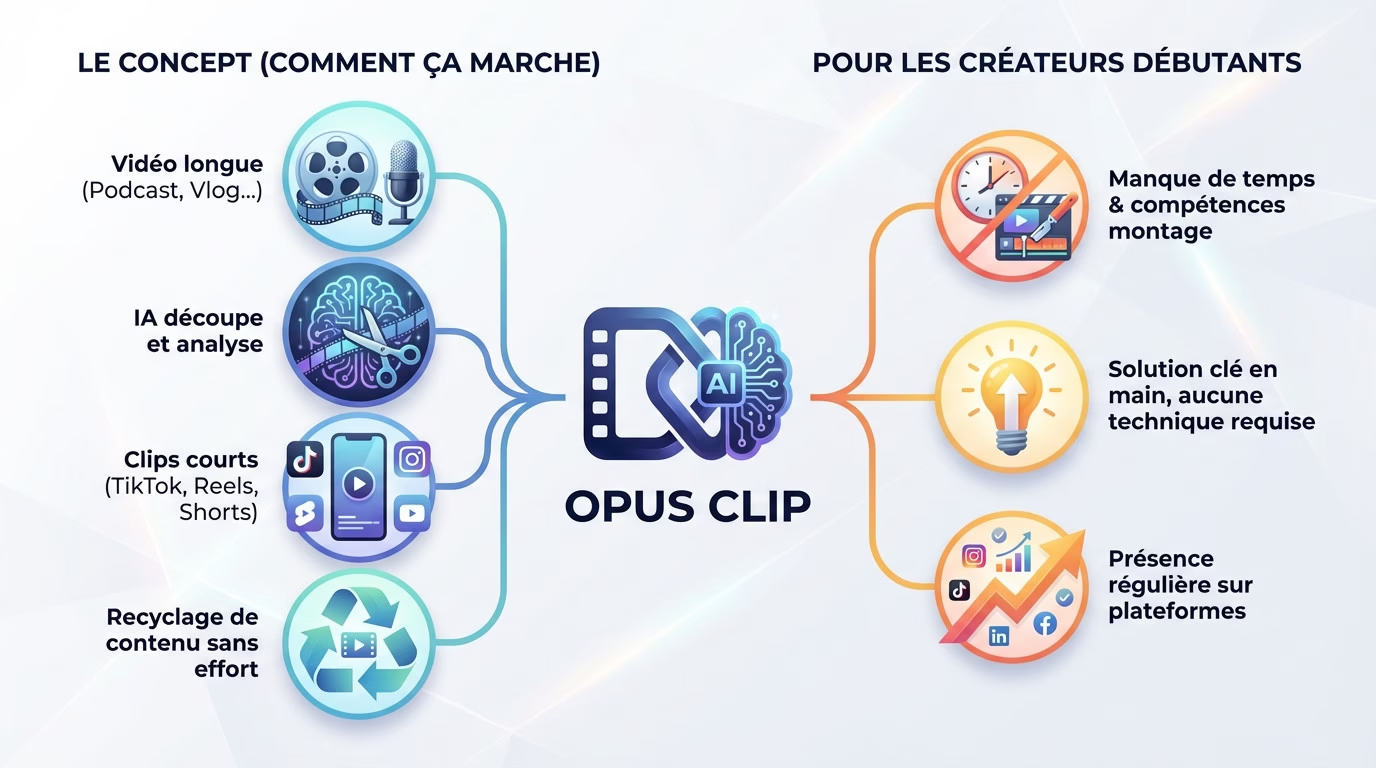
Do you have a long video, like a podcast or vlog? Instead of spending hours searching for the right moments, give the file to this tool. Thanks to its artificial intelligence, it automatically extracts several short clips, formatted for TikTok, Instagram Reels, or YouTube Shorts.
The goal is to transform a single piece of raw content into a dozen ready-to-publish videos. This is the most efficient way to repurpose your work and multiply your online presence without any extra effort.
The tool doesn’t just cut randomly. It analyzes the video to find the most impactful or interesting moments.
Why it’s designed for aspiring creators
When starting out, a lack of time and editing skills is a real obstacle. That’s where the Opus Clip Creators for Beginners solution changes everything, by addressing this need for speed.
Good news: no technical knowledge is required. You import the video, and the AI handles the cropping and subtitles. It’s a turnkey solution.
This helps you maintain a consistent presence, crucial for success. Publishing frequently is difficult, but this tool automates the creation of short content, preventing burnout.
How does it work in practice? From long-form videos to viral clips
Now that the principle is clear, let’s see how it works in practice. It sounds good on paper, but is it really that simple?
The process in just a few clicks
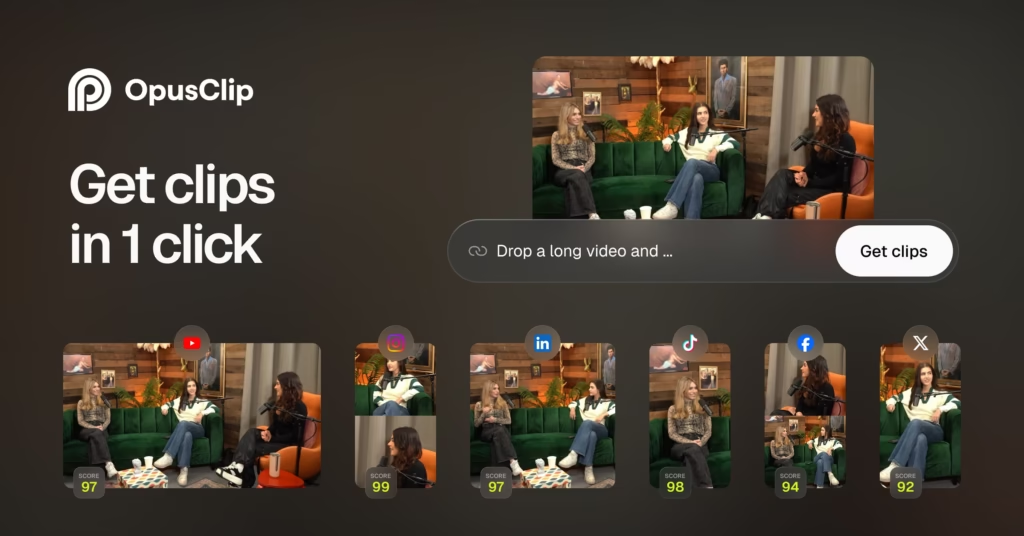
It all starts with the raw material. You simply copy the link to a YouTube video or upload your own file directly to the platform. This is the essential starting point.
Next, click the button to start the analysis. There’s nothing more to do.
After a few minutes, the tool displays a list of automatically generated clips. You can then preview them, adjust them if needed, and download them quickly. This is where Opus Clip helps novice creators save time. The process is truly streamlined.
Game-changing automatic functions
Let’s talk first about animated subtitles. The tool adds them automatically, which is essential for capturing attention on social media. It even highlights important words in color. This saves a huge amount of time.
Next, there’s the AI Reframe function. It crops the video so that the main subject always remains in the center of the image. The vertical format then becomes flawless.
Finally, discover the famous “Viral Score.” Each clip receives a precise score from AI to help you choose the best excerpts. No more guessing.
The free offer: a real springboard or just a demo?
What you really get without paying
You get 60 minutes of video editing time every month for free. It’s a recurring credit that renews automatically without any action required from you. The good news is, that’s more than enough to start your channel at no cost.
In practical terms, with these 60 minutes, you can generate about ten clips to test the tool. That’s enough to see if the magic works on your own images.
Don’t forget the 7-day free trial of the Pro plan, often offered upon registration. It provides 90 minutes of treatment and temporary access to advanced features. This is a limited-time opportunity, so take advantage of it to explore everything thoroughly.
The constraints to be aware of before starting
Let’s address the major problem: the watermark embedded in the image. Videos generated with the free plan display the Opus Clip logo, which looks unprofessional. For aspiring Opus Clip creators, this is a definite visual drawback.
There are also strict restrictions on exporting the final files. You only have 3 days to download your clips before they disappear. If you forget, you permanently lose your hard-earned content.
In fact, this free version is perfect for getting started without risk. But to publish regularly without a brand, paying becomes inevitable.
My verdict: Opus Clip, a good bet to start with?
So, in the end, is it really worth getting into when you’re starting from scratch? Here’s my opinion after weighing the pros and cons.
The real advantages when you’re starting out
Let’s be honest: video editing is often the bane of new creators. Opus Clip removes this technical barrier almost entirely in just a few clicks. You can transform a long video into dozens of clips without spending all night on it. It’s a monumental time saver.
This allows you to “throw ideas around” to see what sticks. This way, you can quickly test your audience with minimal risk.
No matter your niche, the tool adapts thanks to its “ClipAnything” AI. Whether you’re into gaming, tutorials, or vlogs, it identifies the key moments.
Some tips to make AI work for you
Tip: The quality of your source file is crucial for good results. Speak clearly and stay directly facing the camera. AI needs clear visual and auditory cues to perform effectively.
Avoid long silences or passages where nothing happens. The algorithm looks for dynamic peaks of interest.
Pay close attention to your lighting and ensure you have impeccable sound from the start. If the source material is poor, even the best AI won’t work miracles. A clean source guarantees truly usable results for aspiring video creators.
In short: who is Opus Clip made for?
It’s the perfect tool for creators who have long videos but lack the time for editing. You don’t need any technical skills to adapt your content. It’s a real accelerator for gaining traction on social media.
With the free option to start, the investment is zero but the potential return is enormous. It’s an excellent entry point to get started.
If you want to judge for yourself, the best thing to do is try it. Learn more about Opus Clip , see prices , or try it for free .
Opus Clip is the perfect solution if you’re a beginner and video editing intimidates you. This tool transforms your long videos into publishable clips in minutes. It’s a huge time saver. The best way to find out is to try it yourself. Try it for free now.



Leave a Reply