

If you’re looking for an honest review of Luminar Neo , you’ve come to the right place. I’ve been using this photo editing software for several months now, for everything from travel photos to portraits, Instagram posts, and more creative projects. In this article, I’ll share my complete experience: its strengths, limitations, real-world use cases, and who I highly recommend Luminar Neo to.
Et si tu veux te faire ton propre avis, je t’offre -10% sur l’achat de Luminar Neo avec mon code promo BLI10, directement sur le site officiel.

What is Luminar Neo?
Luminar Neo is a photo editing software developed by Skylum. What makes it unique? Its advanced use of artificial intelligence to simplify the work of photographers, even beginners.
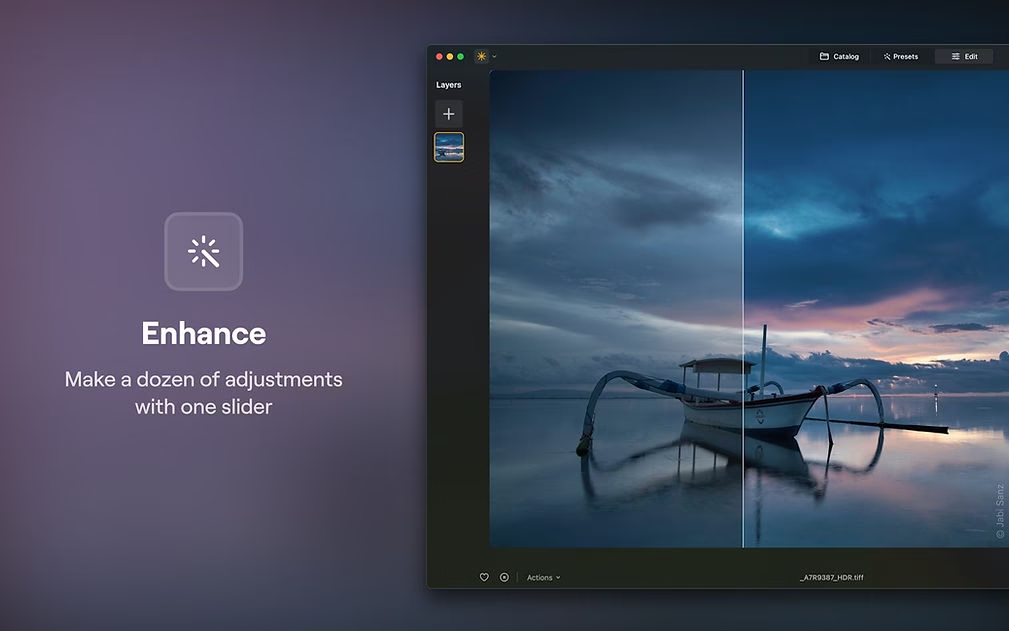
You can replace a sky with a single click, automatically remove unwanted objects, enhance a portrait in two seconds—all with a fluid, modern, and well-designed interface. Luminar Neo is also capable of handling complex workflows with multiple layers, advanced effects, and local adjustments. It caters to both amateur photographers and demanding content creators.

What I liked about Luminar Neo
1. Amazing artificial intelligence
This is Luminar Neo’s greatest strength. The Relight AI tool adjusts lighting as if you were using a studio light, Skin AI smooths skin without distorting it, and Remove Powerlines makes electrical cables disappear like magic. There’s also Atmosphere AI , which adds ultra-realistic fog, and Structure AI, which enhances sharpness without compromising detail.
2. Fast and professional results
No need to spend hours on it. In just a few clicks, your photo goes from “meh” to “wow.” It’s a huge time saver, especially when you’re editing a whole series of photos. You can even create custom presets to apply a consistent look to all your images. It’s incredibly useful for maintaining a visual identity on an Instagram account or in a professional portfolio.
3. Frequent and relevant updates
Skylum frequently adds new features. For example, the Auto Adjust tool, which automatically adjusts basic settings like exposure, contrast, and shadows, is a real plus for beginners. The team listens to its users, and it shows. We’ve recently seen improved cache management, a new and enhanced export interface, and even support for the DNG format.
4. Easy integration into your existing workflow
You can use Luminar Neo as a standalone application or as a plugin for Lightroom and Photoshop. It’s perfect if you want to combine the best of both worlds: the raw power of Adobe with the speed and artificial intelligence of Luminar. You can also export in various formats and resolutions to suit your needs (social media, print, web, etc.).
Why Luminar Neo Makes a Difference
Luminar Neo doesn’t try to imitate ultra-complex software. On the contrary, it shines with its remarkably effective simplicity . Where other tools require hours of learning, Luminar Neo relies on artificial intelligence to transform your photos in just a few clicks—without sacrificing quality.
And for those who want access to the latest features like Auto Adjust , all you need is an active subscription. Skylum is constantly evolving Luminar Neo, and the most powerful new features are reserved for users with a current license. It’s a smart way to ensure you always get the best of photo AI, without ending up with a version stuck in the past.
Finally, in terms of performance, Luminar Neo is optimized to get the most out of your computer. But don’t worry: you can try the software for free for 7 days to see if it suits your machine—and your style.
Who do I recommend Luminar Neo to?
- For beginner or amateur photographers who want to enhance their photos without spending months learning Photoshop. AI does much of the work for you.
- For content creators (bloggers, YouTubers, influencers) who want impactful images for Instagram, YouTube, Pinterest or their blogs.
- For professionals who want to speed up simple and repetitive tasks, thanks to AI. Ideal for retouching batch photos, creating consistent looks, or automating certain steps.
- For travelers who want to enhance their photos without spending too much time on their computer. I edited all my Asian photos with Luminar Neo, often from a café with my laptop.
My final verdict
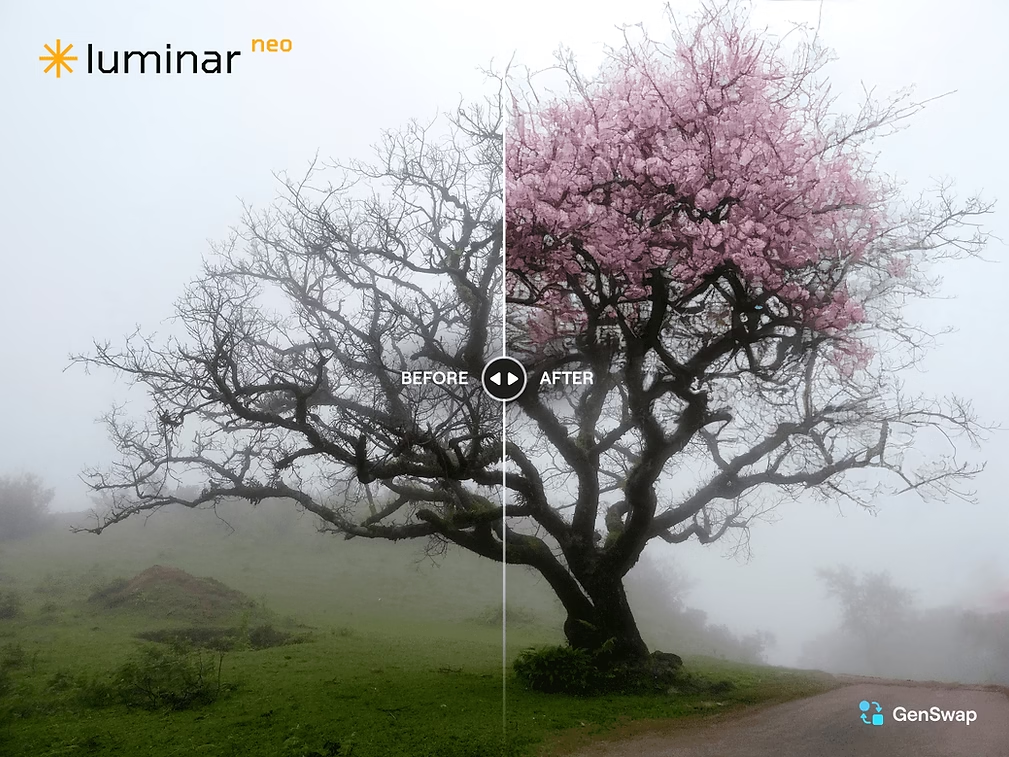
Honestly, I wholeheartedly recommend Luminar Neo for 90% of your photography needs. It’s simple, fast, creative, and delivers fantastic results effortlessly. The AI tools are incredibly powerful and the results are stunning. And with regular updates, the software is becoming increasingly comprehensive and versatile.
If you’re new to photo editing or want to save time in your workflow, this is a tool that can really help you take your skills to the next level.
👉 Tu peux tester gratuitement Luminar Neo pendant 7 jours via ce lien d’essai, et si tu es convaincu, pense à utiliser le code BLI10 pour obtenir 10% de réduction sur ton achat via ce lien officiel.
See you soon for more photo software reviews!
Publications similaires :
 The Ultimate Creative Bundle for Luminar NEO & Lightroom at a Mini Price
 🎓 Luminar NEO Training: Boost your creativity with the Photo Mastery Toolkit
 Luminar Neo arrives on Android: photo editing AI in your pocket!
 Luminar Mobile: the AI-powered photo editor arrives on iPhone, iPad, Android and Vision Pro


Leave a Reply