
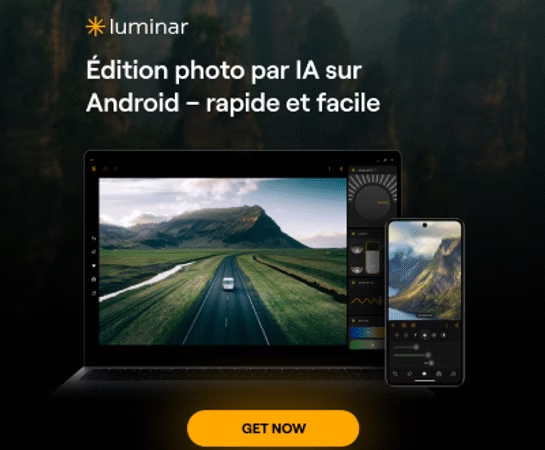
Do you dream of editing your photos like a pro, directly from your smartphone or tablet? With the arrival of Luminar Mobile , it’s now possible. Skylum, the publisher of the famous Luminar Neo software, has taken a major step forward by making its AI-powered editing tools accessible on iPhone, iPad, Android, Chromebook, and even Apple Vision Pro .
Whether you’re an amateur photographer, content creator, or simply passionate about images, this mobile version lets you edit your photos with astonishing ease, wherever you are. Need to replace a sky, smooth skin, or add an artistic effect? It’s all done in just a few taps.
Et la bonne nouvelle, c’est que vous pouvez tester gratuitement Luminar Mobile pendant 7 jours via ce lien d’essai. Et si l’outil vous plaît, pensez à utiliser mon code promo BLI10 pour obtenir -10 % sur l’achat de Luminar Neo: c’est par ici !

What is Luminar Mobile?
Luminar Mobile is the portable and ultra-intuitive version of Luminar Neo, designed for those who want to edit their photos professionally… without a computer. Initially launched as an iPad app, the project quickly evolved into a complete mobile solution, now available on iPhone , Android , Chromebook , and even Apple Vision Pro .
This natural extension of the Skylum universe allows you to enjoy the same AI-powered editing engine, but in a format designed for mobile ergonomics. The goal? To offer all creatives — beginners and experienced alike — the opportunity to transform their photos into impactful works, directly from their mobile device , wherever they are, as soon as inspiration strikes.
On which platforms is Luminar Mobile available?
Luminar Mobile is now available on the vast majority of devices, for smooth and creative photo editing, wherever you are:
- iPhone and iPad : The app is fully integrated into the Apple ecosystem, with Apple Pencil compatibility for iPad users. Download it directly here 👉 Luminar NEO Mobile
- Android and Chromebook devices : thanks to a partnership with Google, Luminar Mobile is also available on Google Play , with an interface optimized for foldable screens, tablets and Chromebooks.
- Apple Vision Pro : for fans of immersive technology, Luminar Mobile even offers a version adapted for mixed reality, to edit photos in a 3D space.
And good news: if you were already using Luminar on iPad, the upgrade to Luminar Mobile is free via your existing subscription.
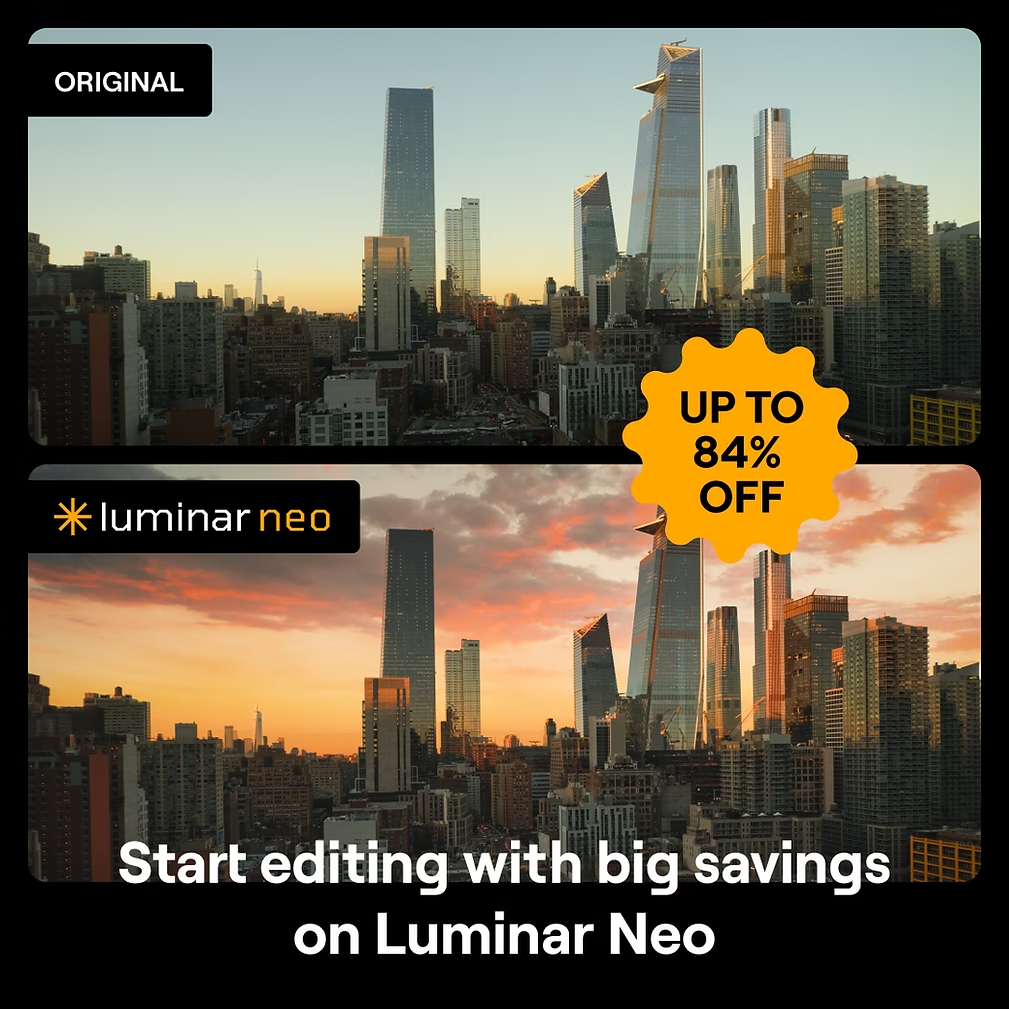
💡 Profitez de l’essai gratuit 7 jours ici → Essai gratuit Luminar Neo🎁 Et pensez à utiliser le code promo BLI10 pour -10 % sur votre achat de Luminar Neo : Accéder à l’offre
Key features of Luminar Mobile
What makes Luminar Mobile so powerful are its AI-powered editing tools, designed to save you time without sacrificing quality. Whether you’re on iPhone, Android, or iPad, you have access to a complete creative toolkit, right at your fingertips.
- Enhance AI : a single command to adjust exposure, contrast, saturation, details… A real instant boost.
- Skin AI : smooths skin, corrects imperfections while maintaining a natural texture. Perfect for portraits.
- Body AI : subtly refines or rebalances body proportions without distorting the background.
- Sky AI : automatically detects the sky and replaces it with a new ambiance (sunset, dramatic sky, etc.) with realistic reflections.
- AI Atmosphere : adds fog or mist for a cinematic atmosphere, while respecting the depth of the image.
- Relight AI : adjusts light in 3D, ideal for correcting a backlit photo or enhancing the atmosphere of a shot.
And of course, Luminar Mobile wouldn’t be complete without its essential tools: cropping, color correction, black and white, mood filters, fine details, object removal, etc.
📱 Prêt à essayer ? Profitez de l’essai gratuit 7 jours ici🔥 Pour aller plus loin, débloquez toutes les fonctionnalités de Luminar Neo avec -10 % grâce au code BLI10
A touch interface designed for mobile
With Luminar Mobile , Skylum didn’t just “port” its desktop software. The interface was completely redesigned to take full advantage of touchscreens, whether on smartphones, tablets, Chromebooks, or Vision Pro devices .
The gestures are fluid and intuitive, and each interaction is accompanied by subtle sound and visual effects that make the editing experience even more enjoyable. On iPad, the Apple Pencil offers incredible precision for masks and localized adjustments. And on Android devices, even foldable or widescreen formats benefit from a perfect adaptation.
In short, wherever you are, whether you use your fingers or a stylus, you have a real photo studio in your pocket .
👉 Testez-le gratuitement ici : 7 jours d’essai offerts🎁 Et pensez au code promo BLI10 pour -10 % sur Luminar Neo
Subscription rates and options
Luminar Mobile offers several plans to suit your budget and usage, whether you are an occasional user or a regular creative:
- Monthly subscription : €3.99 to try it out with no commitment.
- 6-month subscription : €15.99 (economical for seasonal users).
- Annual subscription : €23.99 with a 7-day free trial included.
- Already subscribed to Luminar for iPad? Good news: the update to Luminar Mobile is free and covers use on iPhone, iPad and Vision Pro.
Et si vous souhaitez profiter de la version complète sur desktop (PC/Mac) avec encore plus de fonctionnalités, Luminar Neo est disponible ici avec -10 % de réduction grâce à mon code promo BLI10.
🧪 Take advantage of the free trial here to test it risk-free on your mobile!
Why choose Luminar Mobile for photo editing?
Today, photo editing is no longer limited to a powerful computer or complex software. Luminar Mobile offers a simple, fast, and powerful solution , right in your pocket. Thanks to its intelligent tools, you can transform your photos into true works of art in just a few taps —whether for Instagram, your travel memories, or your professional portfolio.
The app is ideal for:
- amateur photographers who want to improve without stressing themselves out,
- content creators who publish from their phones,
- professionals who want to retouch on the go without sacrificing quality.
AI takes care of the more technical aspects, you retain artistic control.
🎁 Et n’oubliez pas : vous pouvez tester Luminar Mobile gratuitement pendant 7 jours, et bénéficier de -10 % sur Luminar Neo avec le code BLI10.
How to download Luminar Mobile?
Ready to discover the power of AI-powered photo editing on mobile? Here’s where to download Luminar Mobile in just a few clicks:
📲 iPhone, iPad and Vision Pro 👉 Download Luminar NEO Mobile here
📱 Android and Chromebook devices 👉 Available on Google Play
💡 To get started, take advantage of the free 7-day trial here , with no obligation.
Et pour débloquer encore plus de fonctionnalités sur ordinateur, pensez à Luminar Neo version desktop avec -10 % de réduction grâce au code BLI10.

Conclusion
With Luminar Mobile , Skylum finally makes professional photo editing accessible anytime, anywhere. Whether you’re traveling, commuting, or simply sharing your latest shots on social media, you now have a true creative studio in your pocket.
With its ultra-intuitive interface, powerful AI-based tools and extensive compatibility, Luminar Mobile is poised to become the must-have photo app of 2025 .
🎁 Testez-la gratuitement et utilisez le code BLI10 pour économiser 10 % sur l’achat de Luminar Neo : c’est par ici !




Leave a Reply