
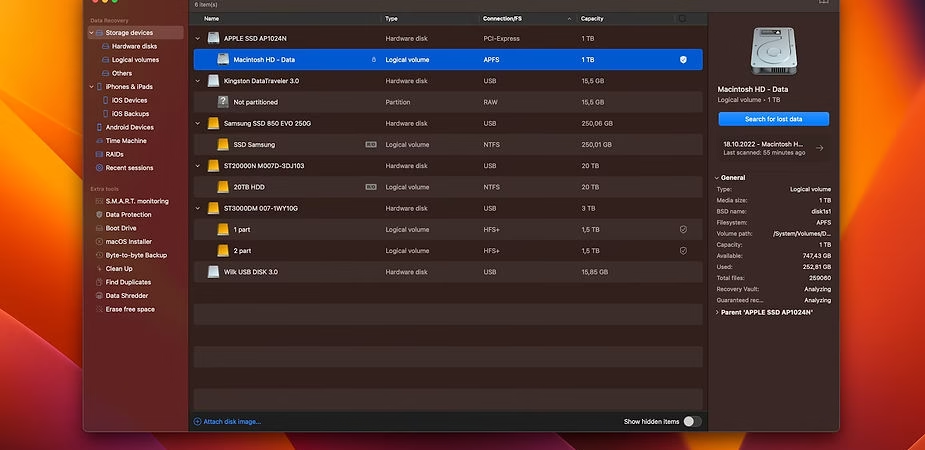
Have you accidentally deleted important files on your Mac and are looking for an effective way to recover them? Disk Drill is one of the best tools available for restoring your lost data, and the good news is that it’s included in a Setapp subscription. With this solution, you can recover your files quickly and easily without breaking the bank. In this article, we’ll introduce you to Disk Drill , its features, and show you how Setapp gives you access to this essential Mac data recovery tool.
What is Disk Drill?
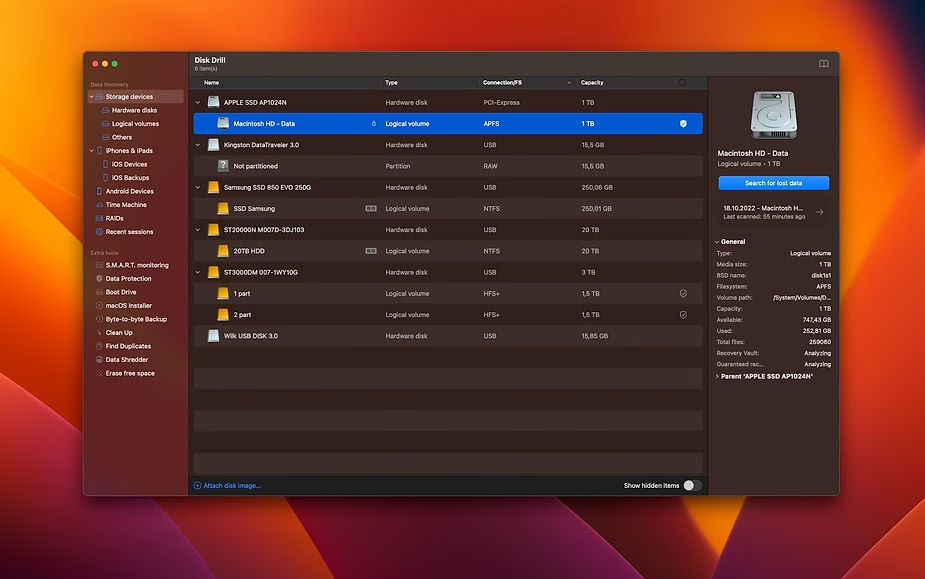
Disk Drill is a powerful data recovery software designed for macOS. It can recover deleted files, whether documents, photos, videos, or even entire partitions. Its user-friendly interface allows any user, even without advanced technical skills, to recover lost files on their Mac. Whether you accidentally emptied the Trash or lost files due to a hard drive problem, Disk Drill is there to help.
The tool uses advanced data recovery algorithms that can deeply scan your disks and detect files that can still be recovered. In addition, Disk Drill offers a data protection feature that helps prevent future loss of important files with its Recovery Vault function, which protects your files in real time.
How to recover files on your Mac using Setapp and Disk Drill?
With Setapp , you can access Disk Drill without having to purchase an individual license for the software. Setapp is a platform that offers over 240 premium applications for a monthly or annual subscription, making it a particularly affordable option for obtaining Disk Drill and other useful tools. Here’s how to recover files on your Mac using Disk Drill through Setapp :
- Download and install Setapp : The first step is to subscribe to Setapp and install the application on your Mac. Once Setapp is installed, you will have access to its entire catalog of applications.
- Search for Disk Drill : Use Setapp’s built-in search engine to find Disk Drill and install it on your computer.
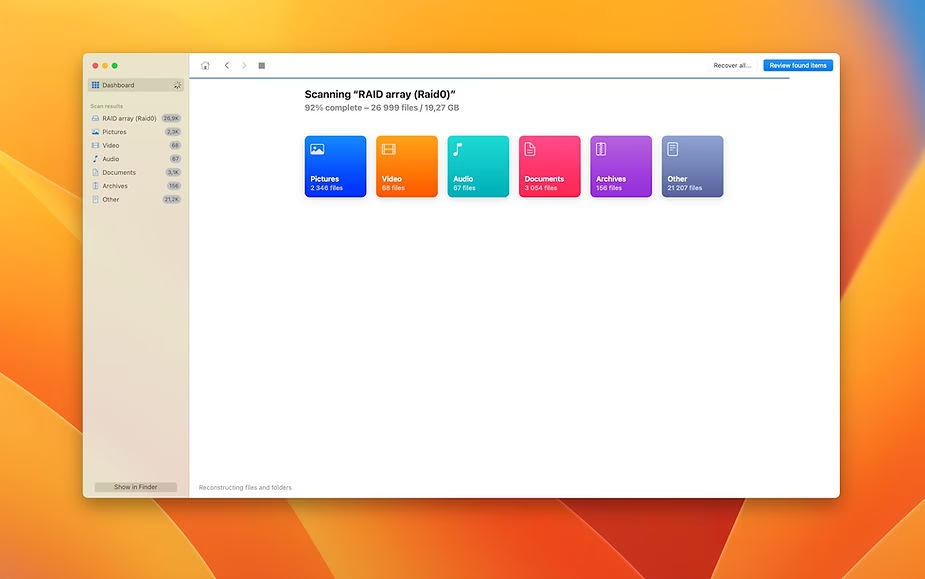
- Launch Disk Drill and begin the recovery process : Open Disk Drill and select the disk or partition from which you want to recover files. Then, start the scan so the software can find recoverable files.
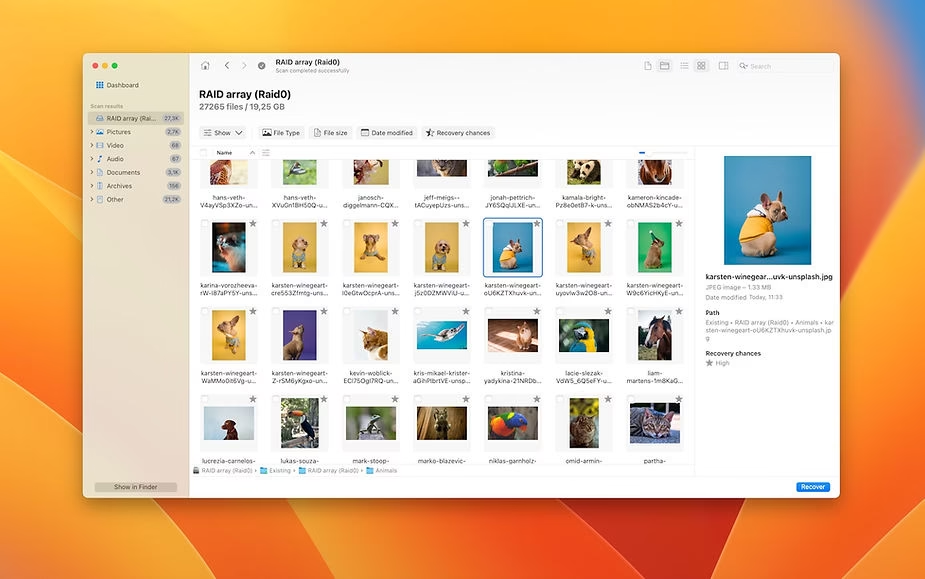
- Recover your files : Once the scan is complete, Disk Drill will display a list of recoverable files. Select the ones you want to restore, and then click the Recover button.
Thanks to Setapp , you can access Disk Drill without having to worry about license fees or updates, which are automatically included in your subscription.
Why choose Disk Drill with Setapp to recover files on Mac?
- An economical solution : With Setapp , you can access Disk Drill for an affordable monthly price, along with other premium applications. Instead of paying a single license for each application, Setapp lets you get all the tools you need for one fixed price.
- Always included updates : By using Setapp , you don’t have to worry about Disk Drill updates. These are automatically included in your subscription, allowing you to work with the latest version at no extra cost.
- A diverse catalog of applications : In addition to Disk Drill , Setapp gives you access to a variety of tools for productivity, project management, content creation, and much more. This allows you to discover and use many other applications to enrich your Mac experience.
- Ease of installation and use : With Setapp , you can easily install Disk Drill and all other applications available on the platform. Everything is managed through a centralized interface, which greatly simplifies the installation and use of the software you need.
My opinion on Disk Drill and Setapp
After using Disk Drill via Setapp , I’m convinced it’s one of the best solutions for recovering files on a Mac. Its interface is very intuitive, and its data recovery features are both powerful and efficient. Whether you’ve lost files accidentally or due to a crash, Disk Drill offers a simple and reliable way to restore your data.
Subscribing to Setapp adds even more value, as it grants access not only to Disk Drill but also to a vast collection of premium applications, without having to pay for each license individually. This greatly simplifies software management and ensures you always have the latest version of each application at no extra cost.
Conclusion: How to recover files on your Mac with Disk Drill using Setapp
If you’re wondering how to recover files on your Mac, Disk Drill is the perfect solution. With Setapp , you can access Disk Drill affordably, along with many other tools to optimize your Mac usage. A Setapp subscription is a cost-effective solution that gives you all the tools you need for data recovery, productivity, and much more.
Ultimately, whether you’re a professional or casual user, Disk Drill is an indispensable tool for recovering lost files, and Setapp makes it hassle-free. Try Setapp today and discover everything Disk Drill can do to help you recover your valuable data on your Mac!




Leave a Reply