
Are you still spending your evenings manually editing your videos and desperately searching for a way to automate your content strategy and video clip creation to finally save time? This tool uses artificial intelligence to transform your long videos into a multitude of viral shorts, perfectly cropped and subtitled for your social media platforms like TikTok or Instagram. We’ll show you the simple method right now to set up your account, generate your clips in a single click, and finally publish quality content regularly to boost your visibility without any technical effort.
What exactly is Opus Clip? The principle of automation
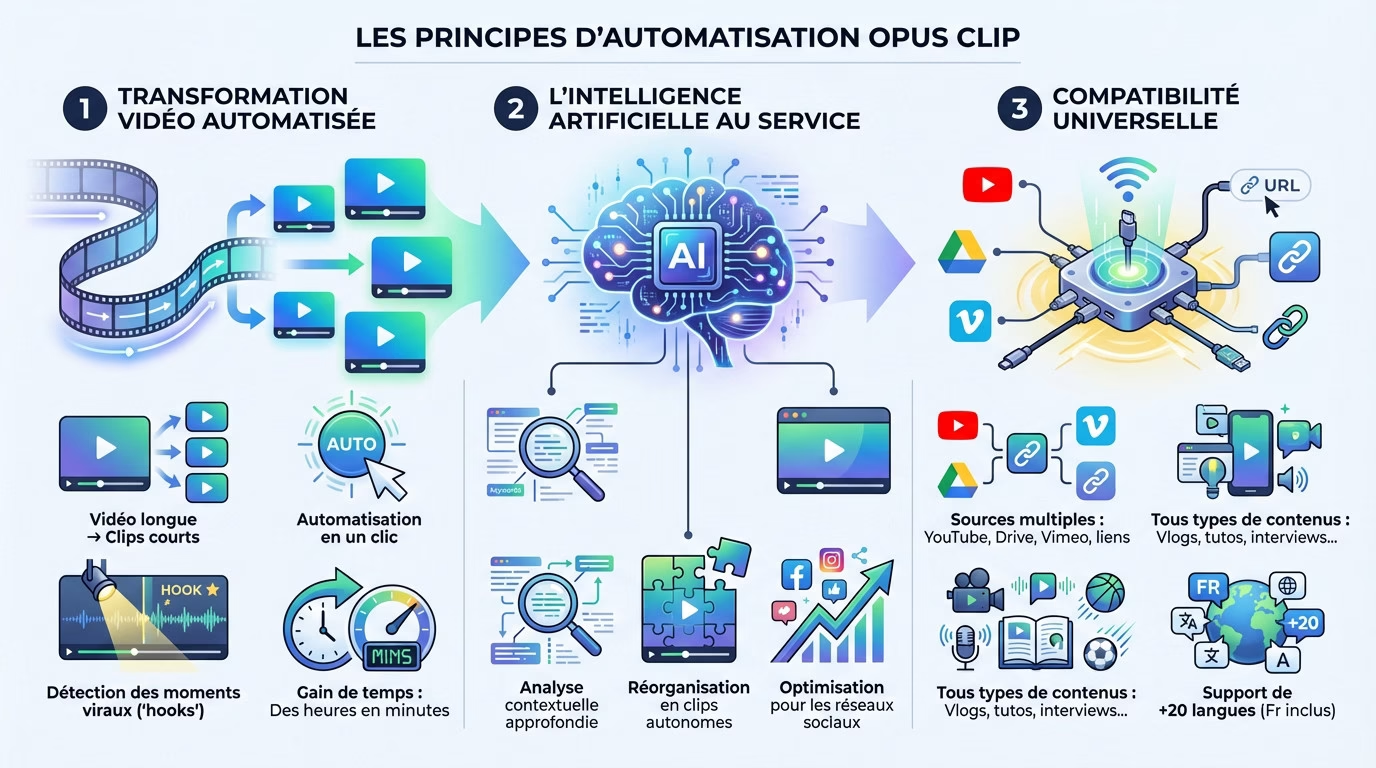
Transforming a long video into ten clips
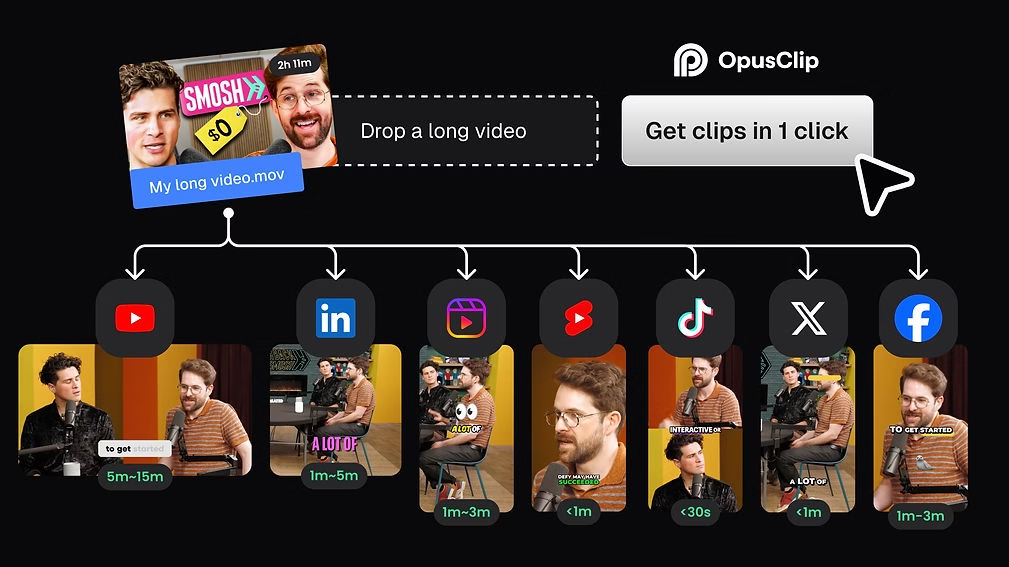
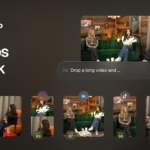
Do you have an hour-long podcast or interview gathering dust on your hard drive? Opus Clip will cut it up for you. With a single click, the tool transforms this long format into a dozen ready-to-use short videos. It’s the ideal way to automate your Opus Clip content strategy without wasting time. But be warned, it doesn’t cut randomly. It identifies the “hooks”—those impactful moments—to create clips with high viral potential. You can thus go from several hours of manual editing to just a few minutes of waiting.
AI that analyzes and reorganizes for you
Here, artificial intelligence does most of the work for you. It scans your video to understand the context and identify the most interesting parts. It’s not just a simple, mindless copy-paste. The AI rearranges the sequences to tell a coherent and self-contained story. The best part? It uses an analysis of current social media trends. It therefore selects the clips that are statistically most likely to resonate with your audience.
Extensive compatibility to leave nothing out
No need to juggle large files. You can import your sources directly from YouTube, Google Drive, Vimeo, or via a direct link. Whether you’re producing candid interviews, travel vlogs, or tutorials, it works perfectly. The tool supports over 20 languages, including French. So now’s the time to take advantage of it and reach your local audience without any technical barriers.
Features that truly save time
Cropping and subtitles, effortless
No more headaches with manual formatting for each network. With the “AI Reframe” function, the tool automatically adapts the video format, switching from landscape to square or vertical depending on the target platform.
Even more impressively, the AI provides subject tracking worthy of a professional cameraman. It ensures that the person speaking always remains perfectly centered in the image, even if they move, which is vital for visual quality.
Finally, “AI Captions” generate and animate subtitles with stunning precision. This has become essential for capturing attention.
Enhance your videos with b-roll and your own sound
Want to avoid visual boredom? The “AI B-Roll” function inserts relevant cutaway shots that illustrate what is being said and instantly energize the video.
Good news, it only takes a minute. It’s a research and calibration task that would normally take hours if you did it manually.
Let’s also talk about “AI Audio Enhance”. This tool cleans up the sound to make it clearer and crisper, without any manual effort on your part.
Maintaining a consistent brand identity
To automate your content strategy without losing your identity, rely on “Brand Templates.” You can create a unique template with your own fonts, colors, and logo, which is key to automating your visual identity.
Once configured, this graphic template can be applied to all clips with a single click.
Also consider the option of adding a custom intro and outro. This reinforces your brand with every view.
Setting up your workflow with Opus Clip
Having powerful features at your fingertips is great. But how does all of that actually fit into a real creative process? Here’s exactly how to organize your work to save precious time.
The overall process: import, generate, export
To get started, simply copy the URL of your YouTube video or import the file from your computer. The tool also accepts various sources such as Zoom or Google Drive, offering complete flexibility in retrieving your source media.
Next, AI takes over. It analyzes the content to identify viral sequences and reformats them. This is the key step for effectively automating your content strategy, as the system works completely autonomously while you do other things.
Once the processing is complete, download your optimized clips. They are ready to be shared immediately on your favorite social media platforms.
The human touch: adjusting the generated clips
Remember, automation doesn’t eliminate the need for quality control. Even with powerful technology, your oversight ensures a professional result. It’s best to take a quick look to make sure everything perfectly matches your style and expectations.
For example, adjust the framing via the “Manual Reframe” option or correct a mistranscribed word in the AI-animated subtitles.
This validation step takes two minutes, but it ensures impeccable quality before presenting the content to your audience.
Managing projects as a team
If you work in a team, activate “Team Workspace”. This is a centralized collaborative space that allows you to manage projects without sharing your personal login details, which greatly enhances security and streamlines daily communication for the entire organization.
Your team members can edit the same videos, use shared brand templates, and draw from common resources. Everyone stays aligned with the brand guidelines effortlessly.
This is a massive advantage for agencies or marketing teams that need to produce volume without ever losing consistency.
Integrating Opus Clip into your publishing strategy
Creating clips is the first step. But the real automation of the strategy lies in thinking about distribution. Let’s see how Opus Clip helps with this.
Schedule your posts directly from the tool
No more juggling files. The “Social Scheduler” is a publishing scheduler integrated directly into the heart of Opus Clip. So you don’t need to download everything to your hard drive and then re-upload it all elsewhere.
You can schedule the broadcast of clips on various social media platforms like TikTok or YouTube in just a few clicks. All that’s left is to confirm the schedule.
This literally allows you to prepare a full month of viral content in a very short time.
Boost automation with APIs and connectors
If you want to take things to the next level, the API is a real gateway. It allows you to connect Opus Clip to other tools, such as your CMS, to further streamline the process without cumbersome manual intervention.
In practical terms, tools like Zapier can be used to trigger automatic actions without coding.
This is the key to creating a content pipeline that operates almost 100% automatically.
Publish more often to stay visible
The goal is simple: automate your content strategy with Opus Clip to save time. The tool allows you to publish up to five times faster.
This is a huge advantage, because a consistent presence on social media is a key factor for the mechanical growth of your audience.
This is the best way to never run out of fresh content to publish for your community again.
The outcome: for whom and at what price?
So, in the end, is this tool right for you? Let’s take a look at the profiles concerned and the budgets to plan for.
The ideal profile: creators, marketers, and podcasters
If you’re a YouTuber or vlogger, this tool is definitely for you. It does all the editing work for your Shorts or TikToks without you having to spend your nights on it.
Podcasters who record their sessions will also love the concept. It’s the fastest way to recycle an hour of discussion into dozens of viral gems ready to be shared.
Finally, marketing teams and agencies benefit from this for managing volume. They often need to produce quickly for multiple clients, and this time saving becomes a real productivity weapon.
A tool for all budgets?
Good news, there’s a “Free forever” plan with 60 monthly credits. It’s perfect for testing the app risk-free, although you’ll have to deal with a watermark and the inability to manually edit your clips.
For more regular needs, the Starter ($15) and Pro ($29) plans unlock logo-free export and advanced options.
If you manage a large team, the Business plan is essential. It simplifies teamwork, a key factor for collaboration.
The verdict: should we adopt it?
My opinion is clear: go for it if editing short videos is hindering your current growth. However, if you’re not already producing long-form videos, the tool won’t be of any use to you.
Keep in mind that AI does not replace vision, it just allows you to automate your content strategy with Opus Clip to go faster.
The best thing to do is form your own opinion. You can find out more about Opus Clip on their website, see the prices in detail, or even try it for free to judge for yourself.
Opus Clip is ideal if mounting is a concern, but it doesn’t replace your vision. The best way to find out is to try it out. You can learn more about Opus Clip , see prices , or try it for free to form your own opinion.


Leave a Reply