
Mounting a GoPro on a helmet is a popular way to capture immersive videos, whether you’re motorcycling, mountain biking, or enjoying other outdoor activities. This approach allows you to record your adventures hands-free, making it ideal for extreme sports, leisurely rides, and hikes. In this article, we’ll explain how to securely mount your GoPro on a helmet using two handy accessories:
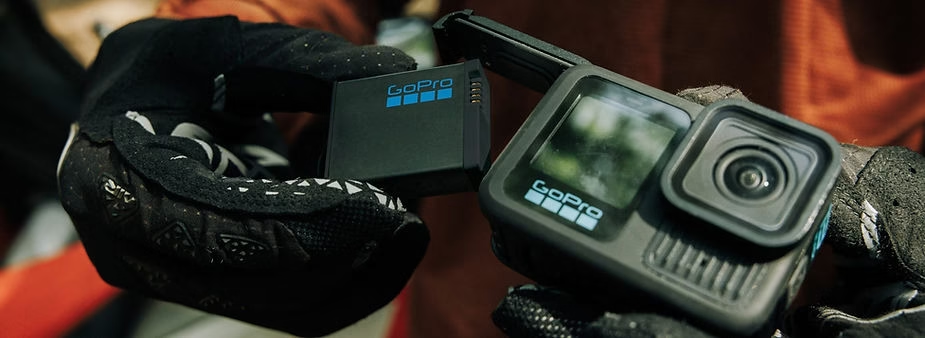
Why attach a GoPro to a helmet?
Attaching a GoPro to a helmet offers several undeniable advantages:
- Immersive perspectives : Capture what you see from a natural perspective, as if the viewer were in your place. This makes your videos more captivating and engaging.
- Increased stability : Natural head movements act as additional mechanical stabilization, reducing shake for smoother videos.
- Versatility : Ideal for a variety of activities, such as extreme sports, motorcycle rides, hiking, and even downhill skiing.
- Comfort : Mounting on a helmet allows you to film without holding the camera, leaving you free to concentrate on your activity.
1. Attach a GoPro with the Amazon Basics headband
The Amazon Basics headband is a simple and effective solution for mounting your GoPro on a helmet. Designed to fit various helmet types, this accessory is easy to use and particularly suitable for beginners.
Installation steps:
- Prepare the headband : Unpack the Amazon Basics headband and make sure it is clean and in good condition. Check the elastic bands to ensure they provide a secure fit.
- Position the headband on the helmet : Adjust the elastic headband around the helmet, ensuring it is centered and held securely. Make sure it does not slip, even during sudden movements.
- Attach the GoPro: Use the included clip to secure the camera to the headband mount. Press firmly to ensure a stable attachment.
- Adjust the angle : Position the camera to the desired viewing angle. Perform a few test shots to verify that the lens captures exactly what you want.
Advantages of the Amazon Basics headband:
- Ease of installation : No tools or technical knowledge required.
- Universal compatibility : Fits most GoPro models and various types of helmets.
- Affordable price : An ideal budget-friendly solution for beginners or occasional users.
- Lightweight : Does not add significant weight to the helmet, making it comfortable for long sessions.
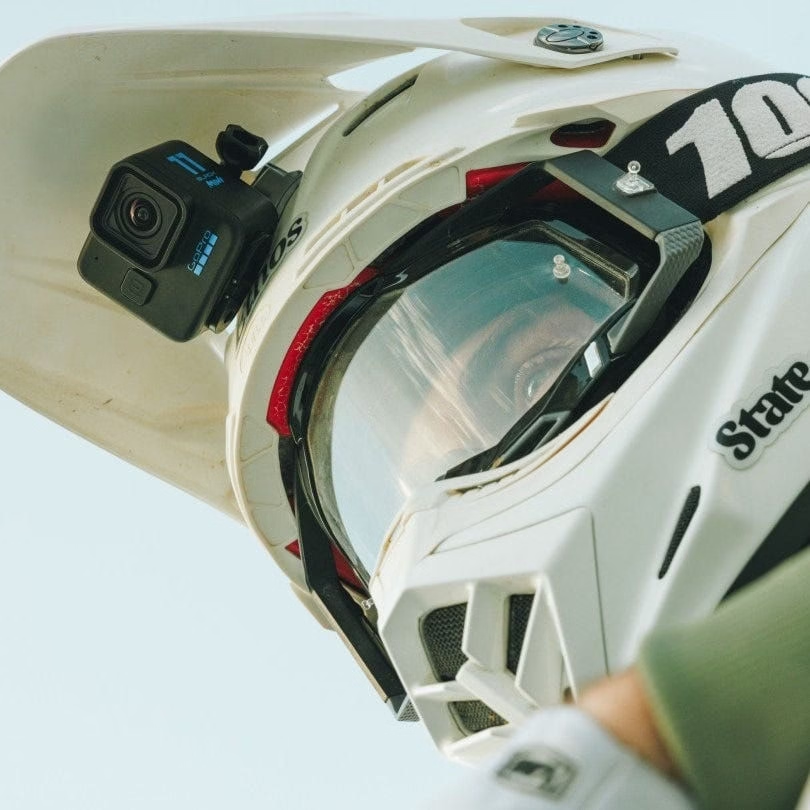
2. Attach a GoPro with the TELESIN chin mount
For motorcycle or sports enthusiasts requiring a more secure and professional mounting system, the TELESIN chin mount is an ideal option. This innovative mount offers a unique frontal viewing angle, perfect for capturing spectacular videos during your rides.
Installation steps:
- Prepare the mount : Check that the TELESIN mount is clean and that the anti-slip silicone is in good condition. Also clean the surface of the helmet for better grip.
- Place the support on the chin of the helmet : Position the support on the lower front part of the helmet, ensuring that it is centered.
- Secure the straps : Attach the straps around the helmet and tighten them firmly. The non-slip silicone ensures optimal stability, even during bumps and jolts.
- Install the GoPro: Attach the camera to the mount and adjust the angle as needed. Do a few test shots to ensure the camera is properly oriented.
Advantages of the TELESIN chin support:
- Exceptional stability : The strong straps and non-slip silicone ensure a reliable fit, even at high speeds.
- Frontal viewing angle : Capture immersive videos from a natural and dynamic perspective.
- Wide compatibility : Works with a wide range of action cameras, including GoPro , DJI Osmo, and Insta360.
- Durable resistance : Designed to withstand the most demanding conditions, such as rain or vibrations.

Amazon Basics Fixation Bandeau
Une solution simple et abordable pour fixer votre GoPro sur votre casque. Idéal pour les débutants.
Acheter sur Amazon
TELESIN Support de Menton
Un support sécurisé pour un angle de vue frontal spectaculaire. Parfait pour les amateurs de moto et de sports.
Acheter sur AmazonTips for perfect videos
- Use HyperSmooth stabilization : Recent GoPro models incorporate advanced stabilization technology that ensures smooth videos, even during fast movements.
- Check the angles before filming : Take the time to do some test shots to perfectly adjust your camera angle. This can save hours of editing.
- Secure the attachment : Regularly check that the support is securely attached, especially during intense or prolonged activities.
- Protect your equipment : Use waterproof covers for your GoPro if you plan to film in the rain or in humid environments.
Conclusion
Mounting a GoPro to a helmet is an incredibly practical way to capture your adventures from a unique and immersive perspective. Whether you choose the Amazon Basics headband for its simplicity or the TELESIN chin mount for its stability and frontal angle, these accessories will provide you with spectacular videos. Take the time to properly set up your equipment, carefully adjust the angles, and confidently embark on your adventure, ready to capture every memorable moment in exceptional quality. With the right mount, your GoPro will become your ideal companion for sharing your exploits with the world.


Leave a Reply