
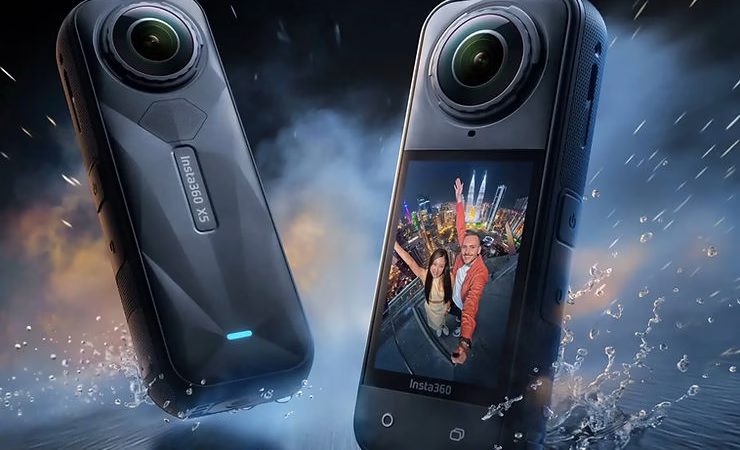
The Insta360 X5 is much more than just a 360° camera. It is a real pocket-sized creative studio. With powerful AI features, 8K recording, and FlowState stabilization, it opens the door to a wealth of spectacular and accessible visual effects. Whether you’re a content creator, vlogger or just an enthusiast, here are 5 creative effects you should try to boost your videos.

1. The Tiny Planet Effect
The “Tiny Planet” effect transforms your surroundings into a miniaturized sphere with you in the center of the frame. Ideal for:
- Showcase spectacular landscapes
- Create an original introduction
- Give a “living postcard” effect
How to make it:
- Enable Tiny Planet cropping in the Insta360 app or via Insta360 Studio
- Turns the camera towards the sky or ground to accentuate the effect

2. Bullet Time 3.0
A modernized classic: with Bullet Time, the camera rotates around you in spectacular slow motion, just like in “The Matrix”.
To activate it:
- Use the Bullet Time Cord or Bullet Time Handle
- Choose Bullet Time mode in the X5
- Rotate while holding the camera at shoulder height or above your head
This effect is perfect for scenes of sports, dance, or dynamic events.
3. Dynamic Crop (Deep Track 3.0 + Keyframe)
With the Deep Track 3.0 function and keyframes, you can create cinematic camera movements without ever touching the camera while filming.
Ideal for:
- Vlogs
- Product Videos
- Tracking people or animals
How to do it:
- In the Insta360 or Insta360 Studio app, enable AI tracking on a topic
- Adds keyframes to simulate zooming, panning, or tracking
4. Freeze Frame + Dramatic Zoom
Combines a freeze frame with a quick zoom or slow motion to emphasize a highlight:
- Reactions in a vlog
- Fall or trick in sport
- Discovery or surprise in a sequence
Easy to do in Insta360 Studio with slow motion and smart zoom options. This effect gives an intense rhythm to your video.
5. Immersive Flip View / 360 Rotation
Turn the world around you by rotating the camera 360°. It’s a very visual effect that creates a feeling of vertigo or dimensional shifting.
Usage:
- Ideal for stylish transitions
- Works great with dynamic music or beat drop
How to do it:
- Rotate the boom while recording
- Then crop to accentuate the rotation effect in Studio
Conclusion
The Insta360 X5 is a real playground for creators looking for novelty. These 5 effects do not require advanced technical skills, but can turn a simple sequence into a viral video. By combining multiple effects in one edit, you can create a real visual signature.
So, ready to turn heads with your next Insta360 videos?
❓ FAQ – Creative Effects with the Insta360 X5
What is the Tiny Planet effect?
It’s an effect that turns your surroundings into a small, spherical planet with you at the center. It gives an original and visually striking rendering, perfect for intros or landscape shots.
How do you create the Bullet Time effect with the X5?
Use the Bullet Time Handle accessory or dedicated rope, activate Bullet Time mode in the camera, then rotate the X5 around you at shoulder height or overhead.
Can you automatically track a subject with the X5?
Yes. With the Deep Track 3.0 feature, you can automatically track a subject and then crop the video with keyframes to create smooth, cinematic motion.
How do you make a dramatic zoom or image freeze effect?
In Insta360 Studio, you can insert a freeze frame, add a slow motion , or zoom in on a key action to accentuate a reaction or a strong moment.
What is the Flip View effect?
It is a complete 360° rotation of the image, which gives a feeling of flipping or passing into another world. Very useful for dynamic visual transitions.
Do you have to be an expert in editing to make these effects?


Leave a Reply