
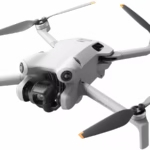
Getting the right SD card for your DJI Air 3S can make all the difference between smooth 4K video and jerky images or, worse still, interrupted recording. Imagine you’re in mid-air, capturing breathtaking landscapes, and suddenly your video is ruined by a lack of write speed on your SD card. Such a situation is avoidable if you make the right choice from the outset.
The DJI Air 3S is equipped with a dual-camera system capable of filming in 4K at 100fps. This impressive performance requires an SD card capable of rapidly processing the massive volumes of data generated. That’s why it’s essential to choose an SD card with a fast write speed and sufficient capacity.
Why choose the right SD card for the DJI Air 3S?
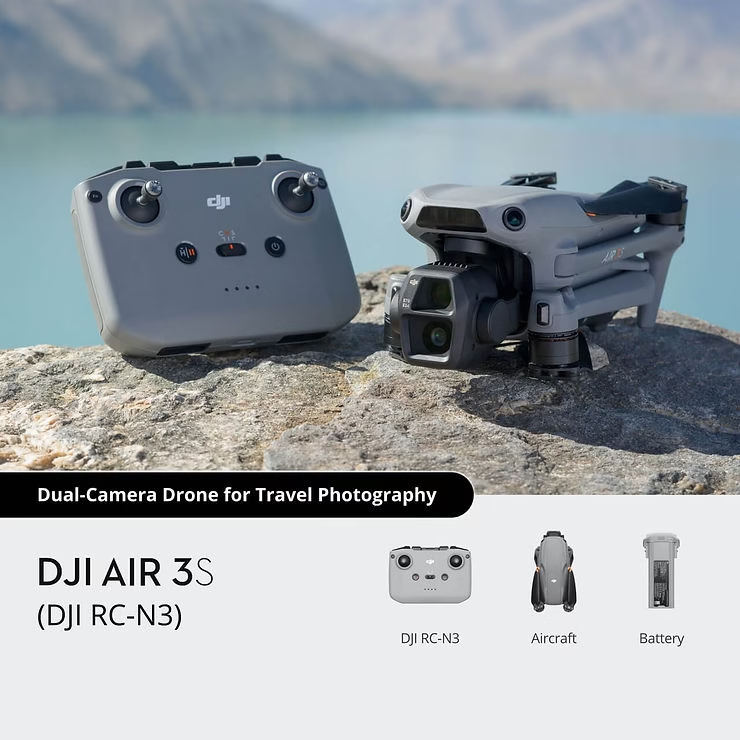
The DJI Air 3S is a powerful drone, designed to deliver high-quality images thanks to its dual camera system. It features a 50 MP main camera with a 1-inch CMOS sensor, capable of filming in 4K at 120 frames per second (fps). The second camera, a 48 MP with 3x optical zoom, captures details at a distance with great precision. This configuration makes the DJI Air 3S ideal for capturing breathtaking landscapes, portraits and even low-light scenes, thanks to its advanced obstacle detection capabilities and night-flight modes.
With this kind of performance, it’s obvious that the SD card has to be up to the task. To shoot 4K at 120 fps, you need an SD card with a write speed of at least 30 MB/s, certified UHS-I U3. Without this minimum speed, you run the risk of interrupted recording or jerky video, which is far from optimal when capturing complex scenes in high resolution.
Storage capacity is also a crucial factor to consider. The DJI Air 3S has 42 GB of internal memory, which is sufficient for some short shots, but can quickly fill up during long flights or 4K capture sessions. We therefore strongly recommend using 128GB to 256GB SD cards to avoid running out of space mid-flight. This means you can film with complete peace of mind, without having to interrupt a session to change cards.
Technical specifications to look for on an SD card for the DJI Air 3S
1. UHS-I U3 class speed
To fully exploit the capabilities of the DJI Air 3Syou need an SD card with UHS-I U3 certification. This standard guarantees a minimum write speed of 30 Mb/s, which is necessary to handle 4K video at 120 fps. With a slower SD card, you risk interruptions, jerks or even loss of your recordings due to the amount of data generated by these high resolutions and frame rates. A UHS-I U3 card ensures that high-definition video streams are stored smoothly and seamlessly.
2. Recommended storage capacity
The DJI Air 3S features 42 GB of internal storage, but this capacity can quickly prove insufficient for extended flight sessions or 4K video. For regular use, a 128GB SD card is a good place to start. However, if you plan to capture long video sessions or complex projects, 256GB to 512GB cards are highly recommended. This means you won’t run out of space, and you can film with complete peace of mind, without worrying about having to change cards in the middle of a flight.
The best SD cards for DJI Air 3S
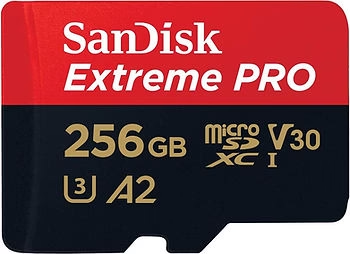
1. SanDisk Extreme Pro 256GB
The SanDisk Extreme Pro 256GB is the ideal option for those looking to capture 4K video with their DJI Air 3S. With write speeds of up to 140 MB/s, this card guarantees smooth recording even during demanding scenes. What’s more, it’s designed to withstand tough conditions, being waterproof, shockproof and resistant to extreme temperatures. Whether you’re flying in high mountains or near water, this card offers exceptional reliability.

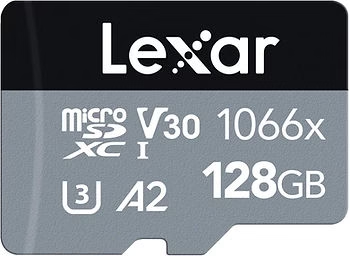
2. Lexar Professional 1066x
For those looking for a more affordable alternative, the Lexar Professional 1066x is an excellent choice. With high read speeds of up to 160 Mb/s, this card offers good performance for high-resolution video capture with the DJI Air 3S. Designed for outdoor environments, it is robust and can withstand harsh conditions such as heat and cold. It’s perfect for drone enthusiasts looking for a good SD card at a more attractive price.
3. Samsung EVO Plus
The Samsung EVO Plus is another reliable option for DJI Air 3S users. With impressive write and read speeds of up to 130 MB/s, this card ensures fast, smooth recording of 4K video. In addition to its performance, it’s designed to withstand the elements: waterproof, resistant to extreme temperatures, shocks and X-rays. It’s the perfect card for those who want a durable, high-performance solution for their aerial adventures.

Practical tips for getting the most out of your SD card
1. Regular formatting
Before each use of your DJI Air 3Syou are strongly advised to format your SD card. This simple gesture optimizes the deletion of old files and avoids fragmentation errors that could slow down writing speed. Indeed, when you delete files in the conventional way, fragments of data may remain, making it difficult to access new information and causing interruptions during recording. Formatting the card before each flight therefore ensures that storage space is completely freed up and writing is smooth, which is essential for capturing high-resolution videos without a hitch.
2. Have an emergency card
To ensure worry-free flying sessions, it’s always a good idea to have a spare SD card to hand. Whether due to forgetfulness, card failure or unexpected lack of capacity, an extra card can save the day. Imagine yourself in mid-flight, capturing unique landscapes, when suddenly your card is full or becomes unusable. With a spare card, you can simply replace it and continue recording without missing a beat. This is particularly useful for professional projects or long flight sessions where every moment counts.
Conclusion : The importance of choosing the right SD card
To take full advantage of the DJI Air 3Sit’s crucial to choose a fast, high-capacity SD card. With its 4K performance at 120 fps, the drone requires a UHS-I U3-certified SD card capable of keeping up with the flow of data without interruption. What’s more, opting for a card of at least 128 GB, or even 256 GB, gives you the peace of mind you need to film long sessions without having to worry about storage space.
Take action!
Don’t let an unsuitable SD card ruin your flying moments! Choose a recommended card, such as the SanDisk Extreme Proor the Lexar Professional 1066xor the Samsung EVO Plusand make sure you always have a spare card ready for future flights. You’ll enjoy a smooth flying experience, with high-resolution videos ready to share.





Leave a Reply