
You’re probably wondering if Submagic’s long-form video editing tool is a good fit for your podcasts or interviews? This article explains why this tool doesn’t replace your editing software, but becomes your best ally for repurposing your content. Get ready to learn how to transform your large files into dozens of dynamic short videos without spending all your evenings on it.
- Submagic and long formats: the direct answer
- In practical terms, how does it work with a podcast or an interview?
- Limitations to be aware of before you begin
- So, who is Submagic really for?
Submagic and long formats: the direct answer
The tool is not a typical video editing software
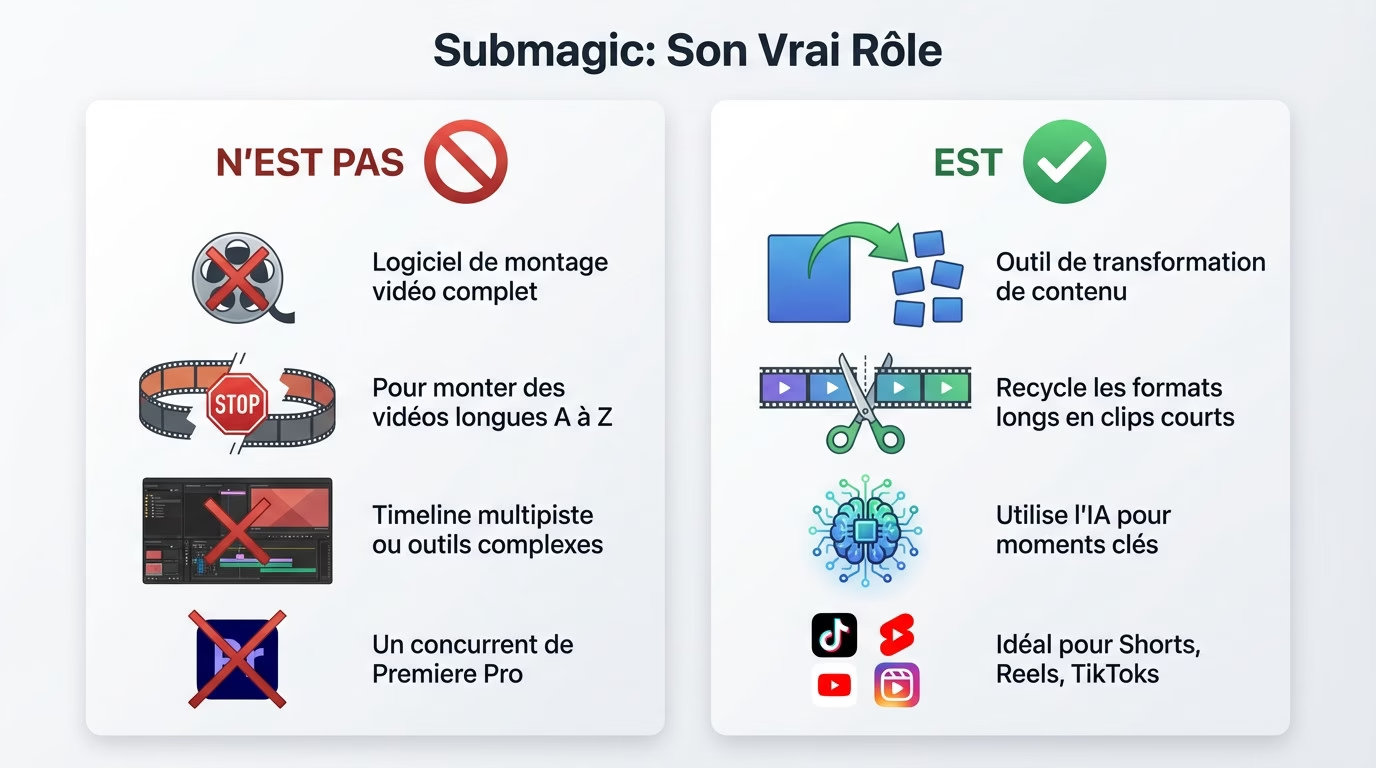
Let’s be clear: Submagic isn’t designed for editing long videos from start to finish. You won’t find complex multi-track timelines or advanced editing tools here. That’s simply not how it works.
Its goal isn’t to replace behemoths like Premiere Pro or DaVinci Resolve. In fact, its role is different: it works with pre-edited or raw videos to extract valuable footage. It’s a post-processing tool, not a construction tool.
Its real strength: recycling your content
Here’s the real-world use case for Submagic Long Videos: transforming a single piece of content, like a podcast or webinar, into a multitude of short clips. You take a massive source and extract ten engaging pieces of content for your social media.
Automation changes everything. AI analyzes long-form content to identify the most impactful moments and cuts out the unnecessary parts. This represents a phenomenal time saving for creators who want to produce quickly without burning out.
Think “shorts designer”, not “video editor”.
Think of it like the difference between a chef who prepares a banquet and one who creates perfect tapas. Submagic is the expert who creates irresistible appetizers from the main course.
So here’s the thing: if your goal is to produce viral Reels or TikToks from an existing video, it’s a powerful tool. But if you’re looking to edit your entire show? Look elsewhere; you’re barking up the wrong tree.
In practical terms, how does it work with a podcast or an interview?
Now that we’ve clarified the “what,” let’s look at the “how.” The process is quite simple and relies entirely on artificial intelligence.
Importing your long video
To get started, simply import your source file or paste a YouTube link directly into the interface. Depending on the plan you choose, the tool accepts content up to 90 minutes long to process your Submagic videos.
Once the video is uploaded, the software transcribes the entire audio into text. This transcription serves as the foundation for the AI’s analysis in the subsequent stages of the process. Without this step, the algorithm cannot understand the context.
The magic of AI to extract the nuggets
This is where the “Magic Clips” feature comes in to save you valuable time. The AI doesn’t cut randomly; it identifies catchy hooks and moments with high viral potential. It pinpoints what will grab attention.
The tool then presents you with a selection of pre-cut clips ready to use. All you have to do is browse the list and choose the ones you like best. Once you’ve made your selection, you can move on to customization.
Features for short clips
Once your clips are selected, Submagic’s full arsenal becomes available to enhance them. It’s at this precise moment that the magic truly happens to captivate the audience.
Here are the features automatically applied to boost your results:
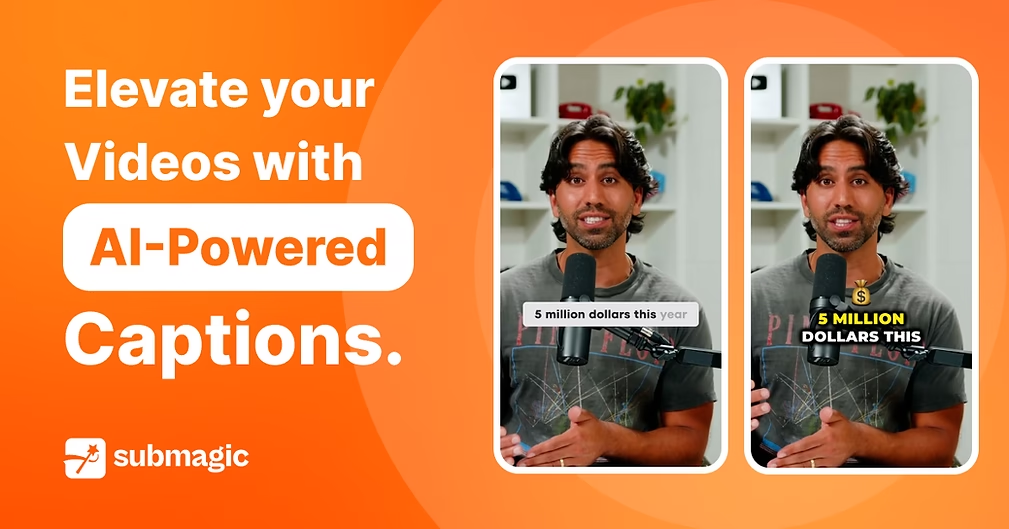
- Dynamic animated subtitles with emojis.
- Added relevant B-Rolls to illustrate the point.
- Automatic zooms to capture attention.
- Smooth transitions to link the sequences.
To see the process in action, take a look at a complete tutorial on Submagic .

Limitations to be aware of before you begin
No full assembly, just adjustments.
Looking for a classic editing timeline? Forget it, this isn’t the place for that. You can’t combine multiple sequences, manage complex audio tracks, or perform advanced color grading.
Your editing options are strictly limited to the AI-generated clips. You can adjust the clip’s trimming or correct the transcript. But don’t expect to restructure the video in depth.
The technical constraints of subscriptions
Please note that your actual usage will be limited by your chosen subscription plan. This is a common obstacle.
The Business plan limits the import of Submagic long videos to a maximum of 30 minutes. The file size is also limited to 2 GB. Be sure to check these technical details before subscribing.
Submagic versus a traditional video editor
To see things more clearly and avoid choosing the wrong tool, a brief comparison is necessary.
This table proves that the tools are not in the same league and are complementary rather than competitive:
| Functionality | Submagic | Traditional editor like Premiere Pro |
|---|---|---|
| Creating viral clips | Excellent | Manual |
| Editing on timeline | Non-existent | Excellent |
| Advanced audio mixing | Basic | Excellent |
| Dynamic subtitling | Excellent | Manual (via plugins) |
| Added B-Rolls AI | Excellent | Manual |
So, who is Submagic really for?
Ultimately, the question is not whether Submagic is good, but whether it is good for you.
The ideal profile to take advantage of the tool
Submagic primarily targets those who already produce dense content. If you have videos in stock but lack the time or skills to adapt them into shorter formats, this is the perfect tool to make the most of them.
Here are the profiles that benefit the most from using it:
- Podcasters who want to promote their episodes on Instagram.
- Trainers who want to tease their courses on TikTok.
- Companies that want to repurpose their webinars into content for LinkedIn.
When to choose another tool?
It’s important to be realistic about situations where this tool isn’t suitable. For example, if you’re starting from scratch to edit a video, if you need complete creative control, or if your project requires significant technical complexity.
In these cases, traditional video editing software remains essential. Submagic can then be used later, once the long video is finalized, to extract its essence.
The verdict for your long-form content
Let’s put it simply. Submagic isn’t a tool for editing long videos, but it’s an exceptional tool that uses long videos as its raw material. It’s a true content multiplier.
My opinion is clear. For content creators who want to maximize the reach of their podcasts or interviews without spending days on it, this is a very worthwhile investment. Read my detailed review of Submagic to learn more. Try Submagic here .
In short, don’t use Submagic to create your podcast from scratch. Think of it more as a machine for recycling your long videos into viral shorts. You’ll save a ton of time thanks to the AI that finds the best clips for you. If your goal is to multiply your content on social media, go for it.







Leave a Reply