
Among the available solutions, ThumbMagic stands out as one of the most intuitive and powerful at the moment.
Created by the same team as Submagic (the AI editing tool for subtitles), it was designed specifically for YouTube creators.
🧠 What ThumbMagic does
- It automatically analyzes your video as soon as it’s imported.
- AI identifies the most expressive moments and selects the best frame.
- She creates a striking miniature with optimized text, layout and contrast.
- The result is an image in the correct format (1280×720 px) , sharp and impactful.
🎨 And you stay in control
Even though everything is generated automatically, you can customize the thumbnail:
- Modify the text or font,
- Change the colors,
- Add your logo or branding,
- Adjust the composition.
In other words: ThumbMagic does 90% of the work, and you fine-tune the remaining 10%.
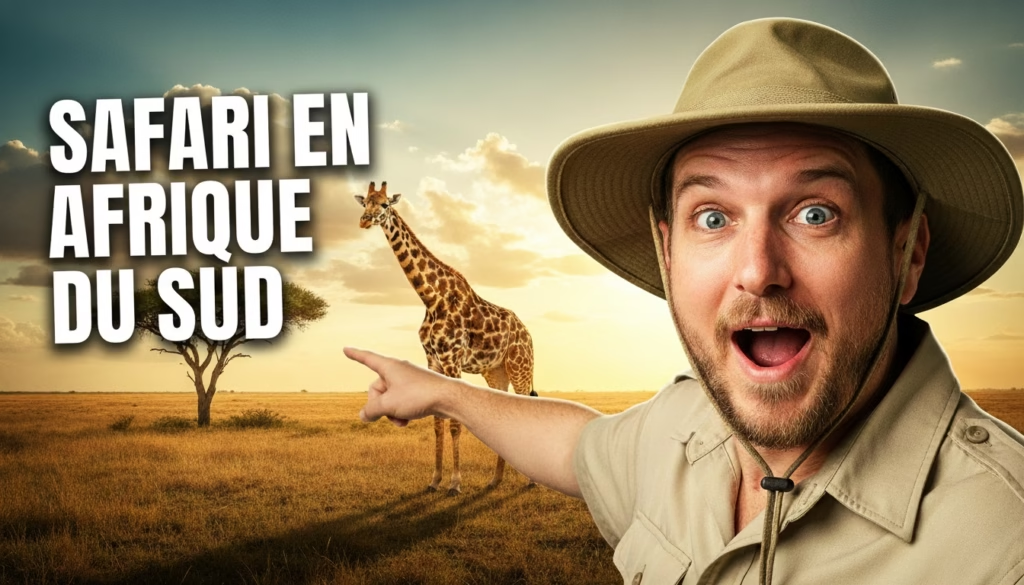
💡 The concrete advantages of ThumbMagic
- ⏱️ Time saving : no more hours spent designing each thumbnail.
- 🧠 AI creativity : automatic and relevant design ideas.
- 🎯 Click optimization : contrast and readability designed for YouTube.
- 🖼️ Perfect format : 1280×720 px, 16:9 ratio, lightweight.
- 🎨 Consistent style : save your templates to maintain a uniform visual identity.
And above all, the tool is affordable and quick to learn , even for a beginner.
👉 You can try ThumbMagic for free with 1 free thumbnail (no credit card required).
And for your first purchase, enjoy a 10% discount with the promo code CREATE10 .
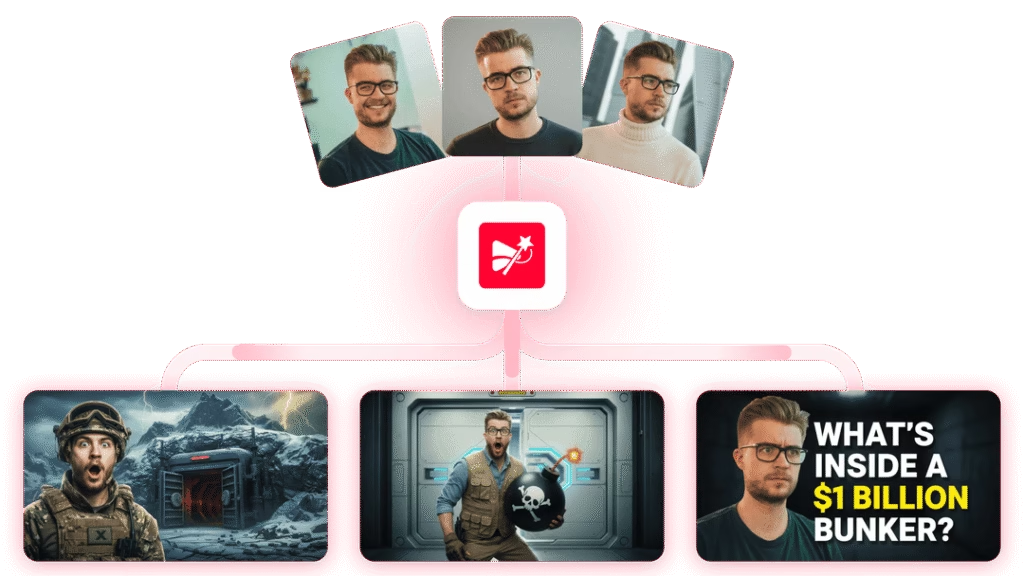
Enjoy 10% off with promo code CREATE10
📸 Examples of AI-generated YouTube thumbnails
One of the most impressive aspects of ThumbMagic is the quality of the visuals produced.
The thumbnails maintain a professional look , worthy of a graphic designer, while respecting the correct dimensions.
Example :
- A travel video: AI chooses a powerful moment with emotion + clear text (“The most beautiful spot in Norway!”)
- A tutorial video: highlighting the product or face + short text (“How to film in 360°?”)
- A vlog video: expressive shot + warm color to attract the eye.
Thanks to its understanding of the content, the AI generates a visual adapted to the tone of the video .

🧩 Tips for getting the most out of AI-generated thumbnails
Even though AI does a lot of the work, you can still boost the effectiveness of your thumbnails:
- Ensure readability on mobile devices (avoid thin fonts)
- Limit the text to a maximum of 4 to 6 words.
- Add your logo to strengthen your identity
- Test several variants (A/B testing)
- Create visual consistency across all your videos
💡 With ThumbMagic, you can save your templates to reproduce the same style in every new video.
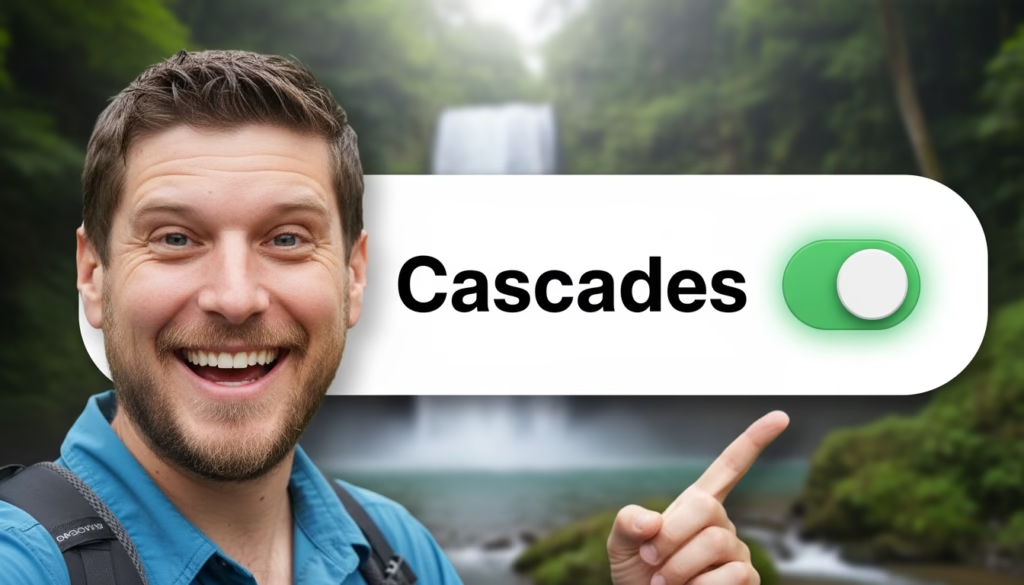
🔁 The best alternatives to ThumbMagic
To be thorough, here are a few other tools that offer similar features:
- Canva AI – offers templates with intelligent assistance
- Fotor AI Thumbnail Maker – allows you to generate simple thumbnails
- Adobe Express – includes an AI assistant, but it’s more limited
However, none of these solutions offer the fluidity and precision of ThumbMagic , which remains to this day the only tool 100% dedicated to creating YouTube thumbnails with AI .
🚀 In short: AI at the service of your creativity
Artificial intelligence is not there to replace the creator, but to save them time and boost their creativity .
With a tool like ThumbMagic , you can create perfectly sized, emotional and attractive thumbnails — without any technical effort.
So, ready to give your YouTube videos the attention they deserve?
➡️ Discover ThumbMagic now and enjoy a 10% discount with the code CREATE10 .
Your miniatures have never been so simple… and so powerful.




Leave a Reply