
Here’s what matters most first, with the essential points, useful context, and practical takeaways made easy to scan.
Try Submagic now and simplify your workflow! 👉 https://submagic.co?via=guillaume25
💡 Use Submagic promo code CREATE10 to get 10% off your Submagic subscription.
Submagic continues to evolve at an impressive pace. After winning over 500,000 creators worldwide, the platform has just announced new features that will revolutionize the way you edit and publish videos. From the Brand Kit that automates your visual identity, to the AI Description to boost your social media posts, to Multi Clips and Presets , Submagic confirms its place as one of the best AI tools for YouTubers, TikTok and Instagram creators.
In this article, we take a look at the latest Submagic innovations, how they work, and most importantly, why they can transform your video workflow.

🎬 Submagic, the AI tool preferred by content creators
If you’re new to Submagic, it’s an AI-powered video editor designed for short-form videos (TikTok, Reels, YouTube Shorts). With just a few clicks, you can:
- Generate automatic subtitles with 98.8% accuracy.
- Add trendy animated styles to capture attention.
- Trim your videos automatically with text and AI editing .
- Enrich your clips with a built-in library of millions of royalty-free images, GIFs, and music .
- Export your videos in HD, and even in 4K in the Business version .
With its regular updates, Submagic doesn’t just follow trends: it anticipates them.
🆕 The latest Submagic news in 2025
Submagic recently announced several new game-changing features for creators. Here’s a rundown.
🎨 Brand Kit – Your visual identity in one click
Tired of manually reapplying your colors, fonts, and logos to every video? Brand Kit solves this problem.
Now you can:
- Import your logo only once.
- Define your main colors.
- Choose your favorite fonts.
Submagic then automatically applies this identity to all your videos, resulting in consistent, professional content that’s instantly recognizable to your audience.
✍️ AI Description – Automatically optimized descriptions
Good editing isn’t enough to make a video go viral: you also need a powerful, SEO-optimized description .
With AI Description , Submagic automatically generates for you:
- Ready-to-use descriptions.
- Relevant hashtags.
- Translations into over 50 languages.
👉 This means your videos can reach an international audience with just one click, without wasting time manually writing your texts.
🎥 Multi Clips – Combine multiple videos into one
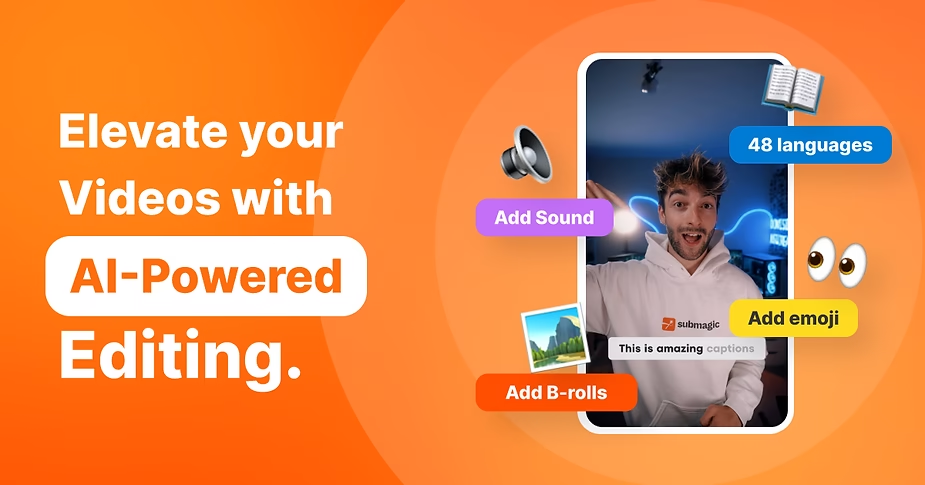
Another highly anticipated new feature: Multi Clips . This feature allows you to:
- Combine multiple clips into a single timeline.
- Easily rearrange the order of sequences.
- Create a complete montage from A to Z without using third-party software.
This is a huge step forward for creators working on YouTube vlogs, tutorials , or multi-camera edits .
⚡ Presets – Save and reuse your style
We know: repeating the same settings for each video is exhausting.
With Presets , you can save your favorite styles (subtitles, zooms, colors, b-rolls) and apply them with a single click to all your future videos.
A huge time saver, especially for those who publish several videos per week.
🔗 Submagic API – Advanced Automation
The release of the Submagic API opens up new possibilities. In concrete terms, you can connect Submagic to your other tools (Zapier, Make, Notion, etc.) and automate entire tasks:
- Automatic generation of viral clips from a live or podcast.
- Add subtitles + export + publish to YouTube Shorts in one request.
- Integration into your marketing workflows.
In short, you can almost eliminate all the manual part of video editing .
📂 Nested Folders & Collaboration – Organization and teamwork
Submagic also added:
- Nested folders to better classify your projects.
- A collaboration mode for working together in real time.
Agencies, social media teams, and creatives who delegate will love this option, which eliminates endless back-and-forths on Google Drive.
🎧 Audio quality and 4K export
To meet the needs of professionals, Submagic has also improved:
- AI audio enhancement (noise reduction, clearer sound).
- Exports in 4K at 60 fps , available in the Business plan.
Your videos will not only be quick to edit, but will also have impeccable professional quality .

🚀 Why these new features are a game changer for YouTubers
These new features aren’t just gimmicks: they truly transform the way we create content.
- Huge time saver : no more spending hours on Premiere Pro or Final Cut.
- Visual consistency : your brand is immediately recognizable thanks to the Brand Kit.
- SEO/Social Optimization : AI Description helps you rank your videos better.
- Increased creativity : Multi Clips and Presets free up time to focus on storytelling.
- Scalability : With API and collaboration, you can manage content in bulk.
👉 Result: more videos, faster, with more visibility.
💡 How to take advantage of these new features now
- Create an account on Submagic.co .
- Try the Starter version for free (3 videos/month with watermark).
- Upgrade to Pro or Business if you want to:
- Export in 4K.
- Remove the watermark.
- Access the API, Brand Kit and collaboration.
With Submagic, you can generate subtitles automatically in one click. 👉 https://submagic.co?via=guillaume25
❓ FAQ about what’s new at Submagic
Is Submagic free?
Yes, a free version allows you to test with 3 videos per month, but with watermark.
Is the Brand Kit included in all versions?
No, it is available from the Business version, designed for teams.
Can I use Submagic in French?
Yes, the tool supports more than 50 languages, including French.
Which formula should you choose to start?
The Starter plan is sufficient if you want to try it out. For regular use, the Pro plan offers the best value.






Leave a Reply